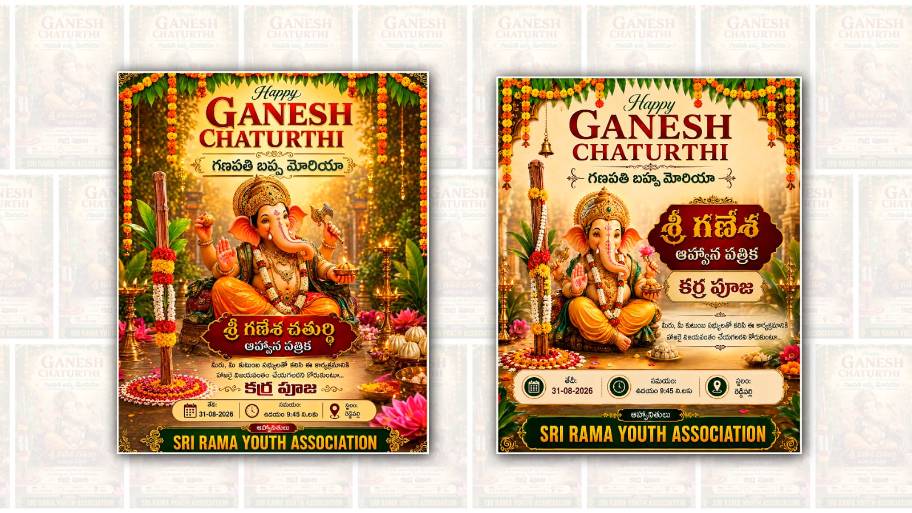
Ganesh Youth Karra Pooja is a special traditional celebration that brings young people, families, friends, and the local community together with devotion, energy, and cultural pride. Every year, people look forward to celebrating the occasion, and one of the most attractive parts of the celebration is the invitation poster. A beautifully designed poster not only shares the event details but also creates excitement among people before the celebration begins. Today, with the help of Google Gemini, creating a Ganesh Youth Karra Pooja invitation poster has become much easier, even for people who do not have professional graphic design experience.
Google Gemini can be a useful creative assistant when you want to create an attractive invitation concept quickly. Instead of spending hours learning complicated editing software, you can describe the poster you have in mind and use Gemini to develop a suitable design idea, text, layout, colours, and visual style. This makes the process convenient for students, youth groups, festival organisers, and anyone who wants to prepare a stylish invitation for their Karra Pooja event.
The first step is to decide what kind of poster you want. Before opening Google Gemini, it is helpful to collect the important information about the event. This may include the name of the youth group, the name of the festival or pooja, date, time, venue, special programs, organiser names, and contact details. Having these details ready makes it easier to create a complete invitation without forgetting important information. You can also decide whether you want a traditional, modern, colourful, devotional, or energetic design.
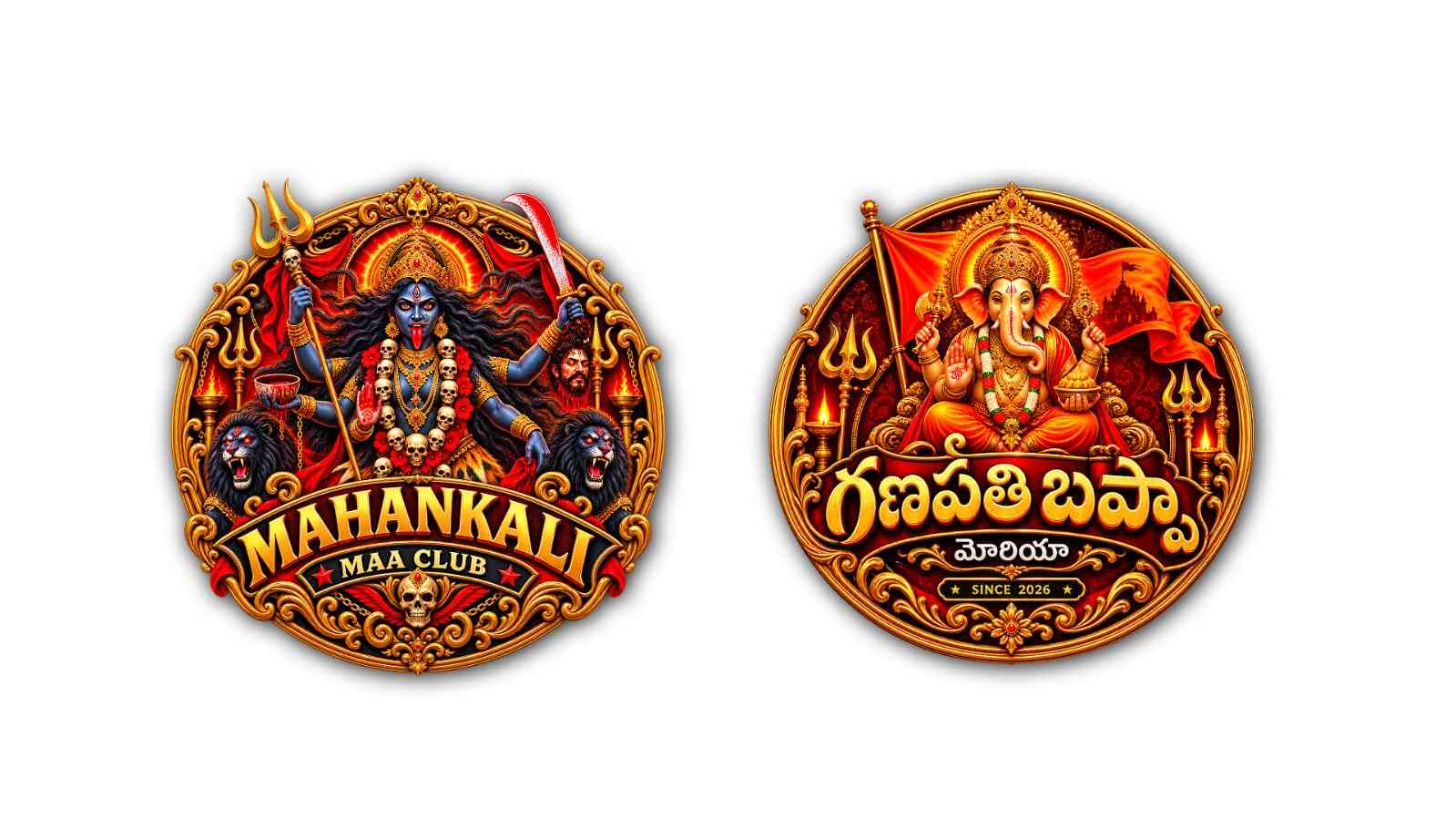
For a Ganesh Youth Karra Pooja poster, the visual theme can be based on Lord Ganesha, traditional decorations, festive lighting, flowers, diyas, cultural patterns, and vibrant colours. Red, orange, yellow, gold, and saffron shades can give the poster a strong festive appearance. If the event is organised by a youth group, you can also add a modern touch with bold typography, glowing effects, stylish borders, and a dynamic background. The main goal is to maintain a balance between tradition and modern creativity.
When using Google Gemini, the quality of your instruction can make a big difference. Instead of simply asking for a “Ganesh Pooja poster,” describe the design clearly. Mention that you want a vertical invitation poster, a devotional Lord Ganesha theme, traditional Indian decorations, vibrant colours, elegant typography, and enough space for the event information. You can also specify that the poster should look suitable for sharing on WhatsApp, Instagram, Facebook, or other social media platforms.
Another useful part of poster editing is selecting the right wording. The invitation should be simple enough to read quickly but attractive enough to catch attention. The name “Ganesh Youth Karra Pooja” should usually be one of the most prominent elements of the design. A welcoming line such as “You are warmly invited to join us” can make the invitation feel personal. Details such as the date, time, and venue should be clearly separated from the decorative elements so that people can find the information without difficulty.
If the initial design does not look exactly the way you imagined, there is no need to start again from the beginning. You can refine the idea by giving additional instructions. For example, you can ask for a more traditional appearance, brighter colours, a cleaner background, larger event text, more elegant decorations, or a stronger youth-oriented style. This step-by-step approach is one of the convenient aspects of using an AI assistant for creative work.
The background plays an important role in making a festival invitation attractive. A plain background can look clean and professional, while a detailed festive background can create a more energetic atmosphere. For Karra Pooja, a combination of temple-style patterns, floral decorations, traditional lamps, subtle sparkles, and a warm golden glow can work particularly well. However, too many elements can make the poster difficult to read. Keeping the central information clear is more important than filling every space.
Images and text should also have a good visual hierarchy. The main title should immediately attract attention, followed by the Ganesh image and then the event details. Organiser information and contact numbers can be placed toward the bottom. If there are multiple programs during the event, they can be presented in a simple list rather than using too much decorative text. A well-organised poster looks more professional and is easier for people to understand when they see it on a mobile phone.
Once you have a suitable concept, you can continue editing the poster in a design application if necessary. Google Gemini can help with ideas, wording, layout suggestions, and creative direction, while an editing tool can be used for final adjustments such as positioning text, changing fonts, adding logos, correcting colours, or arranging photographs. This combination can be especially useful when a youth group wants to create a personalised invitation rather than using a generic template.
One important thing to remember is that AI-generated designs may sometimes produce incorrect spellings, unusual text, or inaccurate event information. For this reason, every detail should be checked carefully before sharing the final poster. The date, time, venue, names, phone numbers, and program details should be verified manually. If the poster contains Telugu or another regional language, it is also a good idea to check the spelling and wording with someone comfortable reading the language.
The final poster can be saved in a high-quality format suitable for social media and messaging applications. A vertical design is generally convenient for mobile viewing because most people will see the invitation on their phones. You can share it in WhatsApp groups, community groups, Instagram stories, Facebook pages, and other platforms. Printed copies can also be prepared if the event organisers want to distribute physical invitations around the neighbourhood.
Creating a Ganesh Youth Karra Pooja invitation poster with Google Gemini is therefore not just about making a picture. It is about bringing together tradition, creativity, and technology to communicate the spirit of the celebration. Young organisers can experiment with different styles and create something that represents their group and community. Even without advanced design skills, a thoughtful idea and a clear description can help produce an attractive starting point for the invitation.
The best poster is not necessarily the one with the most decorations. It is the one that combines a beautiful devotional atmosphere with clear and useful information. A strong Ganesh Youth Karra Pooja invitation should make people feel welcomed, excited, and connected to the celebration. By using Google Gemini for creative assistance and carefully checking the final design, anyone can create a memorable invitation poster that reflects the joy, devotion, unity, and youthful spirit of the occasion.
POSTER PROMPT 1
Create the same premium Ganesh Chaturthi poster style in exact 4:5 ratio, keeping the same visual composition, colors, festive richness and professional quality.

Top:
“Happy GANESH CHATURTHI”
“గణపతి బప్పా మోరియా”

Use Telugu script only, no Hindi/Devanagari.

Center: a beautiful divine Lord Ganesha in a unique elegant blessing pose, with golden crown, ornaments and flowers.

Keep a prominent traditional decorated wooden stick (కర్ర) beside Ganesha for Karra Pooja.

Include:
“శ్రీ గణేశ చతుర్థి”
“ఆహ్వాన పత్రిక”
“కర్ర పూజ”

Event Details:
Date: [DATE]
Time: [TIME]
Location: [LOCATION]

Bottom:
“ఆహ్వానితులు”
“[YOUTH ASSOCIATION NAME]”

Keep the same luxurious green, maroon, cream and gold theme, mango-leaf toran, marigold flowers, brass diyas, temple background, golden lighting, elegant typography and clean professional layout. No watermark, no random text, no Hindi/Devanagari, no distorted Telugu. Keep all text clear and readable.
POSTER PROMPT 2
Create a premium professional Ganesh Chaturthi poster in exact 4:5 vertical ratio, matching the same clean, elegant and luxurious visual style of the reference design. Use a rich emerald green, deep maroon, cream and antique-gold color palette, with mango-leaf toran, marigold garlands, brass lamps, subtle temple background and warm cinematic lighting.

At the top:
“Happy GANESH CHATURTHI”
Below:
“గణపతి బప్పా మోరియా”

Keep Telugu text strictly in Telugu script, never Hindi/Devanagari. Feature a beautiful, divine Lord Ganesha in a different elegant blessing pose, with a detailed golden crown, traditional ornaments, flower garlands and premium festive clothing. Place a prominent traditional wooden ceremonial stick (కర్ర) beside Ganesha, decorated with mango leaves and marigold flowers.

Add elegant Telugu text:
“శ్రీ గణేశ చతుర్థి”
“కర్ర పూజ”

Add a compact, beautifully designed information panel:
తేది: [DATE]
సమయం: [TIME]
స్థలం: [LOCATION]

At the bottom, use a premium dark-green and gold banner:
“ఆహ్వానితులు”
“[YOUTH ASSOCIATION NAME]”

Keep the design clean, balanced and uncluttered, with moderate-sized text and maximum focus on Ganesha and the Karra Pooja. No watermark, no photographer credit, no random text, no unnecessary logos, no Hindi text, no distorted Telugu letters. High-end professional festival poster, realistic devotional artwork, elegant typography, sharp details, premium 4:5 composition.