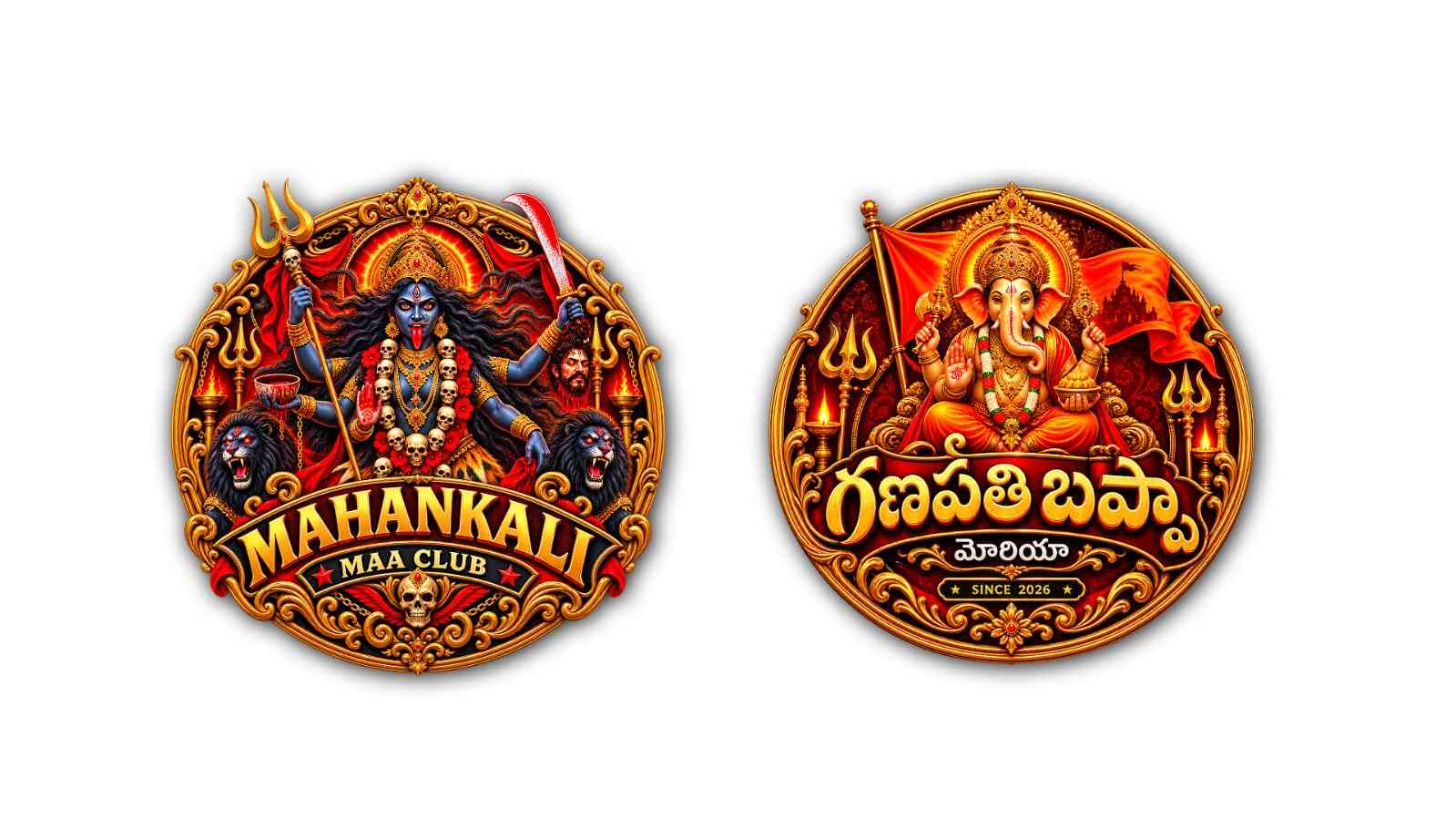
Creating a 3D golden Mahankali logo with Google Gemini AI is much easier than it sounds. You do not need to be a professional graphic designer or spend hours learning complicated software. With the right idea, a clear prompt, and a little patience, you can create a powerful and attractive Mahankali-inspired logo using AI.
Mahankali is a deeply respected form of the Goddess Kali, especially associated with the Telugu-speaking regions of India and the Bonalu festival. Because of the strong cultural and spiritual importance of Mahankali, a logo based on her should look powerful, respectful, traditional, and visually impressive. A 3D golden design can give the logo a royal appearance while making it suitable for posters, social media, festival banners, invitations, YouTube thumbnails, and other digital designs.
To start, open Google Gemini in your browser or through the Gemini app. Sign in with your Google account if required. The exact image-generation features available in Gemini can change over time, so you may see slightly different buttons or options depending on your account and region. Look for the option that allows you to create or generate an image.
Before entering your prompt, it is helpful to decide what you want the final logo to look like. Think about the main subject, colours, background, text, lighting, and overall style. For a Mahankali logo, gold is an excellent choice because it creates a divine and premium appearance. You can combine gold with deep black, dark red, maroon, or a subtle temple-inspired background.
For example, you can ask Gemini to create a highly detailed 3D golden Mahankali logo with a traditional and divine appearance. You can describe the Goddess with a powerful expression, traditional ornaments, a crown, glowing golden details, and dramatic lighting. If you want the design to look like a professional logo rather than a normal illustration, clearly mention that in your prompt.
You can use a prompt like this:
“Create a premium 3D golden Mahankali logo inspired by traditional Indian devotional art. Show a powerful and divine representation of Goddess Mahankali with a majestic crown, traditional jewellery, expressive eyes, and intricate ornamental details. Use polished metallic gold as the main colour, with broad black and dark red accents. Give the design a realistic 3D embossed effect, dramatic cinematic lighting, glowing golden highlights, detailed textures, and a luxurious temple-inspired appearance. Keep the composition centred, symmetrical, bold, clean, and suitable for a professional festival logo. Use a dark background that makes the golden design stand out. High detail, sharp edges, realistic metallic reflections, premium devotional branding style.”
After entering the prompt, let Gemini generate the image. The first result may look good, but it may not always be exactly what you imagined. This is completely normal with AI image generation. Instead of starting from the beginning, you can ask Gemini to modify the generated image.
For example, you could say, “Make the gold more shiny and realistic,” or “Give the logo a stronger 3D embossed effect.” You can also request a darker background, more traditional jewellery, stronger facial details, or brighter golden lighting. Small changes in your instructions can make a noticeable difference in the final result.
If you want the logo to look more luxurious, use words such as “polished gold,” “metallic gold,” “golden embossing,” “high-end 3D,” “realistic reflections,” and “cinematic lighting.” If you want a traditional appearance, mention “Indian temple art,” “traditional South Indian ornaments,” “devotional aesthetic,” and “classical Indian design elements.”
One important part of creating a logo with Gemini is controlling the background. A complicated background can make a logo look more like a poster or artwork than an actual logo. If your goal is to use the image as a logo, ask Gemini for a simple dark background or a transparent-looking presentation. You can later remove the background using a separate image-editing tool if necessary.
You may also want to add text such as “Mahankali,” “Jai Mahankali,” “Sri Mahankali,” or the name of a Bonalu celebration. However, AI-generated text inside images can sometimes contain spelling mistakes or distorted letters. If the exact spelling is important, it is often better to create the main logo artwork first and add the final text afterwards using a graphic design application.
For a more traditional Telugu-style design, you can ask Gemini to include Telugu lettering, but carefully check the generated result. If the lettering is incorrect, create the artwork without text and add the correct Telugu words separately. This gives you much more control over the final logo.
You can also experiment with different compositions. A circular emblem can give the logo a traditional temple or festival identity. A shield-shaped logo can make it look strong and official. A simple centred portrait with a golden 3D border can create a modern social-media-friendly design. Another interesting option is a golden face or symbolic representation surrounded by ornamental patterns.
Lighting is another detail that can dramatically change the appearance. Soft golden light creates a peaceful and divine feeling, while dramatic side lighting creates a powerful and cinematic appearance. You can ask Gemini for a glowing halo behind Mahankali, subtle rays of golden light, or a soft divine aura. However, avoid adding too many effects because excessive glow, fire, particles, or decorations can reduce the clarity of the logo.
If the first generated image does not look perfect, do not worry. AI image creation usually works best through a few rounds of refinement. Look carefully at the image and identify exactly what needs to change. Instead of saying “make it better,” give Gemini a specific instruction. For example, say, “Keep the same design but make the face more symmetrical and the gold texture more realistic.” Specific instructions usually produce more useful revisions.
You can also create several variations by changing only one part of the prompt. Try one version with a black background, another with a dark red background, and another with a temple-inspired background. You could also compare a realistic 3D style with a traditional artistic style and choose the version that best fits your purpose.
Once you have a design you like, download the generated image and inspect it carefully before using it publicly. Check the facial details, jewellery, hands, ornaments, text, spelling, and overall composition. AI-generated images can occasionally contain strange or inaccurate details, so reviewing the final image is especially important when the subject has religious and cultural significance.
For social media, you can crop the design into a square format and keep the main subject in the centre. For banners or posters, a wider composition may work better. If you are creating a festival logo, consider keeping enough space around the central design so that additional information can be added later.
The biggest advantage of using Gemini for this type of project is that you can experiment with ideas quickly. You do not have to know advanced 3D modelling, lighting, rendering, or illustration techniques. Your main job is to describe the visual you want as clearly as possible and then improve the result through simple follow-up instructions.
Creating a 3D golden Mahankali logo with Google Gemini AI is therefore a combination of creativity and experimentation. Start with a strong concept, use detailed but understandable prompts, choose gold and dark contrasting colours, refine the generated image patiently, and always check the final result for accuracy. With a little practice, you can create a striking Mahankali-inspired 3D logo that looks modern, powerful, devotional, and suitable for digital or festival-related use.
MAA PROMPT
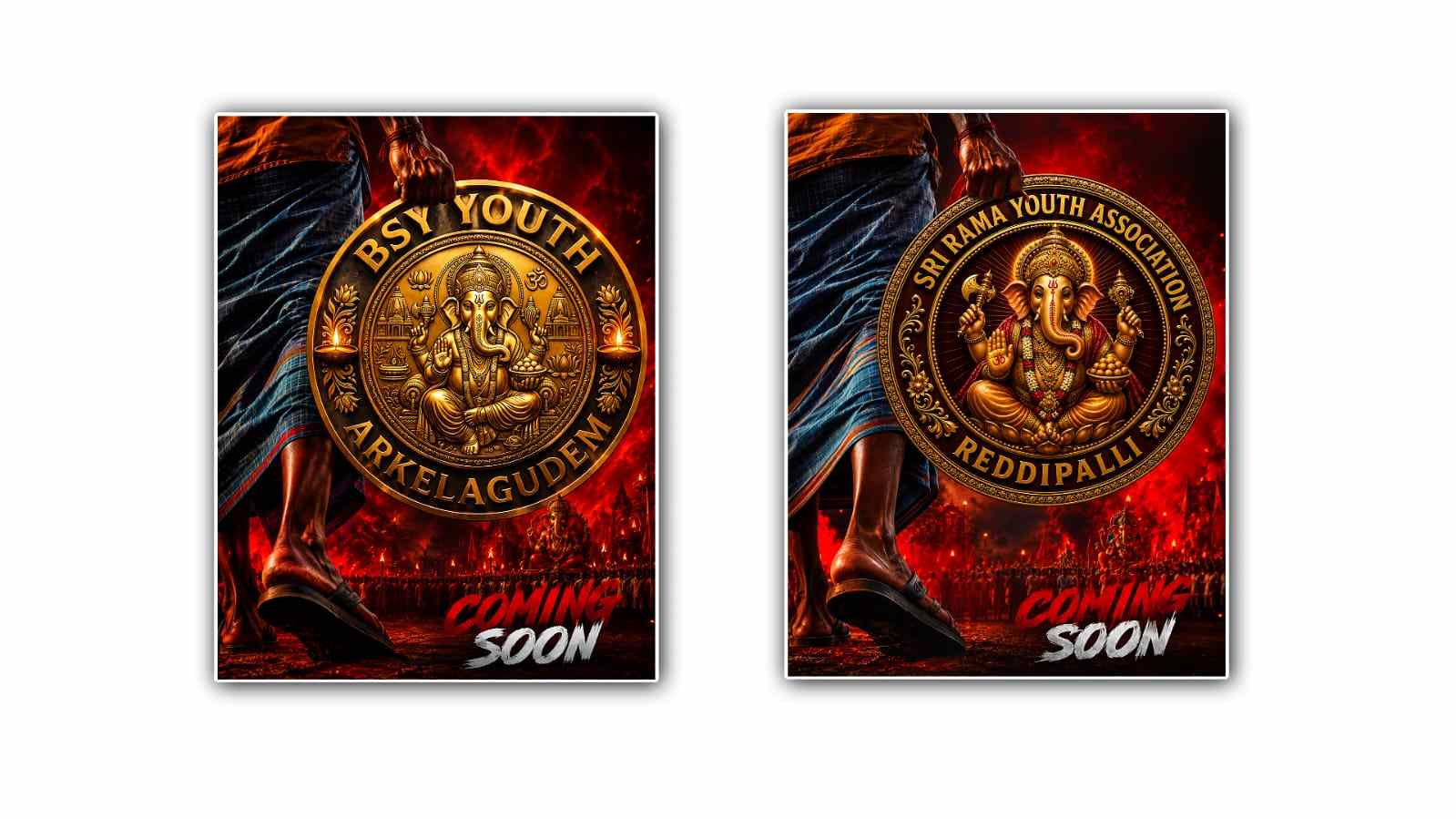
Create a premium, ultra-detailed 3D devotional youth-club emblem/logo in the EXACT SAME STYLE, STRUCTURE, COMPOSITION, AND VISUAL QUALITY as the provided reference logo.

LOGO TEXT:
Top curved text:
“YOUTH NAMR”

Below it, smaller centered text:
“VILLAGE NAME”

IMPORTANT TEXT LOCK:
Use ONLY these exact English words. Do not use Hindi, Telugu, Marathi, or any other language. Do not misspell, replace, add, or remove any letters.

MAIN SUBJECT:
Replace the central deity with a powerful and majestic Mother Kali / Mahakali. Show an attractive, divine yet powerful Maa Kali in the center, with:
dark blue/black divine skin, fierce expressive eyes, third eye, long flowing black hair, ornate golden crown, traditional gold jewelry, skull garland, multiple arms, traditional weapons including trident and sword, powerful devotional expression, dramatic divine aura behind her

DESIGN:
Large premium circular emblem. Heavy antique-gold outer border. Intricate traditional Indian golden ornamental patterns. Deep black, dark maroon and rich red background. Golden 3D embossed elements. Strong metallic depth and bevels. Symmetrical composition. Decorative gold flourishes on both sides. Tridents and traditional devotional elements integrated into the design. Subtle red glowing highlights.

The words “YOUTH NAME” must follow the upper curve of the circular emblem in large bold 3D antique-gold lettering. “VILLAGE NAME” must appear directly below it in a smaller, clean, bold gold/cream 3D font. Make the entire logo look like a high-end professionally designed metal emblem, with realistic gold reflections, shadows, bevels, depth and premium finishing. The logo must be visually balanced, symmetrical, powerful and suitable for a youth club / Ganesh festival / devotional organization identity. NO additional text. NO Hindi text. NO Telugu text. NO random letters. NO watermark. NO mockup. NO poster.
NO person holding the logo. NO background scene.

MOST IMPORTANT:
Keep the entire design as a SINGLE standalone logo/emblem. The final artwork must be isolated on a completely TRANSPARENT BACKGROUND. PNG with transparent background. No black background. No white background. Ultra-realistic 3D logo, highly detailed, cinematic gold-metal finish, premium Indian devotional emblem, sharp edges, intricate ornamentation, 8K quality. ASPECT RATIO: 1:1
OUTPUT: Transparent PNG
GANESH PROMPT
A majestic, opulent golden circular devotional logo centered around the figure of Lord Ganesha, as seen in image_2.png. Lord Ganesha is seated on a lavish golden throne, holding an axe, a bowl of modaks, and has the 'Om' mark on his palm. The background is a rich maroon with a repeating pattern, flanked by saffron flags (one with a temple silhouette) and golden tridents with lit oil lamps. Below the Ganesha figure, on a prominent red scroll-like banner, there is large, ornate, stylized Telugu text in raised gold, reading "[మీ యూత్ పేరు]" (replace with your youth group name, e.g., "శ్రీ వెంకటేశ్వర యూత్"). Below this, in smaller white Telugu text, it reads "[మీ ఊరి పేరు]" (replace with your village name, e.g., "నిజామాబాద్"). At the very bottom, on a small decorative gold banner, is the text "★ SINCE [మీ సంవత్సరం] ★" (replace with the year, e.g., "★ SINCE 2024 ★"). The entire design is highly intricate, rendered in 3D gold and white, with a rich, antique brass and ruby accent feel, preserving the exact compositional layout and divine atmosphere of image_2.png. The border is a detailed, flowing gold filigree.