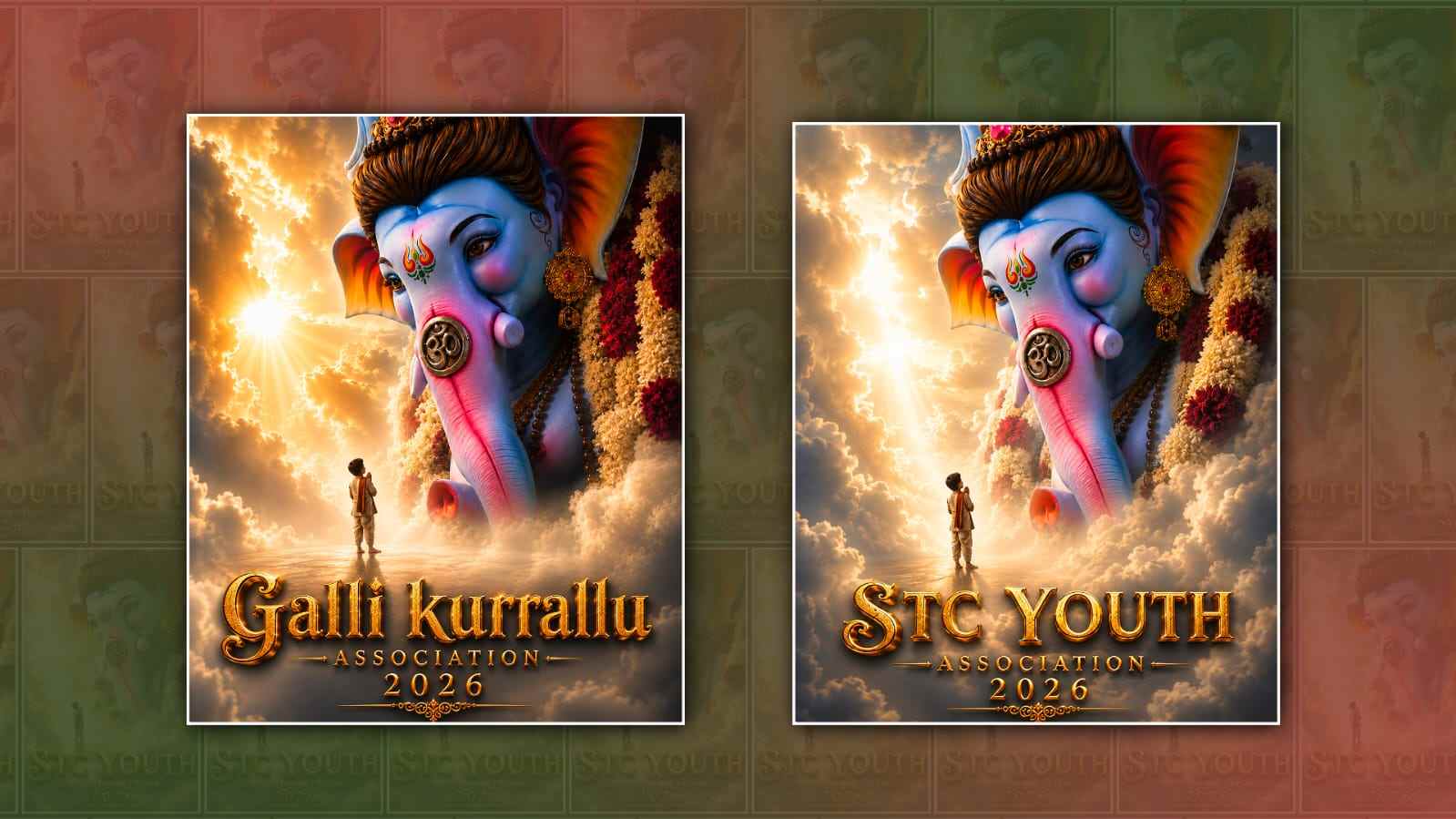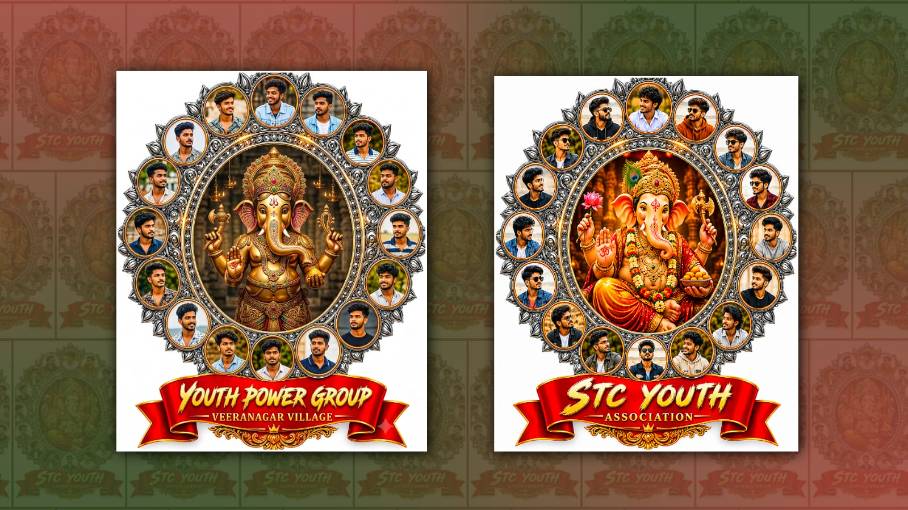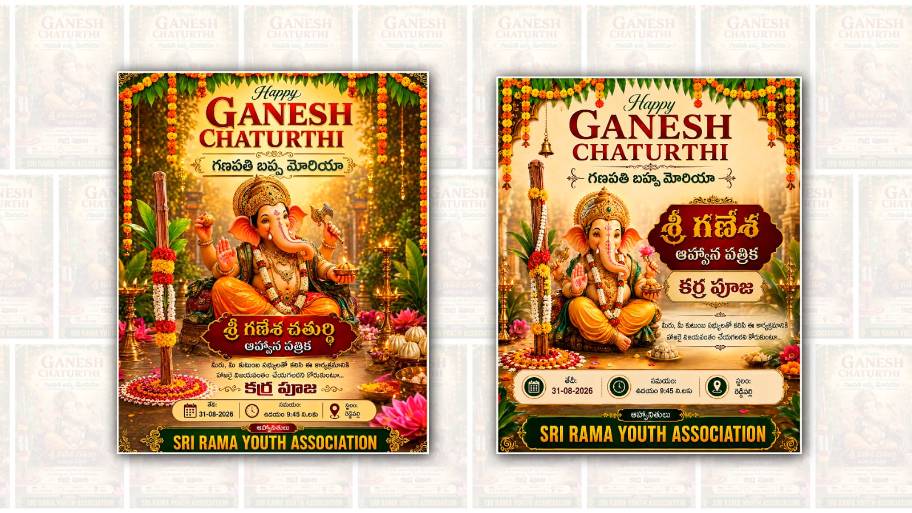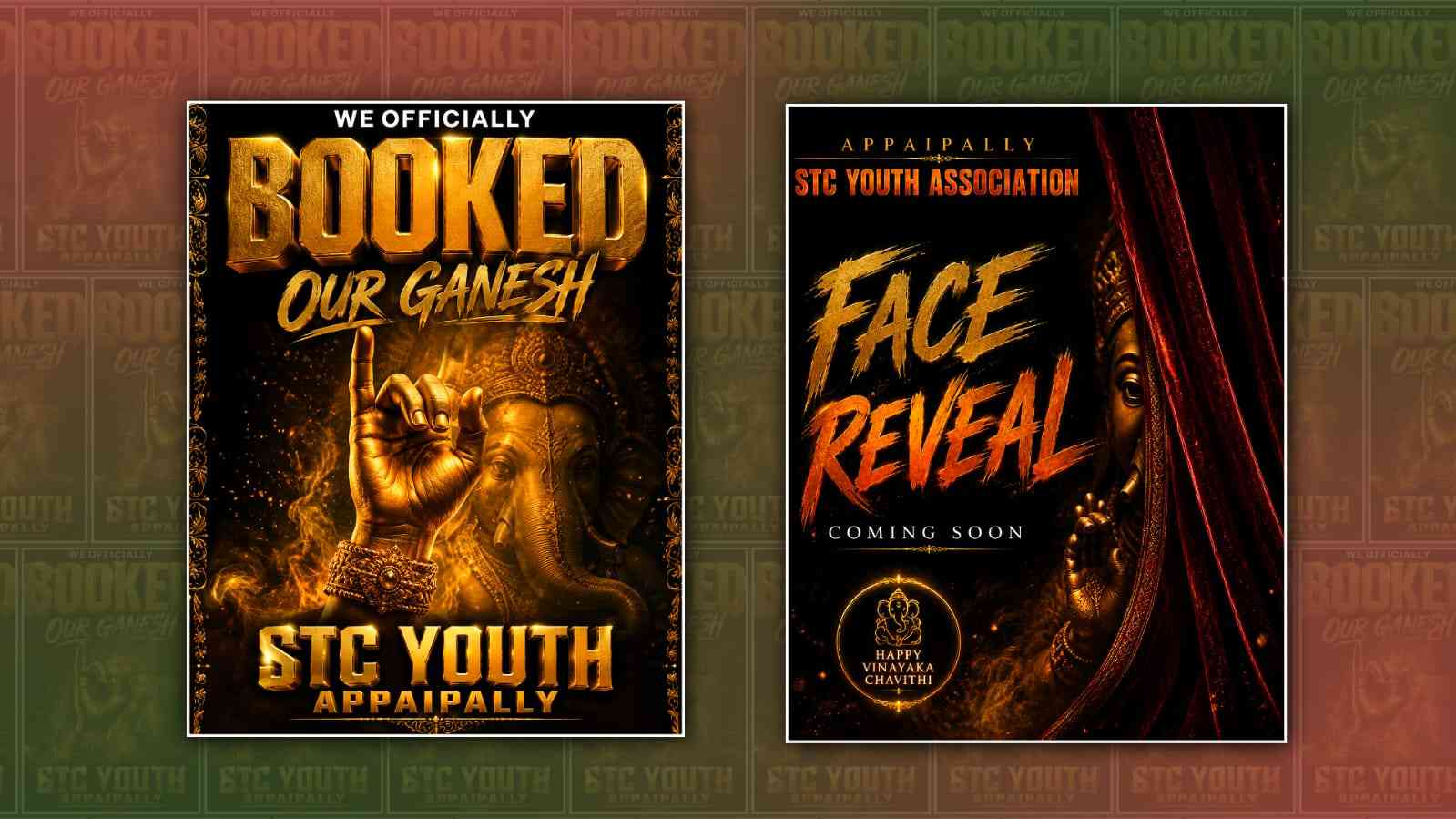
If you have been seeing creative Youth Ganesh face reveal posters on social media and wondering how people are making them, Google Gemini can be a simple way to create one. You do not need advanced graphic design skills or expensive editing software. With the right photo, a clear idea, and a detailed prompt, Gemini can help you create a poster with a festive, youthful, and eye-catching look.
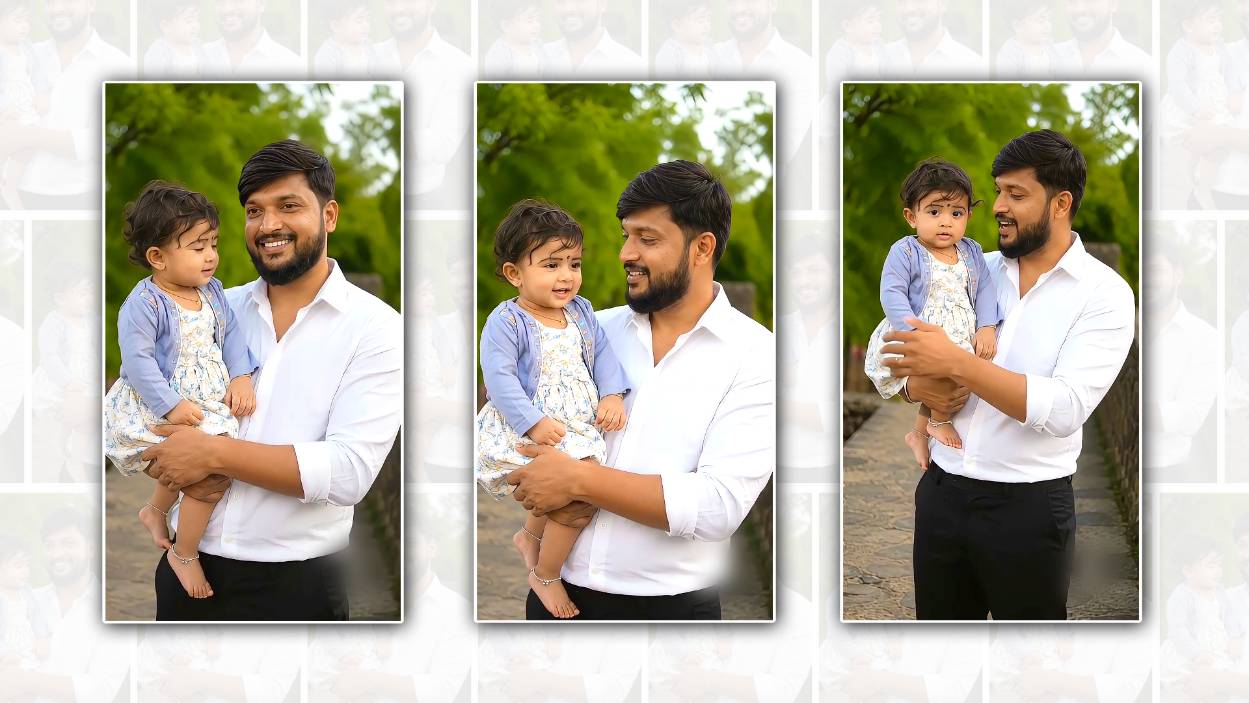
The first thing you need is a good photo of the person you want to feature in the poster. Choose a clear, high-resolution image where the face is visible. A front-facing or slightly angled portrait usually works better because the AI can understand the facial features more easily. Try to avoid extremely dark photos, blurry images, or pictures where the face is covered. If you want the final poster to look natural, use a photo with good lighting and a simple background.
Next, open Google Gemini and sign in with your Google account if required. The interface may look slightly different depending on the device or version you are using, but the basic process is similar. Look for the option that allows you to upload an image or add a photo to your conversation. Upload the selected portrait and then explain exactly what you want Gemini to create.
The most important part of the process is the prompt. Instead of simply writing “make a Ganesh poster,” describe the complete visual you have in mind. Tell Gemini about the subject, background, colours, lighting, clothing, decorations, typography, and overall mood. A detailed prompt gives the AI more information to work with and can produce a much more polished result.
For example, you could ask Gemini to create a “modern Youth Ganesh face reveal poster featuring the uploaded person, with a festive Lord Ganesha theme, warm golden lighting, rich red and orangecolourss, subtle traditional patterns, glowing particles, elegant floral decorations, cinematic background, youthful and energetic atmosphere, premium poster design, realistic facial details, and space for a bold title.” You can adjust this description according to your own style.
If the poster is being created for Ganesh Chaturthi, you can add more traditional elements. You might ask for a beautifully decorated Ganesh idol in the background, marigold flowers, diyas, temple-inspired patterns, soft smoke effects, golden ornaments, and warm festival lighting. If you want a more contemporary design, keep the background clean and use neon highlights, dramatic shadows, modern typography, and a cinematic colour palette.
The phrase “face reveal” can also be explained clearly in your prompt. If you want the person’s face to be the main focus, ask Gemini to keep the face sharp and prominent while placing the decorative Ganesh elements around or behind the subject. You can also request a dramatic reveal effect, such as a darker background gradually becoming brighter around the face. This can create the feeling of a special announcement poster rather than an ordinary festival greeting.
Another useful technique is to specify the composition. For example, you can ask for the person in the centre, with the Ganesh idol slightly behind them and decorative elements around the edges. You can request enough space at the top for a title and at the bottom for the person’s name, date, or event details. Giving Gemini instructions about the layout can make the final image easier to use as an actual social media poster.
Colours can make a big difference. Traditional Ganesh festival designs often work well with combinations such as saffron, red, orange, gold, and deep maroon. For a younger and more stylish appearance, you could combine these colours with black or dark blue. Gold lighting and glowing highlights can give the design a premium appearance. If your goal is an Instagram-style poster, you can also ask for a vertical composition suitable for a social media post or story.
Text is another area where you should be careful. AI image generators can sometimes produce incorrect or distorted lettering. If Gemini creates a poster with unwanted text omisspelted words, ask it to remove all text and leave clean space for typography. You can then add the final wording yourself using an editing application. This often gives you more control over names, dates, slogans, and event information.
Once Gemini generates the first version, do not worry if it is not perfect. The advantage of using an AI tool is that you can continue the conversation and request changes. You might say, “Make the face more realistic,” “Use a darker background,” “Increase the golden lighting,” “Make the Ganesh idol more elegant,” or “Keep the original facial appearance and change only the background.” Small, specific instructions are usually easier for the AI to follow than completely changing the concept each time.
You can also experiment with different styles. One version could have a traditional temple atmosphere, another could have a cinematic movie-poster appearance, and another could use a clean modern festival design. Comparing several versions can help you decide which one looks best for your purpose.
If you are creating the poster for a friend, college event, youth group, local celebration, or social media announcement, personalize the design rather than copying a popular poster exactly. Add the person’s name, event name, year, or a short festival message after the main image has been created. A personalised design generally feels more genuine and memorable.
Before downloading or sharing the final poster, check the face carefully. Make sure the person’s appearance has not changed in an unwanted way. Look at the eyes, hair, skin, clothing, hands, and other details. Also check the Ganesh idol and decorative elements for strange distortions. If something looks unnatural, ask Gemini for another version rather than trying to fix everything manually.
It is also worth remembering that AI-generated images can interpret instructions differently from what you imagined. The first result may not perfectly match your idea. The best results usually come from a simple process: upload a high-quality image, give a detailed prompt, review the result, and make targeted changes.
For a strong final prompt, you can combine all the important details into one description: “Create a premium Youth Ganesh face reveal poster using the uploaded portrait as the main subject. Preserve the person’s natural facial identity and realistic appearance. Place the subject in the centre with an elegant Lord Ganesha idol and festive decorations in the background. Use deep red, saffron, orange, and gold colours, cinematic lighting, glowing particles, marigold flowers, subtle traditional patterns, dramatic depth, realistic textures, and a youthful energetic atmosphere. Make the design suitable for a vertical social media poster, with clean empty space for adding a title and event details later. Keep the composition sophisticated, festive, realistic, and visually striking.”
Once you are happy with the generated image, save the highest-quality version available. If you need to add text, logos, or final finishing touches, use a graphic editing applicationafterwardsd. This two-step approach—creating the visual in Gemini and completing the typography separately—can give you a cleaner and more professional result.
Overall, making a Youth Ganesh face reveal poster in Google Gemini is mainly about giving the AI a strong visual direction. You do not have to be a professional designer. A good photograph, a detailed prompt, a clear idea of the festival atmosphere, and a few rounds of refinement can be enough to create an attractive poster. The more specifically you describe the mood, compositioncoloursrs, lighting, and subject placement, the easier it becomes to turn a simple portrait into a festive Youth Ganesh face reveal design that is ready to share.
GAESH BOKED POSTER
Create a premium cinematic Vinayaka Chavithi promotional poster in a dark black and rich golden color palette. A majestic artistic Lord Ganesha presence in the background, partially visible through dramatic golden smoke and glowing light. In the foreground, show a large realistic golden sculptural hand raised upward in a powerful celebratory gesture, wearing an ornate traditional golden bracelet. Add floating golden dust particles, dramatic volumetric lighting, deep shadows, luxury metallic textures and a premium cinematic atmosphere. Use an elegant decorative golden border on both sides.

TEXT LAYOUT:

Top:
“WE OFFICIALLY”
in bold clean white uppercase letters.

Center:
“BOOKED”
very large, powerful bold uppercase 3D metallic gold lettering with antique-gold texture, bevel, highlights and cinematic shadows.

Below:
“OUR GANESH”
in a large stylish golden brush-script typography.

Bottom:
“[YOUTH NAME]”
as the main organization name, very large bold uppercase metallic-gold 3D lettering.

Directly below it:
“[VILLAGE NAME]”
in a slightly smaller bold metallic-gold uppercase font.

Make the youth name and village name highly readable and professionally integrated into the poster.

IMPORTANT:
The exact text must be spelled correctly. Do not add any extra words. Do not use placeholder brackets in the final image. Maintain a premium Telugu cultural festival poster aesthetic with Hollywood-level cinematic lighting, ultra-realistic details, 8K quality, sharp typography, luxurious gold finish, dramatic depth and professional graphic design. Aspect ratio 4:5 portrait.
FACE REVEAL POSTER
Create a premium cinematic Vinayaka Chavithi “FACE REVEAL” promotional poster. A majestic Lord Ganesha idol should be almost completely hidden behind a luxurious deep-red velvet curtain. Only a very small portion of the Ganesha face (one eye area), a small part of the crown, and a slight glimpse of one hand should be visible from behind the curtain, creating a highly mysterious and suspenseful face reveal effect. The idol should NOT be fully visible. Use an extremely dark black background with deep crimson red and warm golden cinematic lighting. The Lord Ganesha idol should have a realistic antique-gold metallic texture with intricate traditional carvings and royal details. The red velvet curtain should appear heavy, premium, richly folded, and highly detailed, covering most of the idol. Add subtle glowing embers, floating golden dust particles, atmospheric smoke, dramatic shadows, warm rim lighting, deep contrast, and cinematic depth. Create a powerful devotional teaser atmosphere like a Hollywood movie reveal poster.

TEXT LAYOUT:

Top:
“APPAIPALLY”
in small elegant uppercase golden letters with wide letter spacing.

Directly below:
“STC YOUTH ASSOCIATION”
in bold uppercase orange-gold cinematic typographCentre-lefteft:

“FACE”
very large rough brush-style golden lettering.

Below:
“REVEAL”
very large bold orange-gold brush typography.

Below that:
“COMING SOON”
in small elegant white uppercase letters.

Bottom-left:
Add a small circular premium Lord Ganesha emblem with a glowing golden outline and the words:
“HAPPY VINAYAKA CHAVITHI”

IMPORTANT:
The exact text must be spelled correctly. Do not reveal the full Ganesha idol. Do not show the complete face or body. Only a tiny mysterious glimpse of Ganesha should be visible behind the velvet curtain. Do not add any extra organisation names or locations.
Do not use placeholder brackets. Maintain a mysterious, powerful, devotional and luxurious festival poster aesthetic. Ultra-realistic Lord Ganesha idol, realistic velvet fabric, cinematic Hollywood-level lighting, premium festival poster design, dramatic shadows, detailed antique gold textures, luxury atmosphere, sharp professional typography, 8K quality. Aspect ratio 4:5 portrait.