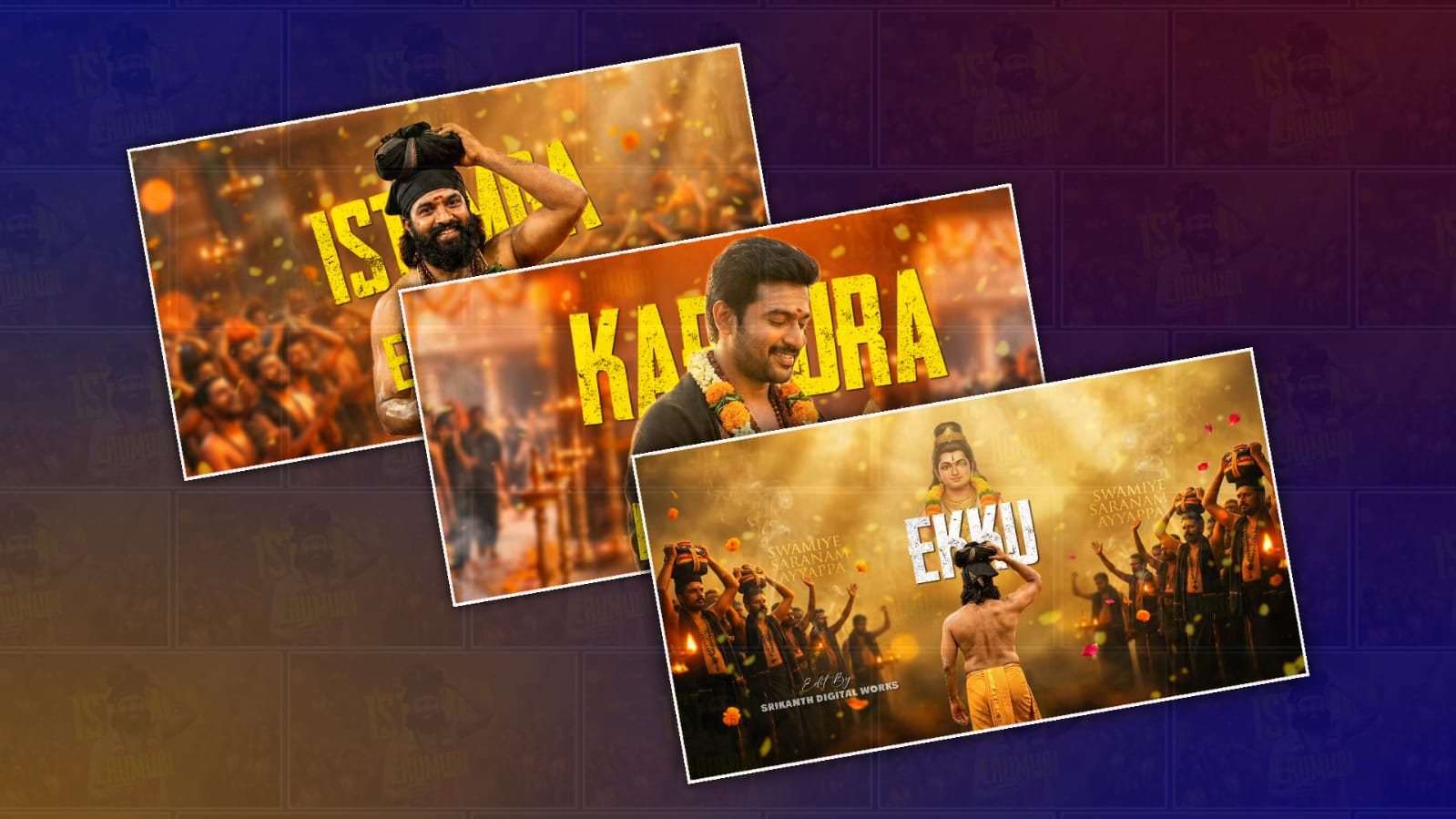
If you’ve been scrolling through Instagram Reels, YouTube Shorts, or WhatsApp Status videos, you’ve probably noticed the growing popularity of Ayyappa lyrical video edits. These videos combine devotional songs with smooth text animations, glowing effects, cinematic transitions, and colourful backgrounds to create visually appealing content. One of the best apps for creating these edits is Alight Motion because it offers professional animation tools on a mobile device.
Creating an Ayyappa lyrical video may look difficult at first, but with a little practice, anyone can make high-quality edits. Whether you’re a beginner or already familiar with mobile editing, Alight Motion provides all the essential features needed to produce beautiful lyrical videos.
The first step is to collect the resources required for your project. You will need an Ayyappa devotional song, a high-quality background image or video, a PNG image of Lord Ayyappa, lyrics in text format, and optional effects such as particles, light leaks, and overlays. Keeping all your assets organised before starting will make the editing process much smoother.
After gathering the files, open Alight Motion and create a new project. Select the aspect ratio based on where you want to upload your video. For YouTube Shorts, Instagram Reels, and WhatsApp Status, a 9:16 vertical ratio is the most popular choice. Set the frame rate to 30 FPS or 60 FPS for smoother animations and choose a resolution of 1080p for better quality.
Import your background image or video into the timeline. Many editors use temple backgrounds, glowing skies, mountain scenery, or golden abstract effects to match the devotional theme. Adjust the image so it fills the entire screen and add a slow zoom animation using keyframes. A gentle zoom creates a cinematic feel without distracting viewers.
Next, import a high-quality PNG image of Lord Ayyappa. Position it in the centre or slightly above the middle of the screen depending on your design. Apply a subtle scale animation using keyframes so the image slowly grows in size throughout the video. This creates a professional motion effect that makes the video more engaging.
Now it’s time to add the devotional song. Import the audio track and place it on the timeline. Listen carefully to identify where each lyric begins. Synchronising the lyrics with the music is one of the most important parts of lyrical editing because accurate timing makes the final video more enjoyable to watch.
Create a text layer for each line of the song. Choose a clean Telugu or English font depending on the lyrics you are using. White, yellow, and golden colours are commonly used because they stand out well against devotional backgrounds. You can also add a soft shadow or glow effect to improve visibility.
Alight Motion includes many useful text animation presets. Fade In, Scale Up, Slide Up, and Pop animations are popular choices for lyrical videos. Apply entrance and exit animations so each lyric appears smoothly with the music. Avoid using too many flashy animations because simple and elegant effects usually look more professional.
To make the lyrics more dynamic, use keyframes to animate the position, scale, or opacity of the text. Small movements often produce better results than large, distracting animations. Smooth motion keeps the audience focused on the lyrics and the devotional atmosphere.
Effects play a major role in creating attractive lyrical edits. Alight Motion offers blur, glow, colour adjustment, and blending options that can dramatically improve the overall appearance of your project. Adding soft particles, floating dust, or light leaks can enhance the spiritual feeling without overwhelming the screen.
Transitions between different scenes should also be smooth. Instead of abrupt cuts, consider using fade transitions, zoom transitions, or motion blur effects. These transitions help maintain visual continuity and create a polished final video. Colour grading is another important step. Increase brightness slightly if the video looks dark, improve contrast for better depth, and adjust saturation carefully to make colours vibrant while maintaining a natural appearance. Warm golden tones often complement Ayyappa devotional themes very well.
Many creators also use overlays such as sparkles, glowing circles, smoke effects, and bokeh lights. These overlays should be used sparingly to enhance the visuals rather than cover the main subject. Lowering the opacity of overlay layers often produces a cleaner result.
If you want your video to stand out on social media, pay attention to the timing of every animation. Professional-looking edits are usually created through careful synchronisation rather than excessive effects. Even simple projects can appear impressive when the lyrics, music, and animations are perfectly aligned.
Before exporting, preview the entire project several times. Look for spelling mistakes, timing issues, or animation glitches. Small corrections during this stage can significantly improve the final output.
When you’re satisfied with your edit, export the project in 1080p resolution using a high bitrate. This helps preserve image quality after uploading to YouTube Shorts, Instagram Reels, Facebook, or WhatsApp Status.
Practice is the key to improving your editing skills. Every new project helps you understand keyframes, animation curves, effects, and synchronisation more effectively. As you become more comfortable with Alight Motion, you’ll be able to create smoother transitions, better text animations, and more cinematic devotional videos.
You can also experiment with different themes by changing the background, font styles, animation speed, and colour combinations while maintaining a respectful devotional presentation. Developing your own editing style will make your videos unique and recognisable.
With patience, creativity, and consistent practice, anyone can create beautiful Ayyappa lyrical videos using Alight Motion. Start with simple animations, focus on perfect lyric synchronisation, and gradually learn advanced effects. Over time, you’ll be able to produce professional-quality devotional lyrical videos that are engaging, visually appealing, and ready to share across your favourite social media platforms.