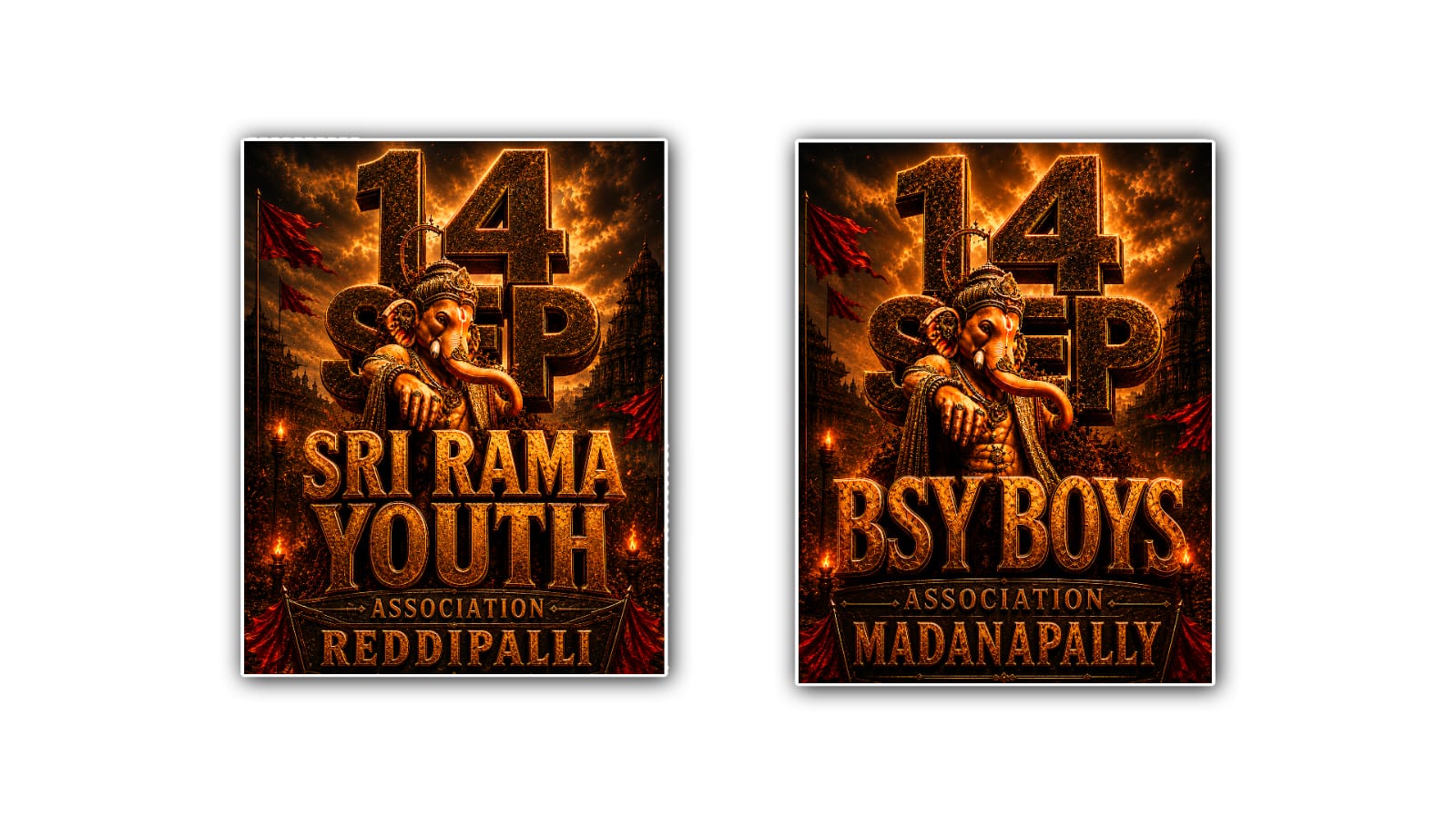
Creating a 3D Ganesh Youth HD logo in Google Gemini can be a fun and simple way to design a professional-looking logo without spending hours learning complicated graphic design software. Whether you need a logo for a youth group, local event, social media page, cultural organisation, sports team, or community activity, Gemini can help you turn a basic idea into an attractive visual design. The main thing you need is a clear concept and a detailed prompt that explains exactly what you want.
Before opening Google Gemini, it is useful to think about the style of your logo. A Ganesh Youth logo can have a traditional appearance, a modern appearance, or a combination of both. Since the word “Youth” suggests energy and freshness, a modern 3D style can work particularly well. You might imagine Lord Ganesha in the centre, surrounded by a glowing golden effect, with bold 3D text saying “GANESH YOUTH” underneath. You can also choose colours such as saffron, orange, gold, red, black, blue, or a combination of these shades.
Once you have an idea, open Google Gemini and access its image-generation feature if it is available in your account and interface. You can then describe the logo you want in natural language. You do not need to use complicated technical terms. Simply explain the subject, text, colours, style, background, lighting, and quality you want.
For example, you could start with a prompt like this: “Create a high-quality 3D Lord Ganesha logo for a youth organisation, with bold text reading GANESH YOUTH, golden and saffron colours, realistic 3D depth, glossy metallic finish, dramatic lighting, clean background, symmetrical composition, premium branding style, sharp details, and HD quality.”
The more details you provide, the easier it becomes for Gemini to understand your idea. If you simply write “Make a Ganesh Youth logo,” the result may not have the style you imagined. Adding details about the colours, lettering, lighting, composition, and overall mood gives the image generator better direction.
The 3D effect is especially important if you want your logo to have a premium appearance. You can describe the letters as “bold 3D extruded text,” “metallic gold lettering,” or “glossy raised typography.” For the Ganesh design, you can request “realistic depth,” “soft shadows,” “three-dimensional details,” and “cinematic lighting.” These words help communicate that you want the logo to look more dimensional rather than like a flat illustration.
Colour selection can also change the entire personality of the logo. Gold and saffron can give the design a traditional and elegant feeling. Orange and red can make it look energetic and festive. Black and gold can create a premium and powerful appearance, while blue and silver can give it a more modern or futuristic style. Try not to use too many colours at once because excessive colours can make a logo look crowded.
The text should be one of your biggest priorities. If the exact name is “GANESH YOUTH,” write that wording clearly in your prompt. You can also tell Gemini that the text should be large, bold, centred, and easy to read. AI-generated images can sometimes produce incorrect or distorted lettering, so you may need to generate the logo several times before getting a version with clean text.
If the first result is not perfect, there is no need to start over completely. You can continue the conversation with Gemini and ask it to make specific changes. For example, you might say, “Make the text larger and clearer, increase the golden 3D effect, make the Ganesh symbol more detailed, remove the extra decorations, and keep the design professional.” Giving focused instructions is often more useful than simply saying “make it better.”
You can also experiment with different concepts before deciding on the final design. Ask Gemini to create a traditional version, a modern version, a luxury version, and a futuristic version. After comparing them, you can choose the design that best represents your youth group or organisation. This approach is useful because sometimes the design you initially imagine is not the one that looks best when created.
For a social media profile, a square logo is usually a practical choice. You can ask Gemini to create a centred square composition with the Ganesh symbol clearly visible and the “GANESH YOUTH” text positioned neatly underneath. A simple background can make the logo easier to recognise when it appears as a small profile picture.
If you plan to use the logo on posters, banners, T-shirts, stickers, or event invitations, it is better to keep the main design clean. Small decorative elements may look attractive in a large image but can become difficult to see when the logo is reduced in size. A strong central Ganesh symbol, readable text, good contrast, and balanced spacing will make the logo more useful across different formats.
Another good technique is to mention the mood you want. For example, words such as “powerful,” “energetic,” “devotional,” “youthful,” “premium,” “modern,” or “elegant” can help guide the visual direction. If you want a festive design, you could request subtle glowing lights or decorative elements. If you want something suitable for professional branding, ask for a minimal and clean composition instead.
A more detailed prompt could be: “Design a premium HD 3D logo featuring Lord Ganesha as the main central symbol for a modern youth organisation. Add the exact text ‘GANESH YOUTH’ in bold, stylish 3D lettering. Use a rich combination of saffron orange, metallic gold, and subtle red highlights. Give the Ganesh symbol realistic three-dimensional depth with elegant details, soft shadows, dramatic cinematic lighting, and a polished metallic finish. Create a clean symmetrical composition with strong contrast and a professional branding appearance. Keep the design powerful, youthful, attractive, and easy to recognise.”
You can then customise this prompt according to your requirements. If you want the logo to look more traditional, add traditional Indian artistic details. If you prefer a modern appearance, request sleek shapes and contemporary typography. If you want a luxurious logo, ask for premium gold textures, dark backgrounds, and sophisticated lighting.
It is also worth checking the final image carefully. Look at the spelling, facial details, proportions, colours, and overall balance. AI-generated images can occasionally contain unusual details, so do not immediately publish the first image you receive. Generate a few alternatives and select the strongest version.
Once you find a design you like, you can use it as the foundation for your branding. Depending on the image-generation and editing features available to you, you may be able to request additional versions with different backgrounds or layouts. You could create one version for social media, another for a poster, and another with a simpler background for printing.
The biggest advantage of creating a 3D Ganesh Youth logo with Google Gemini is that you can experiment using ordinary language. You do not need to know advanced Photoshop techniques or professional 3Dmodellingg. Your main job is to explain your idea clearly and refine the result until it feels right.
In the end, a great logo is not necessarily the one with the most effects or decorations. It is the one that people can recognise quickly and remember easily. Keep the Ganesh symbol prominent, make “GANESH YOUTH” readable, choose a strong colour combination, and use 3D effects carefully. With a clear prompt and a few creative attempts, Google Gemini can help you create a stylish HD 3D Ganesh Youth logo that can represent your group across social media, posters, banners, T-shirts, and other creative projects.
ALL PROMPTS
PROMPT 1
Use the uploaded reference screenshot as the visual style reference. Recreate the FIRST logo style as closely as possible, but create a new original logo. Create a clean, elegant circular Lord Ganesha logo. Use a beautiful minimal line-art Lord Ganesha at the top/center with flowing artistic curves. Use white background appearance inside the logo with premium saffron-orange and deep red Telugu typography.

Main Telugu text:
"శ్రీరామ యూత్"

Small Telugu text below:
"అసోసియేషన్"

Bottom Telugu text:
"అప్పాయిపల్లి"

Use elegant traditional Telugu calligraphy, clean curved lettering, saffron orange and deep red color combination, thin decorative circular border, small lotus and traditional ornamental elements. ONLY Telugu script. No Kannada, no Hindi, no English, no random letters. Perfectly centered circular logo, clean vector-like finish, sharp edges, professional Ganesh festival youth association logo.

IMPORTANT: Output ONLY the logo with a completely transparent background. No white square background, no mockup, no wall, no poster, no watermark. High resolution, ultra sharp, 8K, PNG with transparent background.
PROMPT 2
Use the uploaded reference screenshot as the visual reference for the SECOND logo style. Create a luxurious circular Lord Ganesha emblem with a dark black background, majestic golden Lord Ganesha illustration, intricate golden ornaments, temple silhouettes and rich antique-gold decorative borders.

Main Telugu text in the center:
"సిద్ధి వినాయక"

Secondary Telugu text:
"అసోసియేషన్"

Bottom Telugu text:
"జాలిగామ"

Use premium 3D embossed Telugu typography with metallic gold and warm orange-red highlights. Add intricate Indian ornamental patterns around the text and circular border. Lord Ganesha must look divine, detailed, elegant and majestic. The composition should closely follow the visual feeling of the second reference logo: black luxury background, golden Ganesha, gold ornamental frame and bold Telugu lettering. ONLY Telugu characters. Absolutely NO Kannada, English, Hindi or other scripts. Create the logo as an isolated emblem with a transparent background. No poster, no wall, no mockup, no watermark. Professional festival branding, highly detailed 3D metallic finish, cinematic lighting, 8K, PNG, transparent background.
PROMPT 3
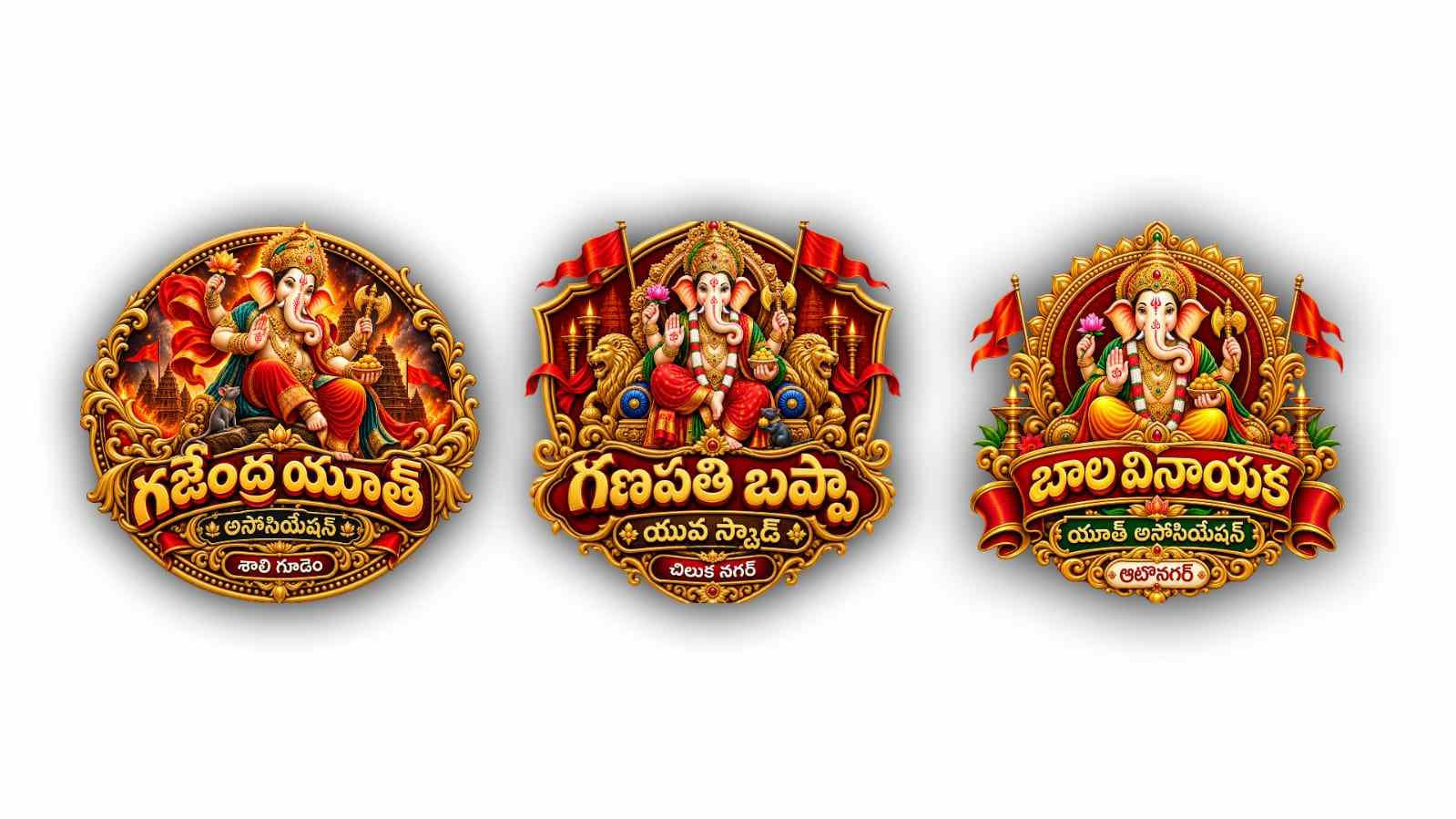
Use the uploaded screenshot as the visual style reference for the THIRD logo. Create a grand traditional Lord Ganesha festival logo featuring a beautifully detailed Lord Ganesha seated majestically in the center. Use a rich red and golden circular ornamental frame behind Lord Ganesha. Add an elegant golden crown, traditional jewelry, glowing divine lighting and detailed decorative elements. Place a large red and gold ribbon/banner across the lower portion of the logo.

Main Telugu text on the ribbon:
"బాల వినాయక"

Second Telugu text:
"యూత్ అసోసియేషన్"

Small bottom text:
"ఆటోనగర్"

Use bold traditional Telugu lettering with red, orange and metallic gold colors. Add realistic 3D embossing, bevels, shadows and golden highlights. Make the logo look like a premium Ganesh Chaturthi youth association emblem. ONLY Telugu script. No English, Kannada, Hindi or any other language. Transparent background, isolated logo, no square background, no poster, no mockup, no watermark. Ultra detailed, symmetrical composition, professional 3D logo, 8K PNG with transparent background.
PROMPT 4
Use the uploaded screenshot as the visual reference for the FOURTH logo style. Create a premium royal shield-shaped Lord Ganesha festival emblem.

IMPORTANT: Use a UNIQUE Lord Ganesha design for this logo. Do NOT reuse the Ganesha appearance from any other logo.

Lord Ganesha should be seated majestically on an ornate royal throne, facing forward, with a large elaborate golden crown, four arms, traditional jewelry, red and golden silk clothing, one hand raised in blessing and traditional sacred objects in the other hands. Make this Ganesha look regal, divine and powerful. Use a deep maroon and royal red shield background with thick antique-gold borders and intricate Indian ornamental decorations. Add a large decorative nameplate across the lower portion.

Main Telugu text:
"గణపతి బప్పా"

Secondary Telugu text:
"యువ స్క్వాడ్"

Bottom Telugu text:
"చిలుక నగర్"

Use bold, highly readable 3D Telugu typography with luxurious metallic gold finishing. ONLY Telugu script. No Kannada, English or Hindi. Transparent background outside the complete shield emblem, PNG, no poster, no mockup, no watermark. Ultra-detailed 3D rendering, symmetrical composition, premium festival logo, 8K.
PROMPT 5
Use the uploaded screenshot as the visual reference for the SIXTH logo style. Create an epic cinematic circular Lord Ganesha festival logo.

IMPORTANT: Create a THIRD completely UNIQUE Lord Ganesha design. The Ganesha must look clearly different from Logo 4 and Logo 5. Do not reuse their face, pose, crown, clothing or body composition. Lord Ganesha should be shown in a dynamic divine warrior-like seated pose, slightly turned toward one side, with a dramatic flowing red-orange silk cloth, large ornate golden crown, elaborate jewelry, four arms, one hand giving blessing and the other hands holding traditional sacred objects. His expression should be powerful, joyful and divine. Behind Ganesha create a dramatic fiery orange-red atmosphere with glowing flames, sparks, smoke, subtle temple silhouettes and intense golden divine light. Surround the logo with a thick antique-gold circular ornamental frame.

Main Telugu text:
"గజేంద్ర యూత్ "

Secondary Telugu text:
"అసోసియేషన్"

Bottom Telugu text:
"శాలి గూడెం"

Use large bold 3D Telugu typography with gold, orange and deep red metallic textures, realistic bevels, extrusion and cinematic shadows. ONLY Telugu script. Absolutely NO Kannada, English or Hindi. Transparent background outside the complete circular logo, PNG format, no poster, no mockup, no watermark. Epic cinematic 3D rendering, ultra detailed Lord Ganesha, dramatic lighting, premium festival branding, 8K.
BONUS PROMPT
Use the uploaded screenshot only as style inspiration. Create a COMPLETELY UNIQUE Lord Ganesha logo. Do NOT use a circular logo or curved text. Create a stylish vertical temple-inspired emblem with dark maroon, black and antique-gold colors. Show a UNIQUE Lord Ganesha in a graceful three-quarter pose, seated on a golden lotus, with a different crown, face, clothing and body composition from all previous logos.

Main Telugu text:
"నవ యువ యూత్"

Below:
"అసోసియేషన్"

Bottom:
"మారేడుపల్లి"

Keep the Telugu text straight, stacked and stylish — NOT curved or circular. Use bold 3D embossed metallic-gold Telugu typography with red highlights. Modern + traditional + luxury + cinematic Ganesh festival logo. Intricate golden ornaments, temple details, divine glow, premium 3D depth. ONLY Telugu text. No Kannada, English or Hindi. Transparent background, PNG, no poster, no watermark, 8K.