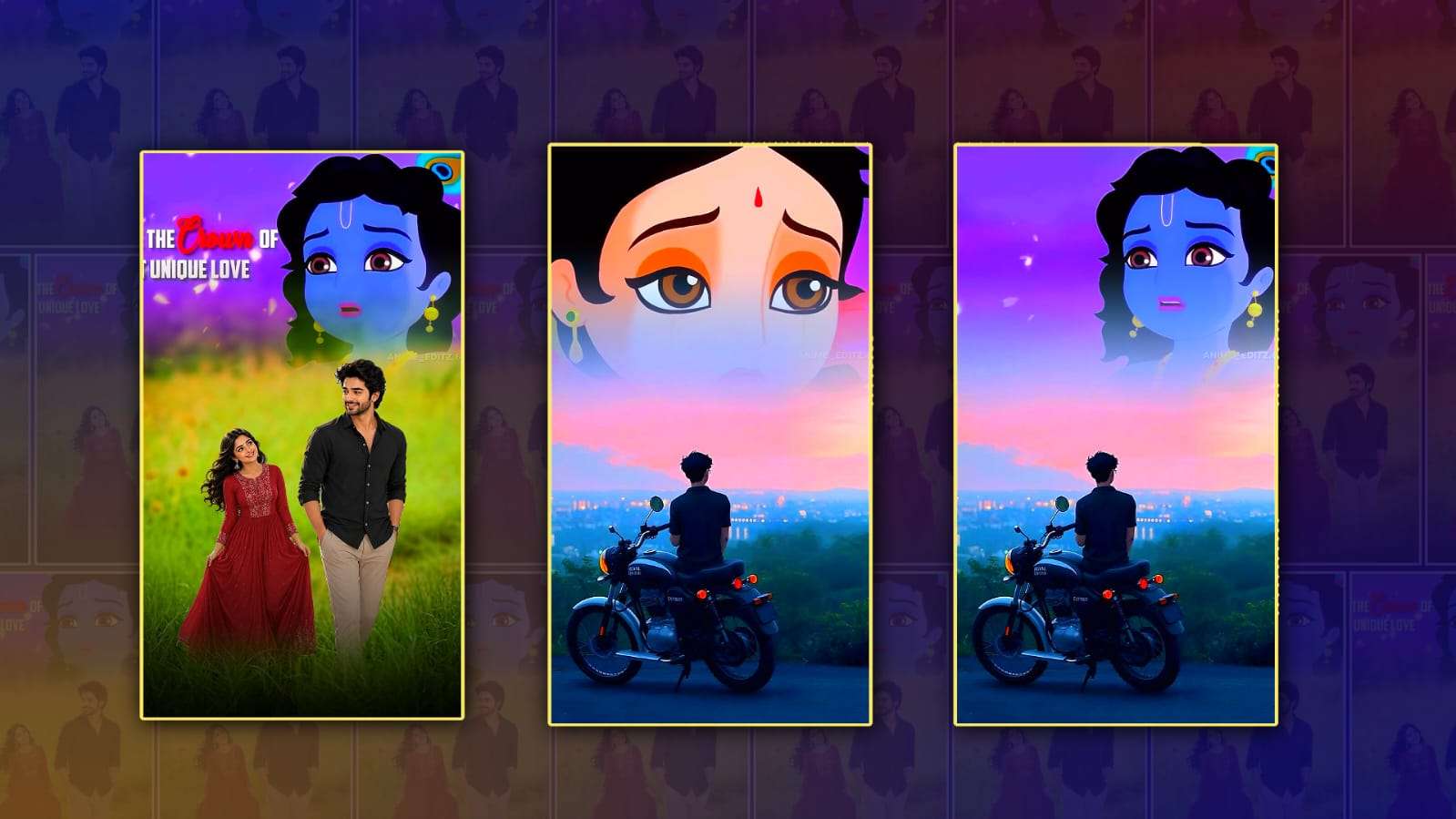
3D trending love lyrical video editing in Alight Motion has become one of the most popular editing styles among content creators on social media. Whether you upload videos on Instagram Reels, YouTube Shorts, Facebook, or TikTok, this editing style helps transform ordinary clips into eye-catching and emotional videos. The combination of smooth 3D effects, romantic lyrics, glowing animations, and cinematic transitions creates a professional look that attracts viewers and increases engagement. Many beginners believe this type of editing is difficult, but with Alight Motion, anyone can create stunning lyrical videos by learning a few essential techniques.
Alight Motion is known for its advanced animation features while remaining easy enough for beginners to use. It offers keyframe animation, visual effects, blending modes, motion blur, masking, colour correction, and a wide collection of text animation tools. These features allow creators to build stylish love lyrical videos without needing expensive editing software. Because the app is available on both Android and iOS devices, it has become the first choice for mobile video editors around the world.
The popularity of 3D trending love lyrical videos comes from their emotional appeal. Instead of simply displaying song lyrics on the screen, creators add creative animations that make every word feel alive. Text can rotate in 3D space, zoom toward the viewer, fade with glowing effects, or synchronise perfectly with the music beats. These small details create a cinematic experience that keeps viewers watching until the end. Since social media platforms reward videos with higher watch time, this editing style has become increasingly popular among creators looking to grow their audience.
Choosing the right song is one of the most important parts of creating a successful love lyrical video. Romantic songs with emotional lyrics usually perform better because they connect with viewers on a personal level. Once the music is selected, editors carefully match every lyric with the timing of the audio. Proper synchronisation creates a smooth viewing experience and makes the video look professionally edited. Even simple animations become impressive when they match the rhythm of the music.
The background also plays a major role in the final appearance of the video. Many editors use blurred landscapes, sunsets, rain scenes, flowers, city lights, or slow-motion couple clips to create an emotional atmosphere. Others prefer aesthetic stock footage or cinematic video clips that complement the mood of the song. A clean background helps viewers focus on both the visuals and the animated lyrics without unnecessary distractions.
Typography is another essential element of 3D lyrical editing. Choosing stylish fonts can completely change the mood of a video. Elegant handwritten fonts create a romantic feeling, while bold modern fonts give a more cinematic appearance. Editors often combine white text with soft glow effects, shadows, or gradient colours to make the lyrics stand out against the background. Maintaining consistent font styles throughout the video also gives it a polished and professional look.
Keyframe animation is the heart of Alight Motion editing. It allows users to animate text, images, and visual elements smoothly from one position to another. By adjusting keyframes, editors can create zoom effects, rotations, movement, scaling, fading, and other dynamic animations. When combined with easing options, these movements become smooth and natural instead of robotic. Learning how keyframes work is one of the biggest steps toward mastering professional lyrical editing.
Adding 3D camera movements makes the video even more engaging. Instead of keeping everything static, editors create depth by moving text and background elements at different speeds. This technique gives the illusion of three-dimensional space and makes the video feel more cinematic. Combined with motion blur, these movements become even smoother and more realistic, especially during fast transitions between lyrics. Colour grading is another important step in the editing process. Warmer colours often create a romantic atmosphere, while cooler tones can express sadness or nostalgia. Editors frequently adjust brightness, contrast, saturation, highlights, and shadows to achieve the desired mood. Some also apply cinematic LUTs or custom filters to give every clip a consistent appearance throughout the video. Prop colour grading enhances the emotional impact without overpowering the visuals.
Transitions are equally important in maintaining the flow of the video. Smooth zoom transitions, blur effects, light leaks, camera shakes, and fade animations help connect one lyric or scene to the next. Overusing transitions can make the video feel cluttered, so experienced editors use them carefully to keep the focus on the music and emotions. A balanced editing style always looks more professional than adding too many visual effects.
Particle effects such as floating hearts, sparkles, glowing dust, bokeh lights, snow, or animated butterflies can make romantic videos even more attractive. These decorative elements create movement throughout the frame while enhancing the dreamy atmosphere. However, moderation is important. Too many particles can distract viewers from the lyrics and reduce the overall quality of the video.
Beat synchronisation is one of the secrets behind viral lyrical edits. Every transition, animation, zoom, and text appearance should match the rhythm of the song. When visuals move perfectly with the music, viewers naturally remain engaged. Many successful editors spend more time adjusting timing than adding effects because synchronisation often determines whether the final result feels satisfying or not.
Export settings also influence the final video quality. Most creators export their projects in Full HD resolution with a high bitrate to preserve sharp details and smooth animations. A frame rate of 30 or 60 FPS provides fluid motion, especially for videos containing multiple transitions and camera movements. Compressing the video too much may reduce quality and make text appear blurry after uploading to social media platforms.
Practice plays a major role in improving editing skills. Every project teaches something new, whether it is better timing, smoother animations, cleaner typography, or improved colour grading. Watching creative edits from experienced editors can provide inspiration, but developing a unique editing style is equally important. Original creativity helps videos stand out among thousands of similar uploads appearing every day.
Many creators also use presets to speed up their workflow. Presets save animation settings, transitions, colour effects, and text styles so they can be reused in future projects. Beginners often start with presets to understand how professional animations are built before creating their own custom designs. As experience grows, editors gradually modify these presets and eventually develop completely original templates.
The demand for 3D trending love lyrical video editing continues to grow because audiences enjoy visually appealing and emotionally expressive content. With Alight Motion, creators have access to powerful editing tools directly on their smartphones, making professional-quality editing more accessible than ever before. By combining meaningful music, synchronised lyrics, smooth 3D animations, balanced colour grading, creative typography, and carefully selected visual effects, anyone can produce captivating lyrical videos that leave a lasting impression. Consistent practice, attention to detail, and a willingness to experiment with new techniques will help editors improve their skills and create content that stands out across every major social media platform.