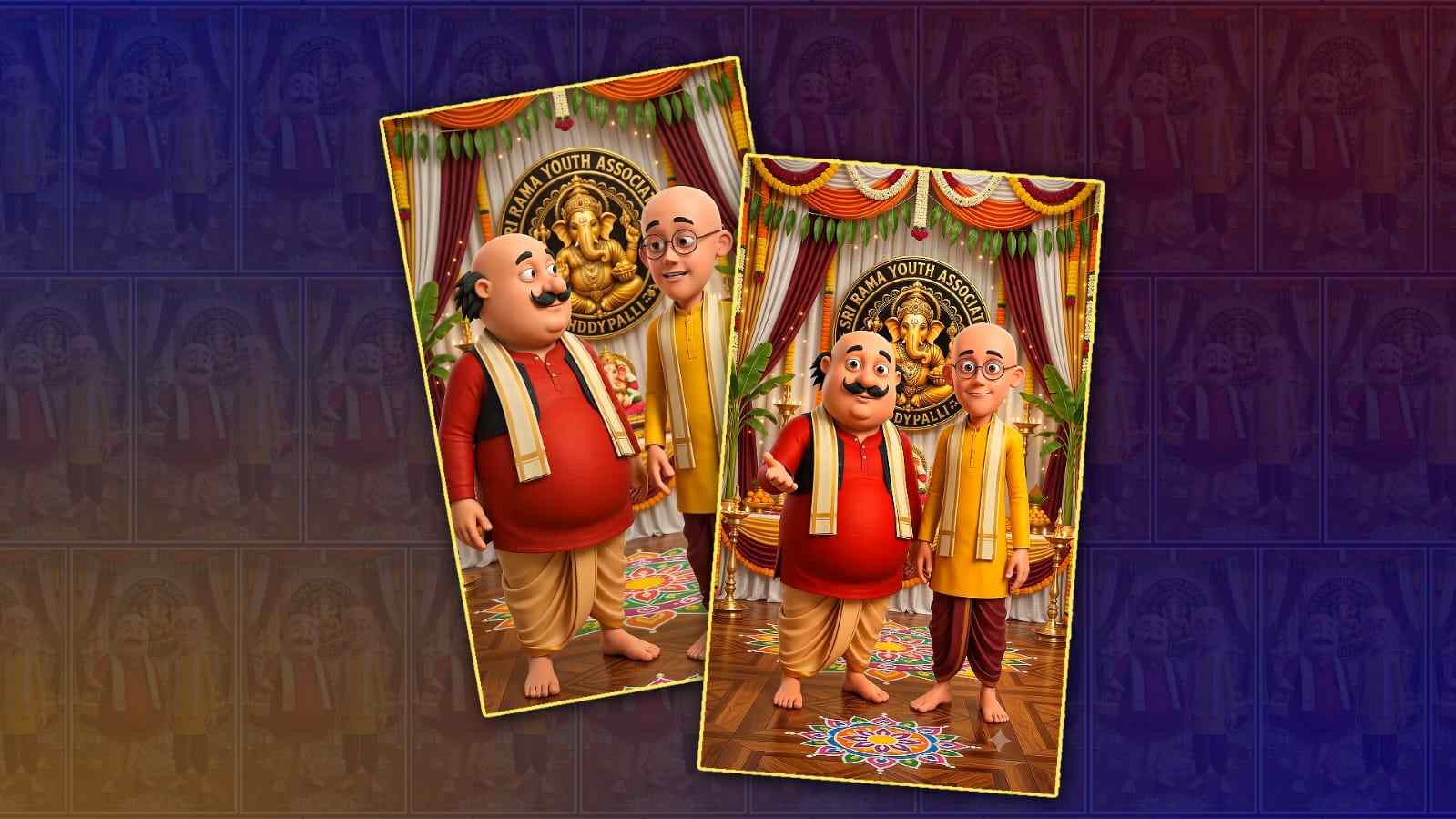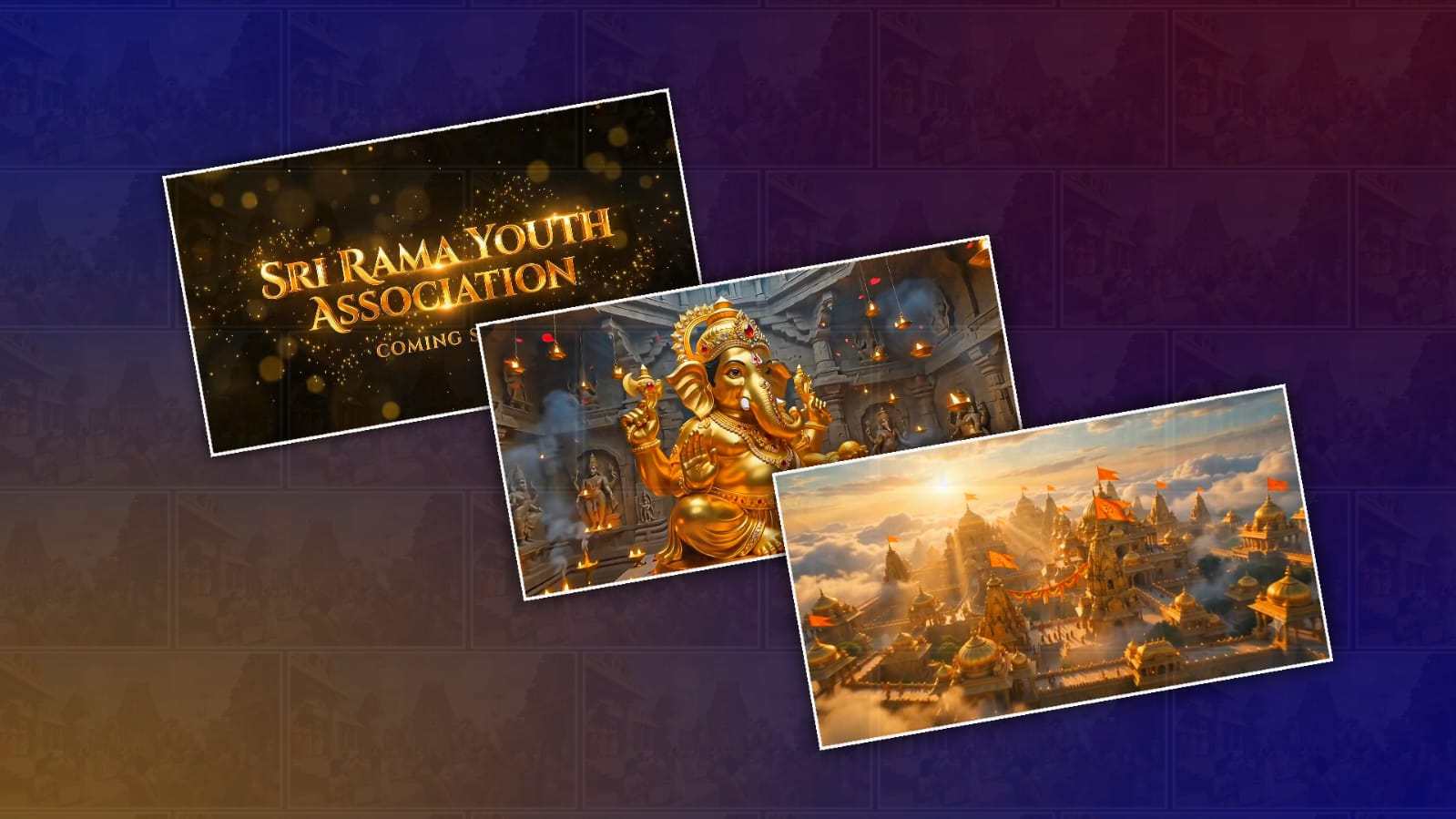
Every year, Ganesh Chaturthi brings excitement, devotion, and creativity. People decorate their homes, share wishes on social media, and create beautiful videos to celebrate Lord Ganesha. With the rapid growth of artificial intelligence, creating stunning festival videos has become easier than ever. One of the most exciting tools available today is Google Gemini, which allows users to generate creative ideas, detailed image prompts, cinematic scenes, and even storytelling concepts within minutes. If you have ever wanted to create a breathtaking 3D cinematic Ganesh Chaturthi video without learning professional video editing or animation software, Google Gemini can become your creative assistant.
The first step is deciding the style of your video. Instead of creating random scenes, think about the story you want to tell. A short cinematic video usually works best because it captures attention quickly while delivering an emotional message. You can imagine Lord Ganesha arriving on a majestic elephant, emerging from glowing clouds, blessing devotees in a beautifully decorated temple, or standing beside a peaceful river during the evening aarti. Having a clear concept before generating prompts helps create a consistent visual experience.
Google Gemini is excellent at generating detailed descriptions that can later be used in AI image- or video-generation tools. Start by asking Gemini to create a realistic, cinematic 3D scene featuring Lord Ganesha. Mention the environment, lighting, camera angle, atmosphere, colours, and artistic style. The more descriptive your request, the better the output becomes. For example, instead of asking for a simple Ganesh image, ask Gemini to describe Lord Ganesha seated on a magnificent golden throne surrounded by glowing diyas, floating flower petals, soft sunlight, divine rays, intricate temple architecture, and cinematic depth of field. These small details make a huge difference in the final visuals.
Lighting plays one of the most important roles in making any video look cinematic. Ask Gemini to include golden-hour lighting, volumetric light rays, soft shadows, reflections, realistic textures, and dramatic contrast. These elements create the premium movie-like appearance that many creators aim for. Combining warm orange tones with divine golden light gives Ganesh Chaturthi visuals a spiritual and luxurious feel.
Camera movement is another important element that beginners often overlook. Instead of static scenes, request cinematic camera movements such as slow zoom-ins, aerial drone shots, smooth orbit movements, close-up shots of Lord Ganesha’s face, and wide-angle temple views. These movements create a sense of realism and keep viewers engaged throughout the video. Gemini can generate detailed cinematic shot lists that make your video feel like a professional production.
After generating the scene descriptions, you can use them with AI image or video generation platforms that support cinematic visuals. Many creators generate multiple images representing different scenes and later combine them into a video using editing software. Others use AI video generation tools that transform text prompts directly into animated sequences. Gemini serves as the creative brain behind these prompts, helping you achieve consistent quality across every scene.
Background music is equally important because it creates emotion. A devotional instrumental track featuring flute, tabla, veena, bells, and soft chanting instantly enhances the spiritual atmosphere. Slow orchestral music mixed with traditional Indian instruments creates a cinematic experience that feels both modern and devotional. The music should match the pace of your visuals, becoming more powerful during grand scenes and softer during blessing sequences.
Visual transitions help connect scenes naturally. Instead of using flashy effects, choose smooth fades, glowing light transitions, floating flower petals, sparkling particles, or divine smoke effects. These transitions maintain the spiritual theme while making the video visually appealing. If your editing software supports motion blur and cinematic transitions, use them sparingly for a polished look.
Adding devotional quotes can make your video more meaningful. Rather than filling the screen with too much text, include one or two short blessings such as wishes for prosperity, wisdom, happiness, and success. Use elegant fonts with golden colours that complement the overall design. Simple typography often looks more professional than overly decorative text. Colour grading is another secret behind cinematic videos. Most high-quality festival videos use warm gold, deep orange, rich red, and soft yellow tones. The colours symbolise positivity, devotion, and celebration. Applying cinematic colour grading helps unify all scenes and creates a consistent visual identity from beginning to end.
If you want your video to stand out on social media, pay attention to the opening few seconds. Begin with a dramatic reveal of Lord Ganesha surrounded by glowing clouds or divine light. An impressive opening encourages viewers to continue watching. The ending should also leave a lasting impression by showing Lord Ganesha blessing everyone while flower petals gently fall from the sky, accompanied by a heartfelt Ganesh Chaturthi greeting.
One advantage of Google Gemini is its ability to improve prompts. If the first result isn’t exactly what you imagined, ask Gemini to make the scene more realistic, more cinematic, colourful, or more detailed. You can continue refining the description until it matches your vision. This iterative approach often produces significantly better results than settling for the first prompt.
Maintaining consistency across every scene is essential. Keep Lord Ganesha’s appearance similar throughout the video by using consistent descriptions of clothing, ornaments, crown design, skin tone, and artistic style. This prevents sudden visual changes that can reduce the professional quality of the final video.
Modern AI-generated videos also benefit from realistic environmental details. Ask Gemini to include floating incense smoke, gentle wind moving flower garlands, flickering oil lamps, shimmering water reflections, temple bells, glowing particles, and soft clouds. These subtle additions create depth and make each scene feel alive instead of static.
If your goal is to upload the video to platforms like YouTube, Instagram Reels, Facebook, or TikTok, consider creating multiple aspect ratios. A vertical version works best for short-form platforms, while a horizontal version is ideal for YouTube. Gemini can even help generate scenes optimised for different video lengths, whether you need a 15-second Reel, a 30-second Short, or a one-minute cinematic festival video.
Voice narration can also elevate the final presentation. A calm and devotional narration welcoming Lord Ganesha into every home creates a personal connection with viewers. Even a few heartfelt sentences accompanied by beautiful visuals can make the video memorable and emotionally engaging.
Before exporting your project, review every scene carefully. Check for consistent colours, smooth transitions, synchronised music, readable text, and balanced pacing. Small adjustments at this stage often transform a good video into an exceptional one. Export in high resolution, preferably 1080p or 4K, to preserve the cinematic quality and ensure your visuals remain sharp across all devices.
Creating a 3D cinematic Ganesh Chaturthi video no longer requires years of animation experience or expensive software. With Google Gemini acting as your creative assistant, you can generate professional-quality ideas, detailed prompts, cinematic storytelling, and visually stunning concepts in just a few minutes. By combining thoughtful planning, detailed prompts, beautiful lighting, smooth camera movements, devotional music, and careful editing, anyone can create an inspiring festival video that captures the spirit of Ganesh Chaturthi. Whether you are making a greeting for family, a social media post, or content for your YouTube channel, Google Gemini provides a simple yet powerful way to transform your imagination into a visually captivating celebration of Lord Ganesha.
BGM Download
All Prompts
Scene 1
A breathtaking sunrise above a massive ancient golden kingdom decorated for Ganesh Chaturthi. Thousands of glowing diyas, royal temples, giant flags, flower decorations, golden domes and majestic architecture. A cinematic drone flies high above the kingdom through the clouds before slowly descending into the city streets. Divine golden rays illuminate the entire kingdom. Dust particles, god rays and floating flower petals create an emotional atmosphere.
Camera: High-altitude drone shot → smooth forward dive → cinematic aerial sweep.
Scene 2
The drone enters the heart of the kingdom, flying between giant temple pillars and massive stone gates. Crowds of devotees dressed in traditional attire celebrate with dhol, dappu, drums, fireworks and flower showers. Giant elephants with royal ornaments walk through the streets. The camera continues toward an enormous temple glowing with divine golden light.
Camera: FPV drone movement through streets into the temple entrance.
Scene 3
Inside the temple stands a gigantic divine Lord Ganesha idol made of glowing gold with intricate ornaments, radiant crown, sparkling jewels and a heavenly aura. The drone circles around Lord Ganesha before slowly moving toward His face. Thousands of floating lamps, glowing particles and flower petals fill the atmosphere. The idol radiates powerful divine energy as golden light spreads across the kingdom.
Camera: Smooth orbit around Ganesha → slow cinematic push-in → top-down drone reveal.
Scene 4
A massive top-angle drone shot reveals the entire kingdom illuminated with golden lights while fireworks explode across the night sky. The atmosphere reaches its emotional climax with divine energy surrounding Lord Ganesha.
The screen slowly fades to black.
Golden glowing cinematic text appears:
[YOUR YOUTH NAME]
Below it, in smaller glowing letters:
COMING SOON
The text shines with golden particles while temple bells echo in the background.