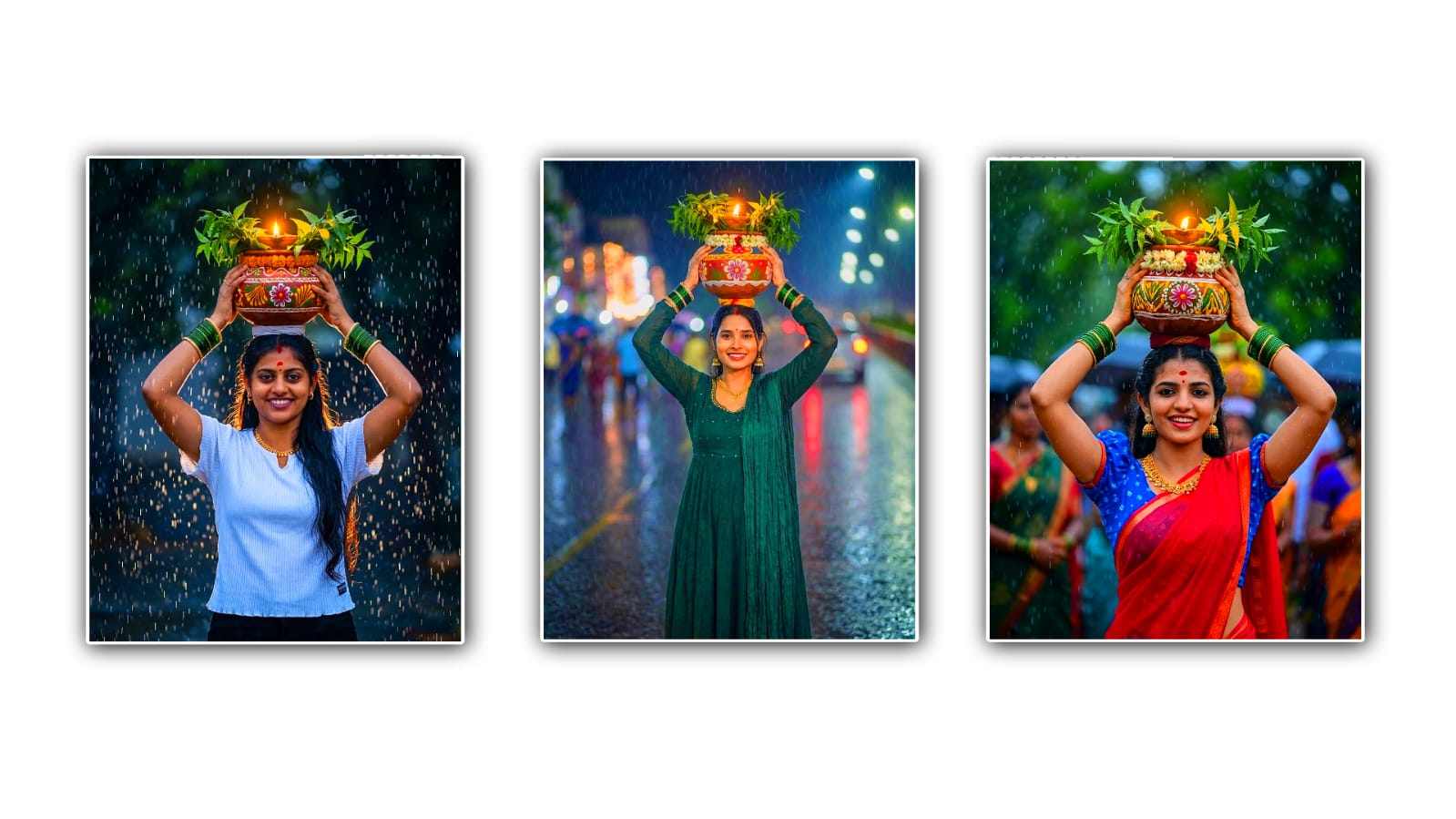
Bonalu is one of the most colourful and culturally rich festivals celebrated in Telangana. Every year, thousands of devotees dress in traditional attire, carry beautifully decorated pots, and participate in grand processions to honour Goddess Mahakali. These vibrant celebrations inspire many people to create memorable photos for social media, posters, greetings, and personal collections. Thanks to artificial intelligence, you no longer need advanced photo editing skills or expensive software to create eye-catching festival images. With Google’s Gemini AI, you can transform ordinary photos into stunning Bonalu-themed artwork in just a few minutes.
If you have ever wondered how creators make realistic festival edits with glowing temples, traditional decorations, colourful flowers, and dramatic lighting, this tutorial will guide you through the entire process. Whether you are a beginner or someone who already experiments with AI tools, this article will help you create professional-looking Bonalu festival photo edits using Gemini.
The first step is selecting the right photo. AI editing always produces better results when the original image is clear and well-lit. Choose a high-resolution picture where your face is visible, and there is minimal background clutter. Photos taken in natural daylight generally work best because they provide accurate skin tones and facial details. If you are wearing traditional clothing, the final result will look even more authentic, but Gemini can also enhance casual photos by adding traditional costumes and festival elements if instructed correctly.
After selecting your photo, open Gemini and upload the image. Once the upload is complete, describe exactly what you want the AI to create. Instead of using short prompts like “Bonalu edit,” write detailed instructions. AI performs much better when you explain the background, clothing, lighting, colours, mood, and decorations. For example, you can ask Gemini to place you in front of a beautifully decorated Mahakali temple with traditional Bonalu decorations, colourful flower garlands, glowing diyas, golden lighting, festive crowds, and vibrant cultural elements. The more details you provide, the more realistic and attractive the generated image becomes.
Lighting plays a major role in creating a professional festival edit. Bonalu celebrations are known for their warm golden atmosphere, colourful decorations, and devotional environment. Request soft golden sunlight or evening festival lighting with glowing lamps and decorative lights. This creates a cinematic appearance while maintaining the spiritual mood of the festival. Warm lighting also enhances skin tones and gives the entire image a premium look.
Traditional clothing significantly improves the authenticity of the final image. If your original photo already features traditional attire, Gemini can enhance colours and textures. Otherwise, you can ask the AI to generate a traditional silk saree with rich embroidery for women or a traditional kurta and dhoti for men. Adding temple jewellery, flower garlands, bangles, bindis, and festive accessories creates a complete Bonalu look that feels natural rather than artificially edited.
The background is another important factor. Instead of leaving the original surroundings untouched, instruct Gemini to replace them with a vibrant Bonalu festival setting. You can include decorated temple entrances, colourful rangoli designs, flower arches, devotees carrying Bonam pots, festive processions, traditional drummers, and illuminated temple towers. These elements instantly transform a normal portrait into a realistic festival scene.
Colours are the heart of every Bonalu festival image. Bright yellow, deep red, orange, gold, and green dominate traditional festival decorations. Request rich colour grading with vibrant yet natural tones. Avoid asking for oversaturated colours because they may reduce realism. A balanced combination of warm colours and soft highlights produces a premium cinematic effect.
Facial details should remain realistic throughout the editing process. One common mistake beginners make is asking the AI for excessive beauty enhancements, which can make the image look artificial. Instead, request natural skin texture, sharp facial features, realistic eyes, soft smile enhancement, and balanced brightness. This helps preserve your identity while improving the overall quality of the photo.
Many creators also enjoy adding artistic effects without making the image unrealistic. For example, floating flower petals, gentle smoke from incense, glowing diyas, soft light rays, and subtle sparkles create a magical atmosphere while maintaining the traditional essence of the festival. These small details make the final image feel professionally designed.
If Gemini does not generate the desired result on the first attempt, do not worry. AI image generation often requires multiple refinements. Modify your prompt by adding more specific details about the lighting, clothing, facial expressions, camera angle, or background. Sometimes changing only a few words can produce a dramatically improved result. Experimenting with prompts is one of the best ways to achieve high-quality AI-generated artwork.
Another useful technique is requesting cinematic photography styles. You can ask Gemini to generate DSLR-quality portraits with shallow depth of field, ultra-realistic textures, high dynamic range lighting, detailed facial features, and sharp focus. These photography terms help the AI create images that resemble professional camera shots instead of ordinary smartphone pictures.
When editing Bonalu festival photos for Instagram, Facebook, or WhatsApp, consider the image composition. Portrait orientation works best for profile pictures and reels, while square images are ideal for Instagram posts. High-resolution output ensures that the image remains sharp even after uploading to social media platforms.
Text overlays can also enhance your festival image if you are creating greeting posters. You may ask Gemini to leave space at the top or bottom for festival wishes such as “Happy Bonalu” or personalised greetings. Keeping the text area clean prevents important visual elements from being hidden.
One of the biggest advantages of Gemini is its ability to understand natural language. Instead of memorising complicated commands, simply describe the scene as if you are explaining it to a professional photographer. Mention the atmosphere, clothing, decorations, lighting, camera style, colours, and emotions. This conversational approach usually generates better results than using very short prompts.
Here is an example prompt you can customise according to your needs:
“Transform my uploaded photo into a realistic Bonalu festival portrait. Place me in front of a beautifully decorated Mahakali temple during the Bonalu celebration. Dress me in elegant traditional Telugu festival attire with detailed embroidery and authentic jewellery. Add colourful flower garlands, decorated Bonam pots, glowing diyas, traditional drummers, festive devotees, vibrant rangoli, warm golden lighting, cinematic atmosphere, realistic facial details, natural skin tones, DSLR-quality photography, shallow depth of field, ultra-high resolution, and rich festival colours while preserving my original facial identity.”
This type of detailed prompt provides Gemini with enough information to create visually impressive results while maintaining realism.
After generating your image, carefully inspect the details. Look for issues such as distorted hands, missing jewellery, unnatural facial expressions, or incorrect background elements. If you notice any problems, refine your prompt by specifying exactly what needs improvement. AI image editing becomes more effective with small, targeted revisions instead of completely changing the prompt every time.
Finally, save the highest-quality version of your edited image. If you plan to print the photo or use it for posters, choose the maximum available resolution. For social media sharing, you can slightly compress the file while maintaining image clarity. Always keep the original image so you can create different festival styles in the future without losing quality.
Bonalu is more than just a festival; it represents faith, tradition, gratitude, and cultural pride. Creating beautiful Bonalu-themed images with Gemini allows you to celebrate these traditions in a modern and creative way. With a clear photo, detailed prompts, realistic lighting, traditional attire, festive decorations, and a little experimentation, anyone can produce stunning AI-generated festival portraits without professional editing experience. Whether you want to create a memorable profile picture, a festive greeting, or a unique social media post, Gemini makes the process simple, fast, and enjoyable. Practice different prompt styles, refine your results, and let your creativity bring the vibrant spirit of Bonalu to life through breathtaking AI photo editing.
Image Prompt
Use the uploaded image to create a realistic 4:5 portrait of the same young woman. Keep her face, hairstyle, facial features, skin tone, body shape, and the exact same dress unchanged. She is wearing elegant gold jewelry, green glass bangles, and a red bindi. She is smiling joyfully while balancing a beautifully decorated floral clay pot (Bonam) filled with fresh neem leaves and a glowing oil lamp on her head. She is standing outdoors in heavy rain, with raindrops frozen in motion, creating a dramatic monsoon atmosphere. The background is softly blurred with cinematic bokeh, emphasizing the subject. The warm golden light from the oil lamp gently illuminates her face, creating a beautiful contrast with the cool rainy environment. Ultra-realistic photography, vibrant colors, sharp focus, shallow depth of field, natural skin tones, highly detailed, 85mm portrait lens, f/1.8, HDR, 8K resolution, Bonalu festival celebration, cultural elegance, devotional mood, premium DSLR quality, realistic 4:5 portrait.