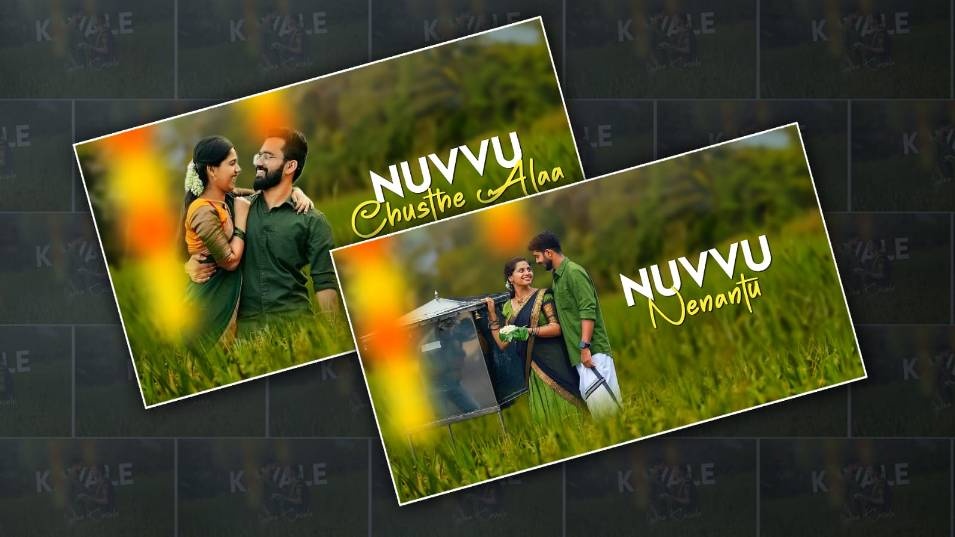
Creating love lyrical videos has become one of the most popular trends across social media platforms. Whether it’s Instagram Reels, YouTube Shorts, or WhatsApp status videos, people are constantly looking for emotional, romantic, and visually appealing edits that connect with viewers instantly. If you’ve ever wondered how creators are making such smooth, aesthetic, and trending lyrical videos, the answer today lies in the power of AI tools—especially Google Gemini AI. In this guide, you’ll learn how to create a trending love lyrical video using Google Gemini AI in a simple, practical, and human-friendly way. You don’t need to be a professional editor or own expensive software. With the right approach and creativity, you can produce high-quality videos that feel emotional, cinematic, and engaging.
Understanding the Trend of Love Lyrical Videos
Love lyrical videos are short edits that combine romantic song lyrics with visuals, effects, and transitions. These videos usually focus on emotions like love, heartbreak, memories, and connection. What makes them “trending” is not just the song, but the way the lyrics are presented. Modern viewers prefer videos that feel smooth, minimal, and emotionally powerful. Instead of heavy editing, the trend now is clean animations, soft colour tones, aesthetic fonts, and perfect synchronisation between lyrics and music. This is where AI tools like Google Gemini AI help creators. Instead of manually writing scripts, designing captions, or thinking about ideas, you can generate everything with AI assistance and focus more on creativity.
What is Google Gemini AI, and Why Use It
Google Gemini AI is an advanced AI tool that helps with content generation, idea creation, writing scripts, and even guiding creative workflows. For video editors, it acts like a creative partner. Instead of struggling with what lyrics to highlight or how to structure your video, you can ask Gemini AI to generate a lyrical script, suggest emotional captions, or even provide creative direction for your edits. The biggest advantage is speed. What used to take hours—like writing captions, planning scenes, and choosing styles—can now be done in minutes.
Planning Your Love Lyrical Video Concept
Before jumping into editing, you need a clear concept. A good love lyrical video is not just random clips with text. It tells a small emotional story. Start by deciding the mood of your video. It could be romantic, sad, nostalgic, or dreamy. Your mood will influence everything else, including song choicecolouror grading, and text style. Once you have the mood, you can use Gemini AI to generate a script. For example, you can ask it to create short romantic lines based on a theme like “one-sided love” or “long-distance relationship.” The AI will provide lines that you can use as lyrics or captions. This step is important because trending videos always have emotional depth. They make viewers feel something within a few seconds.
Choosing the Right Song for Your Video
The song is the heart of your lyrical video. Without a good song, even the best editing won’t feel engaging. Choose a song that is currently trending or han as emotional appeal. Romantic Hindi songs, slowed and reverb tracks, or soft English love songs usually perform well. Focus on songs that already have viral potential. Once you select the song, listen to it carefully and identify the most emotional parts. These are the sections where your lyrics and visuals should be strongest. You can also use Gemini AI to suggest trending songs or help you pick the best lines from a song that will connect with viewers.
Generating Lyrical Content Using AI
This is where Google Gemini AI becomes extremely useful. Instead of manually typing lyrics or copying them from somewhere, you can generate unique, creative lyrical lines. Ask Gemini AI to rewrite lyrics more emotionally or poetically. You can also request variations like an ad tone, a romantic tone, or deep emotional lines. This helps your video stand out instead of looking like a copy of others. You can even ask for short captions that match each part of the song. These captions can be used as text overlays in your video. The goal is to create something that feels personal and relatable rather than generic.
Collecting Video Clips and Visuals
Once your lyrics are ready, you need visuals that match the emotion. You can use your own footage, download free stock clips, or use aesthetic background videos. Romantic videos often include scenes like couples walking, sunsets, rain, slow-motion moments, or close-up emotional expressions. Even simple visuals like nature shots can work if they match the mood. Make sure your clips are high quality and smooth. Avoid shaky or low-resolution footage because it reduces the overall impact of your video. The visuals should support the lyrics, not overpower them.
Editing the Video Step by Step
Now comes the main part—editing your video. You can use any mobile or PC editing app, but the process remains similar. Start by importing your song and trimming it to the most emotional part. Keep your video short, usually between 15ando 30 seconds, because short videos perform better on social media. Next, arrange your video clips to match the song’s flow. Try to match scene changes with beats or emotional shifts in the music. Add your lyrical text on top of the video. This is where many beginners make mistakes. Don’t overload the screen with too much text. Keep it clean and readable. Use smooth animations for the text. Fade-in and fade-out effects work best for love lyrical videos. Avoid flashy transitions because they can distract from the emotion.
Choosing Fonts and Colours for a Professional Look
Fonts play a huge role in how your video feels. For love lyrical videos, simple and elegant fonts work best. Choose soft, clean fonts that are easy to read. Avoid overly decorative fonts because they can look unprofessional. Colour is equally important. White text with a slight shadow is a common choice because it looks clean and works on most backgrounds. You can also use soft pink, red, or golden tones depending on the mood. Consistency is key. Don’t change fonts colourslors too often within the same video.
Adding Effects and Enhancements
Effects can make your video look cinematic, but only if used correctly. Subtle effects are always better than heavy ones. You can add light leaks, blur effects, or glow effects to enhance the romantic feel. Slow motion can also make your clips more emotioColourColor grading is another important step. Adjust brightness, contrast, and saturation to match your mood. Warm tones work well for romantic videos, while cool tones suit sad or emotional themes. Remember, the goal is to enhance the emotion, not overpower it.
Syncing Lyrics Perfectly with Music
Synchronisation is what separates average videos from trending ones. Your text should appear exactly when the lyrics are sung. Listen to the song carefully and match each word or phrase with the timing. Even a small delay can make your video feel off. Take your time with this step. Perfect syncing makes your video more satisfying to watch and increases engagement.
Exporting in High Quality
Once your editing is complete, export your video in high quality. Use at least 1080p resolution to ensure clarity. Choose the right aspect ratio depending on the platform. Vertical format works best for Instagram Reels, YouTube Shorts, and TikTok. Make sure your file size is optimised so it doesn’t lose quality when uploaded.
Uploading and Making It Trending
Creating the video is only half the job. To make it trending, you need to upload it strategically. Use trending hashtags related to love, lyrics, and video editing. Write a short, emotional caption that matches your video. Posting at the right time also helps. Evening hours usually get more engagement because people are more active on social media. Consistency matters the most. The more videos you create, the higher your chances of going viral.
How Google Gemini AI Helps You Stay Ahead
The biggest advantage of using Google Gemini AI is that it keeps you creative and consistent. Instead of running out of ideas, you always have a source of inspiration. You can generate new video concepts, experiment with different styles, and improve your storytelling. Over time, your videos will become more unique and engaging. AI doesn’t replace creativity—it enhances it. The best results come when you combine AI suggestions with your own ideas.