Creating a Christian wedding invitation video is a beautiful way to invite friends and family to one of the most special moments in your life. Instead of sending only a traditional invitation card, you can create a short, elegant video with the couple’s photos, wedding details, Bible verses, music, and beautiful Christian elements. With Alight Motion, you can make this type of invitation even if you are a beginner. The app provides useful tools for adding text, photos, animations, transitions, effects, and music.
Before you start editing, collect everything you want to use in the video. Keep the bride and groom’s best photographs ready, along with the wedding date, time, and venue; the parents’ names, if required; and any Bible verse or Christian message you want to include. You can also prepare a church photo, wedding rings, flowers, candles, crosses, or other decorative images. Having all the materials ready will make the editing process much easier.
First, open Alight Motion on your phone and create a new project. Choose a suitable aspect ratio depending on where you plan to share the invitation. For WhatsApp Status, Instagram Stories, and similar platforms, a vertical 9:16 format works well. If you want to share the video on YouTube or display it on a larger screen, a horizontal format may be more appropriate. For a standard social media wedding invitation, 1080 × 1920 is a good choice because it provides a clear vertical video.
Next, choose a background for your invitation. A simple cream, white, golden, or soft pastel background can give the video an elegant wedding appearance. You can also use a blurred wedding photograph as the background. Christian wedding invitations often look beautiful with subtle elements such as a cross, church window, flowers, soft light, or golden particles. Try not to add too many decorations because the main focus should remain on the couple and the wedding information.
After setting the background, import the first photograph of the bride and groom. Place the image in the timeline and adjust its size and position. If the photo does not fit the screen perfectly, use the scale and position controls to frame it properly. You can add a slow zoom effect to make a still photograph feel more dynamic. A gentle zoom-in or zoom-out usually works better than fast movements for a wedding invitation because it keeps the video calm and emotional.
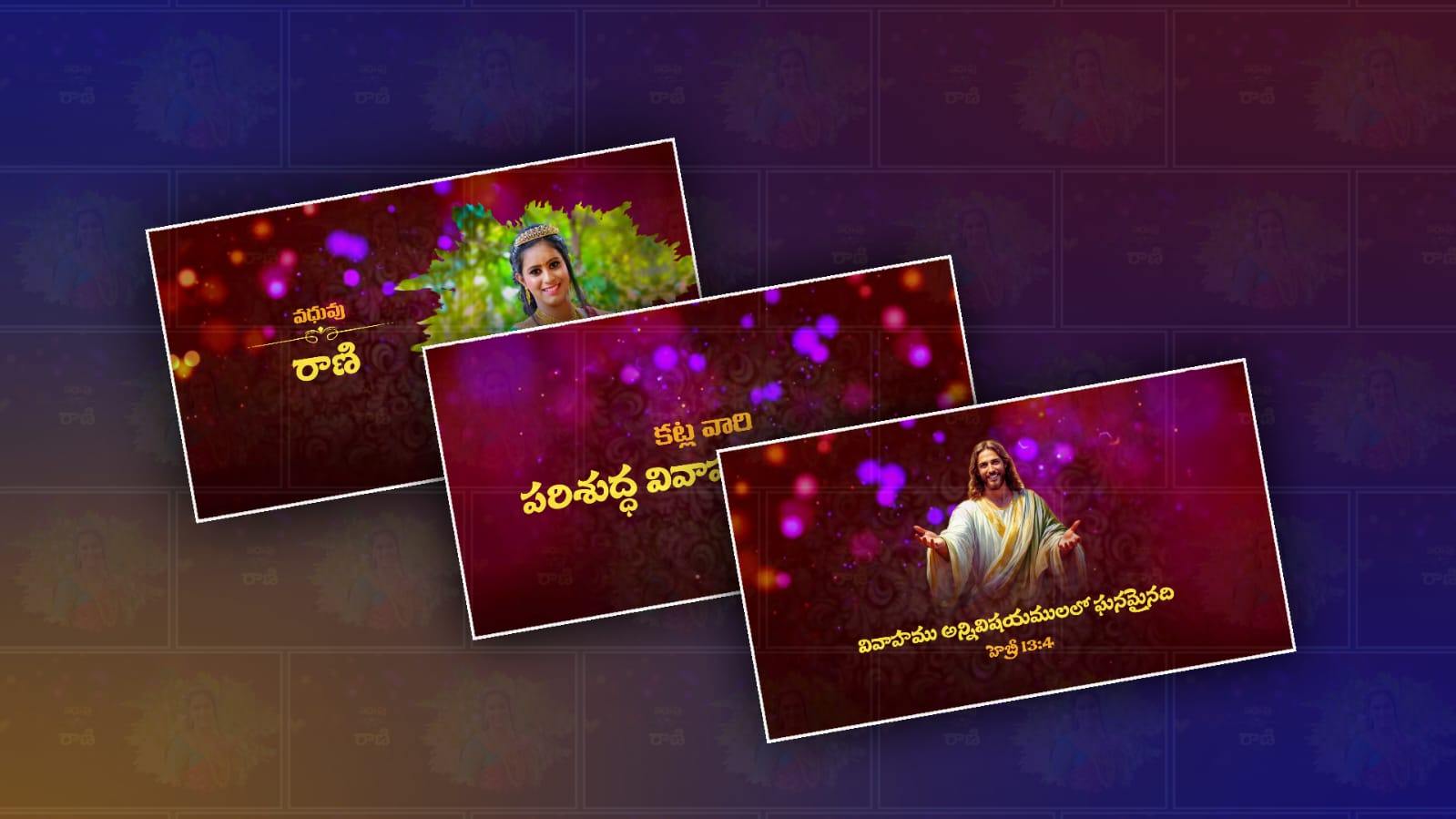
Now it is time to add the names of the couple. Use the Text option and type the names clearly. Elegant fonts usually work best for wedding invitations. You can choose a combination of a decorative font for the names and a simple font for the remaining information. White, gold, beige, and dark brown are popular choices, but make sure the text contrasts with the background so that everyone can read it easily.
Animation can make the text much more attractive. Instead of making the names appear suddenly, use a soft fade-in, slide, or scale animation. In Alight Motion, you can create animations using keyframes. For example, at the beginning of a text layer, you can make the text slightly smaller and less visible, then add another keyframe a moment later where it reaches its normal size and visibility. This creates a smooth entrance. Avoid using complicated animations for every line of text because too many movements can make the invitation look crowded.
A Bible verse can be an important part of a Christian wedding invitation. You might include a meaningful verse about love, marriage, or God’s blessings. Place the verse on a separate screen or over a calm photograph. Keep the text large enough to read, and allow it to remain on screen long enough for viewers to finish reading it. A slow fade or gentle movement can make this section feel peaceful and meaningful.
After the opening section, introduce the wedding details. You can display a message such as the couple’s names followed by the wedding date, ceremony time, church or venue name, and reception information. Arrange each piece of information with enough space between them. Instead of putting everything on one screen, divide the details into two or three scenes. This makes the invitation easier to understand and gives the video a more professional appearance.
Photos can then be displayed in a simple slideshow. Add several pictures of the couple and use smooth transitions between them. Alight Motion allows you to control how each layer enters and leaves the screen. You can use fade transitions, gentle zooms, or slight movements. Matching the transitions to the music can make the entire video feel more polished.
Music is another important part of the invitation. Choose a soft instrumental Christian wedding song or another piece of music that you have permission to use. Import the audio into your Alight Motion project and place it below the visual layers. Adjust the volume so that it does not overpower any spoken message if you decide to add a voice-over. For a short invitation, a gentle instrumental track can create an emotional atmosphere without distracting viewers from the information.
You can also add subtle effects to make the video more attractive. Golden particles, light leaks, sparkles, soft glows, and bokeh effects can work nicely with wedding visuals. However, use these effects carefully. The goal is to create an elegant atmosphere rather than fill every part of the screen with animations. A few well-placed effects can make a bigger difference than dozens of random ones.
Another useful technique is to create a consistent colour theme. For example, you could use white and gold throughout the invitation, with small touches of green to represent a church or floral theme. Use similar colours for the names, date, decorative elements, and transitions. Consistency makes the invitation look professionally designed even when it is created on a phone.
Before exporting the final video, watch the entire project from beginning to end. Check every spelling, especially the names, date, time, church name, and venue. Make sure there are no unnecessary blank spaces and that every important piece of information stays on screen long enough to read. Also check whether the photos are properly positioned and whether any text is hidden behind another layer.
When everything looks correct, export the video from Alight Motion. Choose a good resolution so the invitation remains clear when shared through messaging apps or social media. If the video becomes too large, you can compress it afterwards while maintaining reasonable quality.
The most important thing to remember is that a Christian wedding invitation video does not need to be complicated to look beautiful. A clean background, meaningful Bible verse, lovely photographs, elegant typography, soft transitions, and suitable music can create a memorable invitation. Take your time with the timing and animations, and focus on making the video reflect the love, faith, and happiness of the couple. With a little practice in Alight Motion, even a beginner can create a beautiful Christian wedding invitation that friends and family will enjoy watching and sharing.