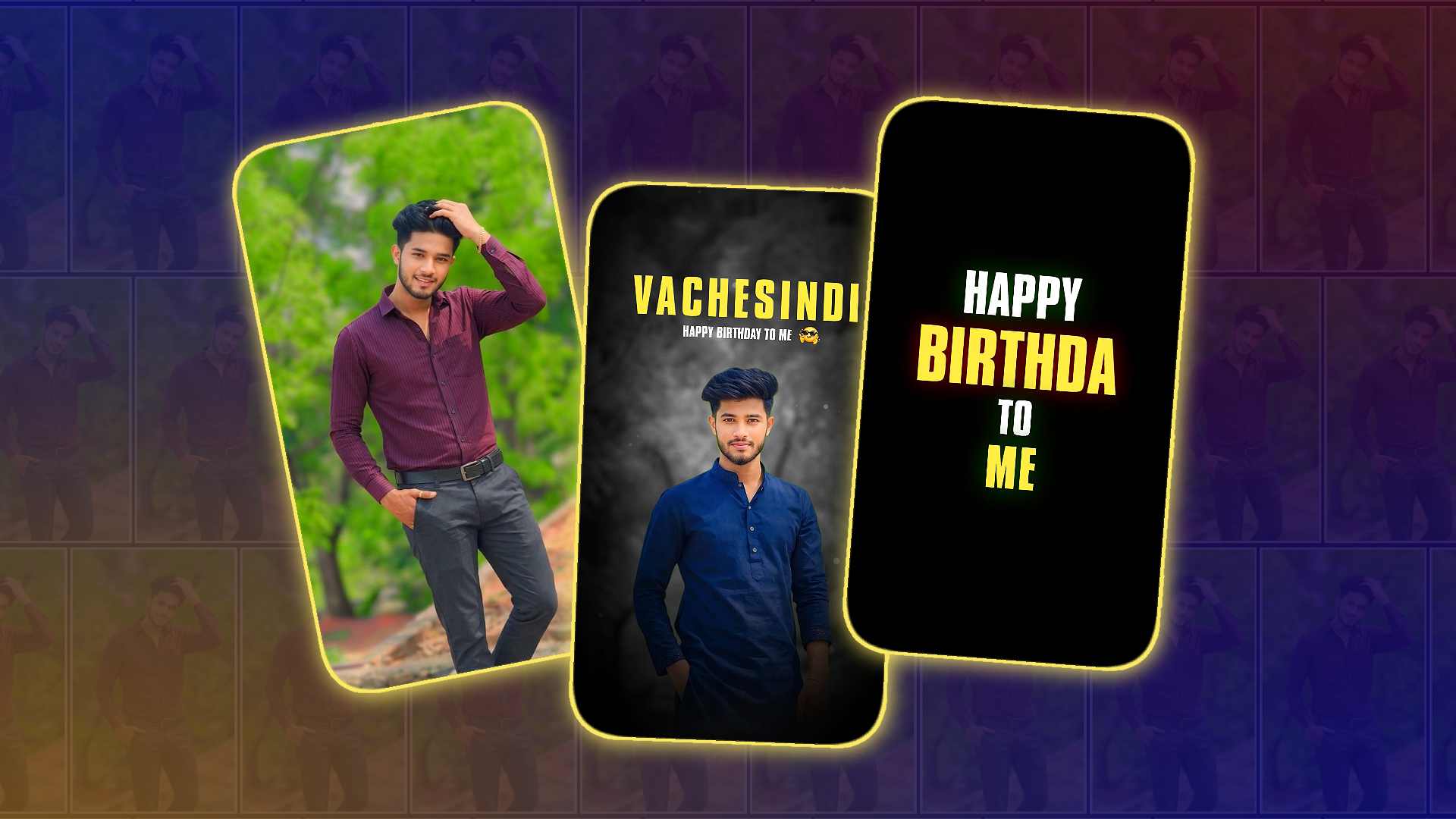
Creating a boy’s self-birthday video in Alight Motion has become one of the most popular editing trends on social media. Whether you want to upload your birthday video on Instagram, WhatsApp, Facebook, or YouTube Shorts, Alight Motion gives you all the tools you need to create a stylish and professional-looking edit directly from your phone. Even if you are a beginner, you can make an impressive birthday video by following a few simple editing steps and adding your own creative touch.
The first thing you need is a good collection of photos or short video clips. Try to choose clear, high-quality pictures that match your personality. Many people use childhood photos, recent selfies, bike pictures, travel photos, or stylish portrait images to make the birthday video more attractive. Arrange these photos in the order you want to show them in the video. This makes the editing process easier and saves time later.
After collecting your photos, open Alight Motion and create a new project. Choose the resolution according to the platform where you want to upload your video. Most editors prefer 1080×1920 because it is perfect for Instagram Reels, YouTube Shorts, and TikTok. Set the frame rate to 30 FPS or 60 FPS if your phone supports it for smoother animations.
Now import your photos into the timeline. Give each image a duration of around two to four seconds, depending on the beat of your music. If your song has a fast rhythm, shorter image durations will create a more energetic effect. If it is a slow emotional birthday song, slightly longer durations will make the video feel more cinematic.
The next step is adding transitions between your photos. Smooth transitions make your video look professional and keep viewers interested. Popular transitions include Zoom, Slide, Spin, Fade, Shake, and Motion Blur effects. Avoid using too many different transitions in one video because it can make the edit look messy. Instead, choose one or two transition styles that match the overall mood of your birthday video.
Music is one of the most important parts of any birthday edit. Select a trending birthday song, emotional background music, or a cinematic beat that suits your personality. Import the audio into Alight Motion and zoom into the waveform. This helps you identify the beats so you can synchronise your photo changes and effects perfectly with the music. Beat synchronisation is one of the easiest ways to make your edit look more professional.
After placing your photos and music, start adding keyframe animations. Keyframes allow you to create movement even when using still images. You can slowly zoom in, zoom out, rotate slightly, or move the image from one side to another. These subtle movements make your birthday video more dynamic and prevent it from looking like a simple slideshow.
To give your video a premium appearance, apply colour correction. Adjust brightness, contrast, saturation, and highlights until all your photos have a consistent look. Some editors also use cinematic colour grading or blue-orange tones to create a stylish effect. If you use presets or filters, apply them carefully so your photos still look natural.
Text animations can make your birthday video more personal. Add your name, your age, or messages like “Happy Birthday to Me,” “Blessed Another Year,” or “New Year, New Goals.” Choose modern fonts that match the theme of your video. Animate the text using fade, zoom, or slide effects, so it appears smoothly instead of suddenly popping onto the screen.
Many creators also use PNG elements to improve the overall design. You can add birthday balloons, golden crowns, sparkles, fire effects, smoke overlays, confetti, or light leaks. These decorative elements help create a festive atmosphere without overwhelming the video. Keep the design balanced by placing effects around the main subject rather than covering your face.
One of the biggest editing trends is using camera shake and motion blur effects during transitions. These effects create the illusion of real camera movement and make each scene change feel more energetic. However, use them in moderation because excessive shaking can make the video uncomfortable to watch.
If you want your birthday edit to look even more cinematic, add overlay effects such as film grain, dust particles, lens flares, or bokeh lights. These small details create depth and make the video appear professionally edited. Alight Motion supports blending modes that allow these overlays to mix naturally with your photos and videos.
Timing is another important part of editing. Every animation, transition, and text effect should match the rhythm of the background music. When everything moves in sync with the beat, viewers feel that the edit is smooth and satisfying. Spend extra time adjusting keyframes and transitions until the timing feels perfect.
Before exporting your project, preview the entire video several times. Watch for any sudden cuts, misplaced text, overlapping effects, or timing issues. Small mistakes are easier to fix before exporting than after uploading the video online.
When you’re satisfied with the final edit, export the video in high quality. A resolution of 1080p with a high bitrate usually provides the best balance between quality and file size. If your device supports it, exporting at 60 FPS can make transitions and animations appear much smoother.
After exporting, you can upload your birthday video to your favourite social media platforms. Use an attractive caption and relevant hashtags if you want to reach a larger audience. Sharing your edit with friends and family is also a great way to celebrate your special day.
The best part about editing in Alight Motion is that you can continue improving your skills with every new project. Try experimenting with different transitions, colours, or styles, text animations, and visual effects. Watch trending edits for inspiration, but always add your own personal style so your videos stand out. Creativity matters more than using expensive effects or complicated techniques.
A memorable birthday video is not only about stylish editing but also about expressing your personality and celebrating your journey. Whether you prefer a simple, emotional edit or a fast-paced cinematic reel, Alight Motion gives you the flexibility to create exactly what you imagine. With regular practice, attention to detail, and good synchronisation, anyone can create a birthday video that looks impressive and captures unforgettable memories.