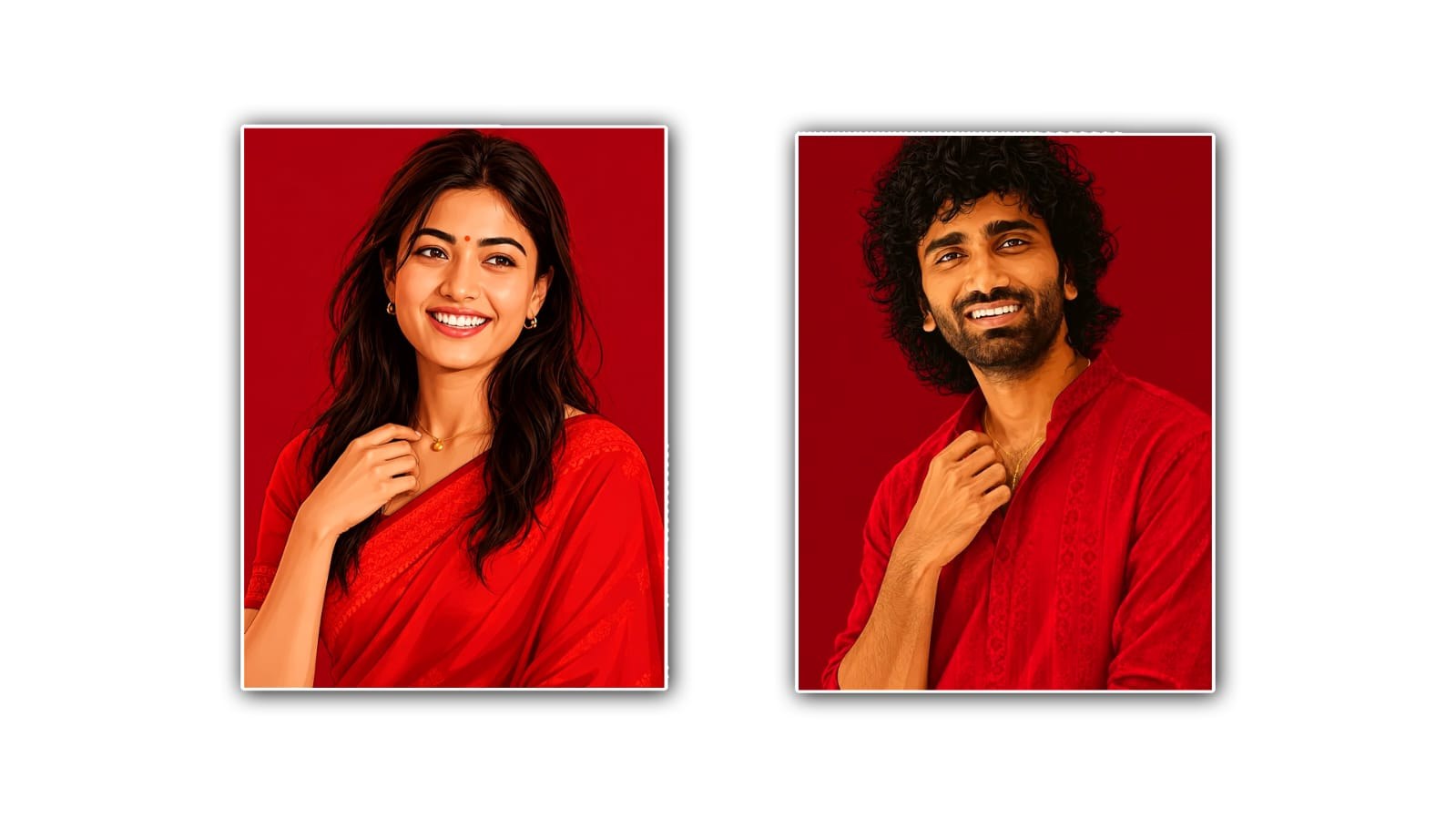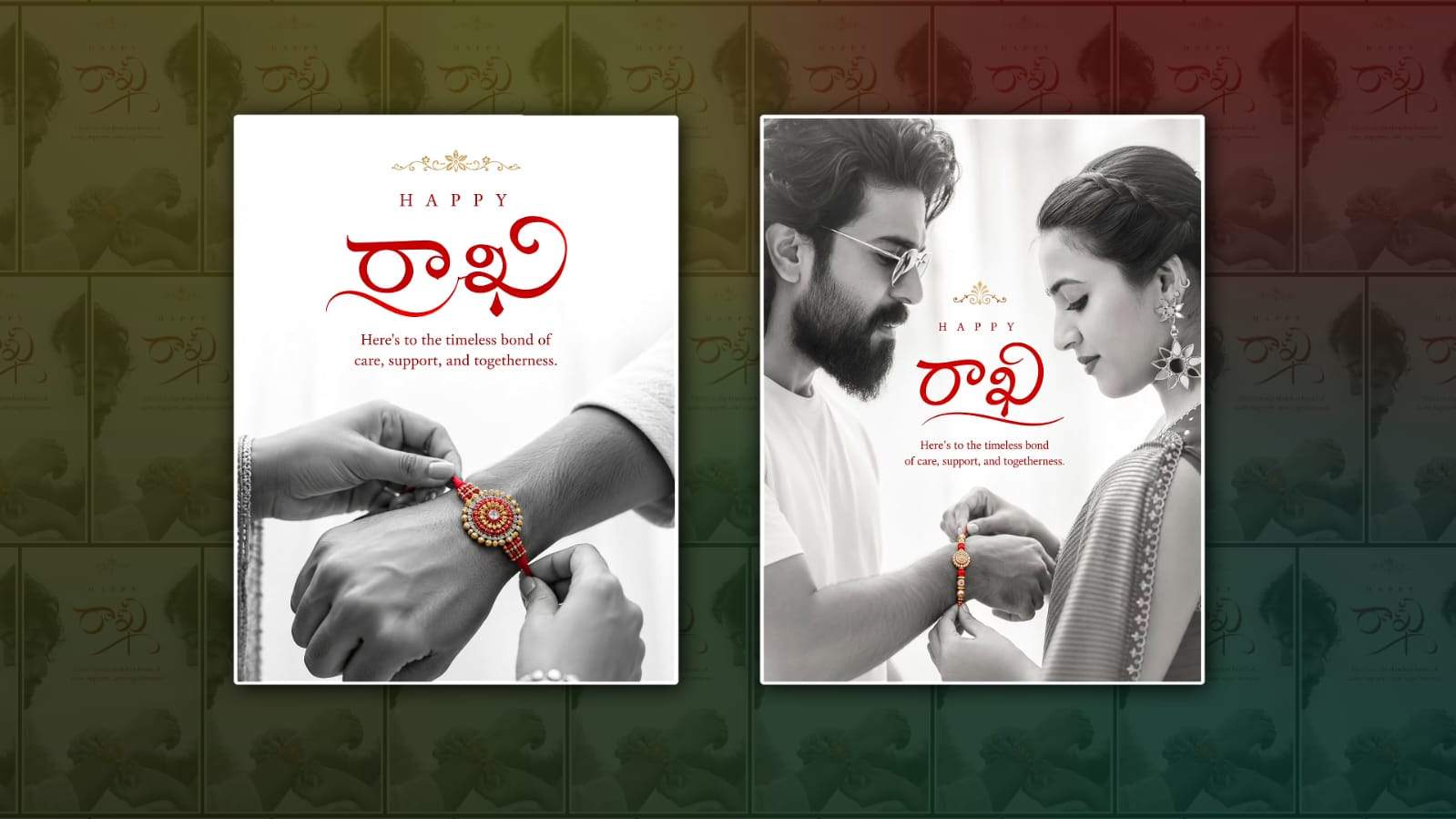
Rakhi Festival is one of the most beautiful occasions for celebrating the special bond between brothers and sisters. People love capturing these moments through photos, but sometimes the original pictures may look simple because of poor lighting, distracting backgrounds, dull colours, or an ordinary setting. With the help of Google Gemini, you can turn your Rakhi Festival photos into attractive and memorable pictures without needing advanced photo-editing skills.
Google Gemini can be useful for making creative changes to an image with simple instructions. Instead of learning complicated editing software, you can describe the changes you want and let Gemini help create an improved version. Whether you want to enhance colours, change the background, add a festive atmosphere, or create a stylish portrait, the process can be quite simple.
To begin, you need a suitable Rakhi Festival photo. Choose a clear picture in which the faces of the people are visible. A photo showing a brother and sister tying Rakhi, exchanging gifts, or posing together can work especially well. Images with good resolution usually produce better editing results. Once you have selected your picture, open Google Gemini and look for the option to upload or add an image to your conversation.
Upload the Rakhi photo and explain exactly what kind of editing you want. The quality of your instruction can make a big difference. Rather than simply saying “edit this photo,” describe the final appearance you want. For example, you can ask Gemini to make the image look like a professional Rakhi Festival portrait while keeping the faces, clothes, and important details natural.
One popular editing idea is changing the background. A simple home background can be transformed into a colourful festive setting with flowers, decorative lights, traditional patterns, and a warm atmosphere. You could ask for an elegant Indian festive background while keeping the people unchanged. This can make an ordinary family photo look more special without losing its original feeling.
Another useful option is improving the lighting and colours. Sometimes festival photos are taken indoors or in low light, which can make the image appear dark. You can ask Gemini to brighten the image, improve exposure, enhance skin tones naturally, and make the colours more vibrant. It is better to request natural enhancement instead of excessive editing because overly bright or saturated photos can look artificial.
You can also give your Rakhi photo a traditional Indian theme. For example, you might ask for a beautiful festive setting with marigold flowers, diyas, soft golden lighting, and subtle traditional decorations. If the brother and sister are wearing traditional clothes, you can ask Gemini to enhance the overall festive mood while preserving their original appearance.
For people who enjoy modern social-media-style photos, Gemini can also help create a more stylish look. You can request a clean portrait composition, cinematic lighting, a softly blurred background, or a premium photography effect. A simple prompt such as asking for a realistic professional portrait with warm festive lighting can produce a more polished result.
It is important to be careful when asking for major changes to people in the photo. If you want the edited image to remain realistic, clearly tell Gemini to preserve the identity, facial features, expressions, clothing, and natural appearance of the people. This is especially important for family photographs because the goal is usually to improve the picture rather than make the people look completely different.
You can also experiment with different backgrounds and styles. One version could have a luxurious indoor festive setting, another could feature a traditional Indian home decorated for Raksha Bandhan, and another could use a simple studio-style background with elegant Rakhi decorations. Creating several versions can help you decide which style looks best.
If you want to add text to the image, you can request a small festive message such as “Happy Raksha Bandhan” or “Happy Rakhi.” However, it is often better to keep the text simple and avoid covering faces or important parts of the photograph. A clean design with a small greeting can look more professional, especially if you plan to share the photo on social media.
Another interesting idea is creating a cinematic Rakhi poster. You can ask Gemini to give the image a warm cinematic appearance with dramatic but natural lighting, decorative elements, and a beautiful composition. This style can make the photograph look more like a professional festival poster. If you want a realistic result, mention that the people should remain photorealistic and recognisable.
After Gemini generates an edited image, take a moment to check the details carefully. Look at the faces, hands, clothing, jewellery, Rakhi, background, and any added decorations. AI-generated edits can sometimes introduce unwanted changes, so reviewing the final image is important. If something does not look right, explain the problem and ask Gemini to make another adjustment.
For example, if the background is attractive but the face looks unnatural, you can ask for the face to remain exactly as in the original photo while keeping the new background. If the colours are too strong, ask for softer and more natural colours. Giving specific feedback can help you get closer to the result you want.
When writing prompts for Rakhi photo editing, keep your instructions clear and descriptive. Mention the subject, background, lighting, mood, style, and details that should remain unchanged. A useful instruction could describe a realistic Raksha Bandhan portrait with warm golden lighting, elegant festive decorations, natural skin tones, and a clean background while preserving the original faces and clothing.
The biggest advantage of using Google Gemini for this type of editing is convenience. You do not necessarily need professional editing knowledge to experiment with creative ideas. You can communicate your vision in everyday language and make changes based on the results. This makes it useful for people who want to create attractive festival photos quickly.
However, it is always a good idea to keep the original photograph safe. Save a copy before editing so you can return to the original whenever necessary. You should also avoid adding unrealistic effects simply because they are available. For family festival photos, natural-looking edits usually have more emotional value than heavily edited images.
Once you are happy with the final result, you can save it and share it with family and friends. A beautifully edited Rakhi photo can be used as a WhatsApp status, Instagram post, Facebook photo, or simply kept as a memorable family picture. You can even create different versions for different platforms, depending on the desired size and style.
Overall, editing Rakhi Festival photos with Google Gemini can be an easy and creative way to make your special memories look more attractive. Start with a clear photograph, upload it to Gemini, describe the changes you want, and refine the result with simple follow-up instructions. Whether you prefer a traditional festive look, a modern portrait, or a cinematic style, experimenting with different ideas can help you create a Rakhi photo that feels both beautiful and personal. The most important thing is to preserve the genuine emotions of the brother-sister relationship while using editing to make the memory even more special.
PROMPT 1
A uploaded image. Create an elegant Raksha Bandhan greeting for brother-sister in a clean, premium Indian aesthetic. Use a predominantly white background with generous negative space. At the top centre, place a small, delicate golden ornamental floral motif. Below it, add the words “HAPPY” in widely spaced uppercase red serif lettering. In the centre, feature the Telugu calligraphy “రాఖి” in bold, flowing, artistic red Devanagari lettering, with elegant sweeping strokes and a refined traditional style. Beneath the calligraphy, add the message: “Here’s to the timeless bond of care, support, and togetherness.” in an elegant red serif font, centred and clearly readable. In the lower half, show a close-up black-and-white photograph of a brother’s wrist while a sister gently ties a traditional Rakhi around it. Keep the hands and arms monochrome grayscale, while the Rakhi remains selectively colored in rich red, gold, and silver, creating a striking focal point. The Rakhi should look intricate and handcrafted, with red threads, gold detailing, and a circular decorative ccentrepiece The composition should feel emotional, sophisticated, minimal, festive, and luxurious, with soft natural lighting, realistic skin texture, high photographic detail, balanced typography, and a professional greeting-card layout. Vertical portrait format, high resolution, photorealistic hands, no extra text, no watermark.
PROMPT 2
A Uploaded image Create an elegant Raksha Bandhan greeting brother sister in a clean, premium Indian aesthetic. Use a predominantly white background with generous negative space. At the top center, place a small delicate golden ornamental floral motif. Below it, add the words “HAPPY” in widely spaced uppercase red serif lettering. In the center, feature the telugu calligraphy “రాఖీ” in bold, flowing, artistic red lettering, with elegant sweeping strokes and a refined traditional style. Beneath the calligraphy, add the message: “Here’s to the timeless bond of care, support, and togetherness.” in an elegant red serif font, centered and clearly readable. In the lower half, show a close-up black-and-white photograph of a brother’s wrist while a sister gently ties a traditional Rakhi around it. Keep the hands and arms monochrome grayscale, while the Rakhi remains selectively colored in rich red, gold, and silver, creating a striking focal point. The Rakhi should look intricate and handcrafted, with red threads, gold detailing, and a circular decorative centerpiece. Composition should feel emotional, sophisticated, minimal, festive, and luxurious, with soft natural lighting, realistic skin texture, high photographic detail, balanced typography, and a professional greeting-card format, high resolution, photorealistic hands, no extra text, no watermark. 4:5 and last light close up side profile brother sister face reveal opacitive face 50%