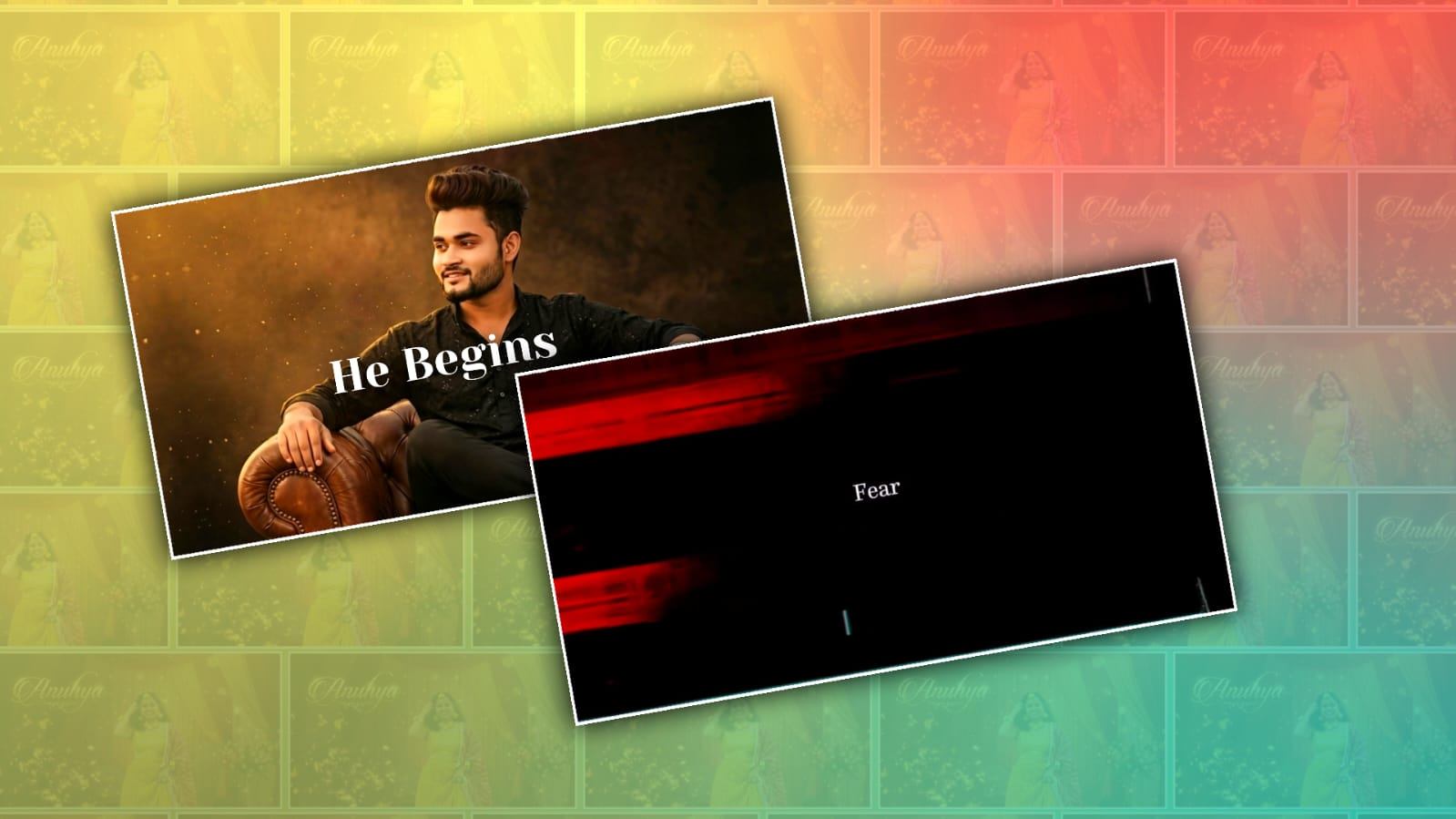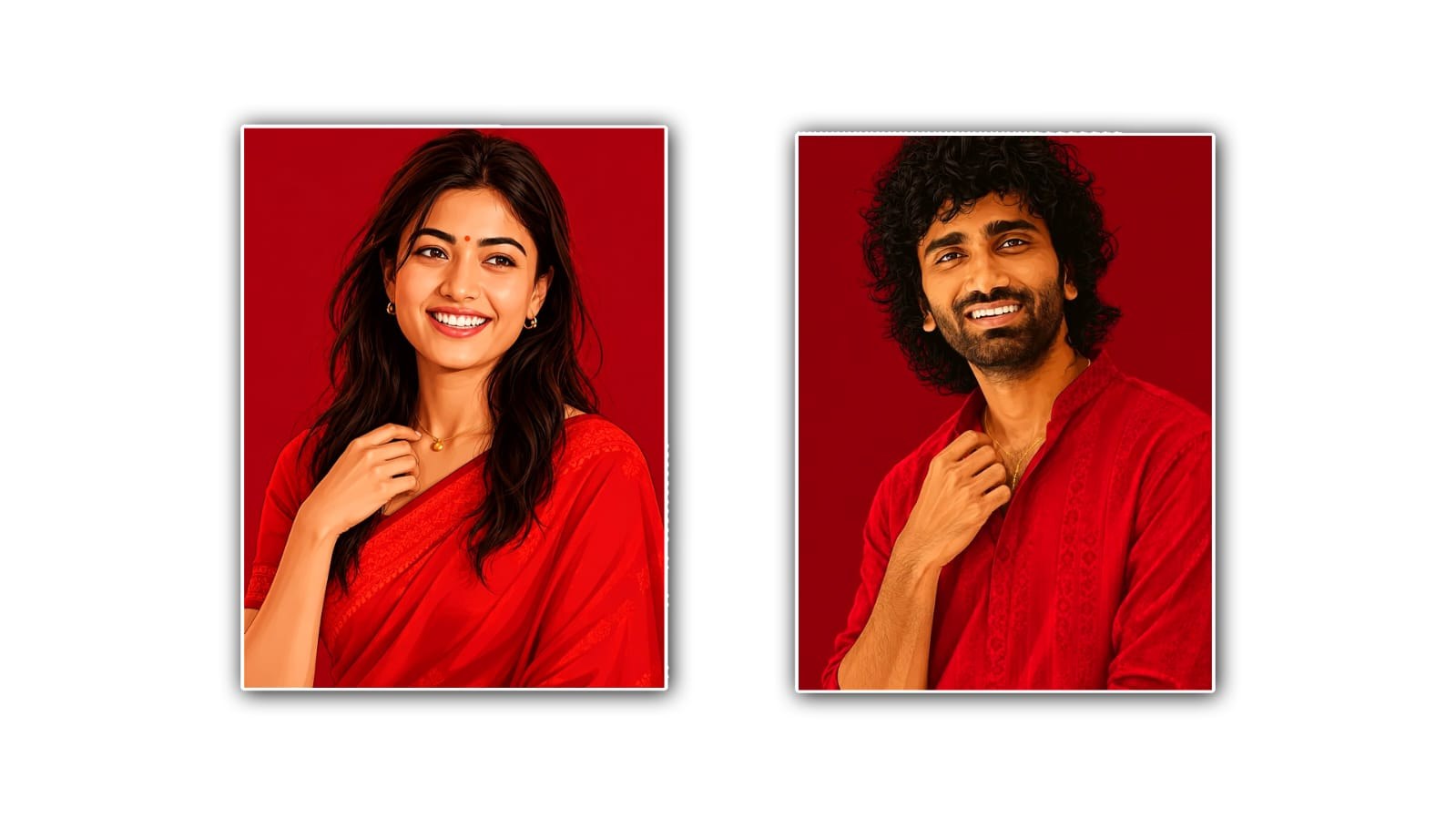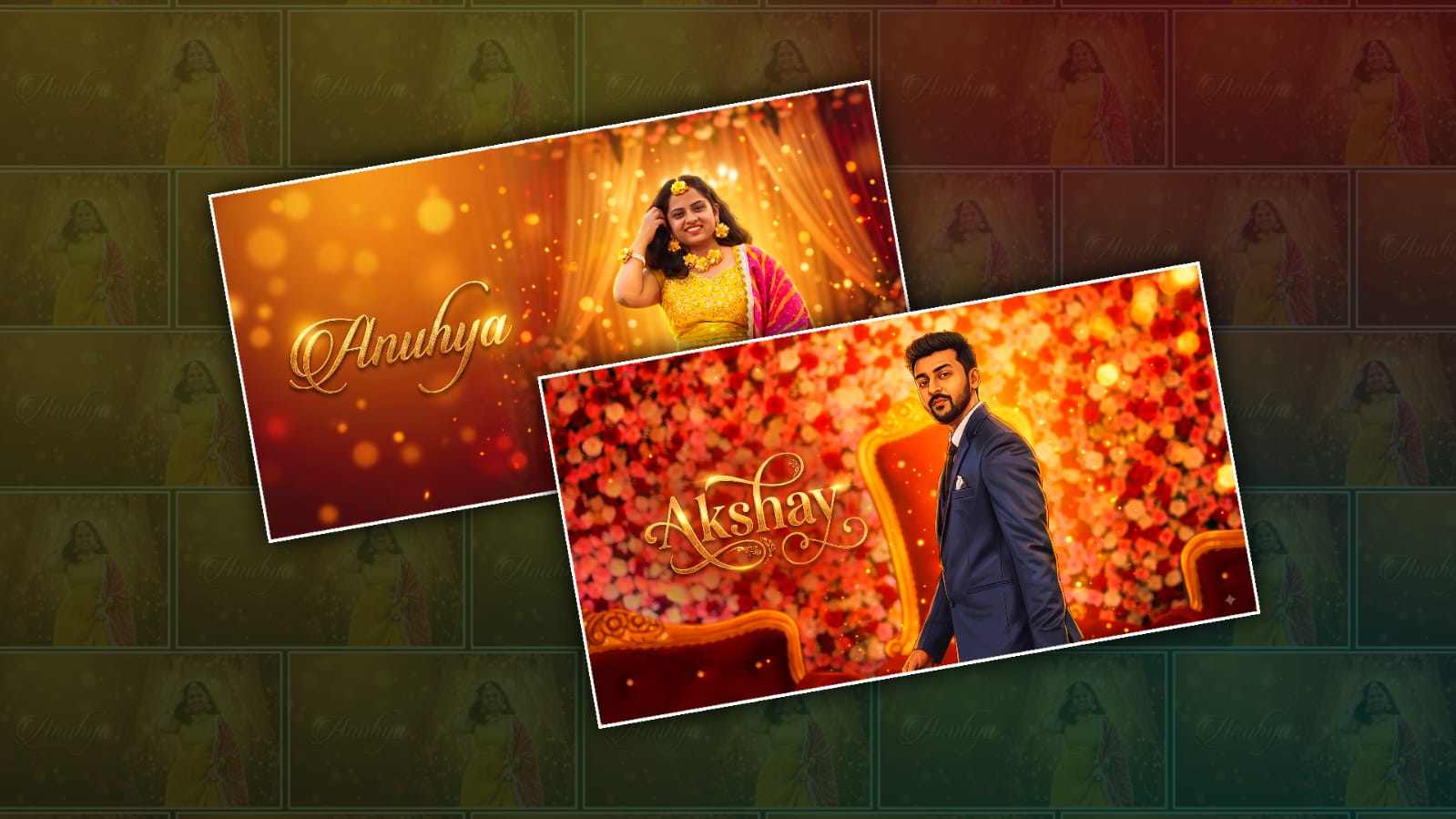
Bride and groom cartoon effect videos are becoming very popular for weddings, engagements, pre-wedding shoots, and social media reels. Nowadays, many people want to turn their normal couple photos into beautiful cartoon-style videos without using complicated editing software. With the help of Google Gemini and a few simple editing ideas, it is possible to create a creative bride and groom cartoon effect video that looks attractive and memorable.
The main attraction of this type of video is that it gives a different look to ordinary wedding photos. Instead of simply showing photos one after another, you can transform the bride and groom into cartoon-style characters and create a small wedding story. The video can include romantic backgrounds, flowers, wedding decorations, traditional outfits, cinematic movements, and beautiful transitions. This makes the final result look more like a short animated wedding video.
Google Gemini can be useful for creating and improving the creative concept behind this type of editing. You can use Gemini to prepare suitable prompts for cartoon-style images, suggest scenes for the video, write captions, and plan the complete sequence. For example, you can ask Gemini to create a prompt for a bride and groom wearing traditional Indian wedding clothes, standing together in a decorated wedding hall, with a soft cartoon or animated appearance. You can also mention the colours, background, mood, lighting, and style that you want.
Before starting the editing, it is better to select good-quality photos of both the bride and groom. Clear front-facing photos usually give better results because the face and clothing are easier to understand. If possible, choose photos with good lighting and less background disturbance. You can select one or two individual photos of the bride, one or two photos of the groom, and a few couple photos. These images can then be used as the base for creating different cartoon scenes.
The prompt is one of the most important parts of the process. A simple prompt may not always give the exact result you are expecting. Instead, you can describe the scene clearly. You can mention that the bride should wear a traditional saree or lehenga, the groom should wear a sherwani or traditional wedding outfit, and both should look happy and natural. You can also request a colourful Indian wedding background with flowers, lights, and a cinematic atmosphere. If you want a particular cartoon style, mention it clearly in the prompt.
One useful idea is to create different scenes instead of using the same cartoon image throughout the video. For example, the first scene can show the bride getting ready, the second scene can show the groom preparing for the wedding, and the third scene can show both of them meeting at the wedding venue. Another scene can show them exchanging garlands, followed by a romantic couple pose. The final scene can show the bride and groom together with their names and wedding date. This simple storytelling approach can make the video much more interesting.
After generating the cartoon-style images, the next step is video editing. The images can be arranged according to the story. Each image can stay on the screen for a few seconds, depending on the music and overall length of the video. Slow zoom-in and zoom-out effects can make still cartoon images feel more dynamic. Smooth transitions between scenes are also useful because they prevent the video from looking like a simple slideshow.
For an Indian wedding video, background music makes a big difference. You can choose a romantic instrumental track, wedding-style music, or another song that matches the mood of the couple. If the video is going to be uploaded to social media, make sure that the music you use is appropriate for the platform and that you have the necessary rights to use it. Even a simple instrumental background can make the cartoon scenes feel more emotional.
You can also add text to make the video personal. The bride’s name and groom’s name can appear at the beginning, followed by a message such as “A Beautiful Beginning” or “Two Hearts, One Journey.” The wedding date and location can be displayed near the end. Adding small details like these makes the video feel specially created for the couple rather than like a general template.
Another interesting idea is to create a cinematic Indian wedding theme. You can ask Gemini for prompts featuring a decorated mandap, flower showers, traditional lamps, fairy lights, colourful wedding decorations, and a warm golden atmosphere. If the couple has a particular wedding theme, such as royal, floral, traditional, or modern, the prompts can be adjusted according to that theme. This gives more consistency to the complete video.
When creating cartoon versions of real people, maintaining facial similarity is important. The generated image may sometimes change facial features, hairstyle, clothing, or other details. Therefore, it is a good idea to check every generated image carefully. If one scene looks very different from the original person, you can modify the prompt and try again. Clear instructions about maintaining the person’s general appearance can help, although AI-generated results can still vary.
The video does not need to be very long. A 20- 20 to 40-second video is enough for a social media reel or status. If you have many scenes, you can make a longer version for a wedding presentation. Short videos are often more effective because viewers can watch the entire story without losing interest. You can also create different versions for Instagram Reels, YouTube Shorts, Facebook, or WhatsApp Status.
For a more professional look, keep colours and style similar across all scenes. If one image has a bright cartoon style and another has a completely different artistic style, the video may not look consistent. Try to use similar descriptions in every prompt. For example, if you choose a colourful 3D cartoon wedding style for the first scene, continue with the same general style for the bride, groom, family, and couple scenes.
The final editing stage is where everything comes together. Arrange the cartoon images in the correct order, add music, apply transitions, adjust the timing, and include the names or wedding message. Avoid adding too many effects because excessive transitions and animations can make the video look crowded. Simple zoom effects, soft transitions, and good timing usually give a cleaner and more professional result.
One of the biggest advantages of using AI tools such as Google Gemini for this kind of creative work is that you do not need advanced graphic design knowledge to get started. Beginners can experiment with different ideas, generate prompts, improve descriptions, and create a unique concept for their wedding video. However, the final quality still depends on the source photos, prompts, image consistency, and editing choices.
Bride and groom cartoon effect videos are a fun way to give a modern touch to traditional wedding memories. With clear photos, creative prompts, suitable cartoon styling, good music, and simple video editing, you can turn ordinary couple pictures into an attractive animated wedding story. Whether it is made for a wedding invitation, pre-wedding memories, Instagram Reel, YouTube Short, or WhatsApp Status, this style can make the couple’s special moments look more creative and memorable.
The best approach is to keep the editing simple, focus on the couple, and tell a small story through the scenes. Google Gemini can help with the creative planning and prompt-writing process, while your video editor can bring those images together with music, transitions, and text. With a little experimentation, even beginners can create a beautiful bride and groom cartoon effect video that has a personal Indian wedding touch.
ALL PROMPTS
GIRL IMAGE PROMPT
Create a premium cinematic Indian Wedding Pop Art portrait using the uploaded bride photo as the EXACT MASTER IMAGE.

ABSOLUTE ORIGINAL PHOTO POSITION LOCK — HIGHEST PRIORITY:

The uploaded photograph is the master composition and must NOT be rearranged in any way. Keep the bride EXACTLY where she is in the uploaded photo.

If the bride is in the center, she MUST remain in the center. If she is on the left, she MUST remain on the left. If she is on the right, she MUST remain on the right. Do NOT move the bride to create space for text. Do NOT shift her toward the left or right. Do NOT reposition her body or face. Do NOT enlarge or shrink her to create negative space. Do NOT crop differently. Do NOT change the camera framing.

Preserve the exact original:

Person position, Pose, Face direction, Body angle, Head position, Hand position, Scale, Crop, Camera angle, Framing, Overall composition

THE UPLOADED PHOTO COMPOSITION MUST REMAIN IDENTICAL.

IDENTITY LOCK:
Keep the exact bride, face, facial features, eyes, eyebrows, nose, lips, skin tone, hairstyle, hair parting, jewellery, dress, body proportions and identity unchanged. No face swap. No identity change. No re-posing. No facial reconstruction. No artificial face redesign.

STYLE & EFFECT TRANSFORMATION ONLY:

Apply the premium Indian wedding Pop Art style to the existing photograph WITHOUT changing its composition.

Use:

Rich painterly digital texture, Elegant Indian wedding atmosphere, Warm golden-orange lighting, Rich red/orange tones, Golden highlights, Soft cinematic bokeh, Floral wedding elements, Elegant drapes, Glowing particles, Premium cinematic contrast, High-end wedding invitation aesthetic

IMPORTANT TEXT RULE:

Do NOT create or move the bride to a new position for the text. First preserve the original photograph exactly. Then identify any naturally existing empty/negative space in the original image. If there is suitable empty space, place:

"[BRIDE NAME]"

inside that existing space. If there is no suitable empty space, keep the composition unchanged and place the name in the most minimal unobstructive area possible WITHOUT moving or changing the bride. The text must adapt to the photograph — the photograph must NEVER adapt to the text. Use elegant premium Indian wedding typography with sophisticated calligraphy, subtle golden metallic texture, soft glow, delicate ornamental details and cinematic depth.

FINAL RULE:
Person position = 100% locked. Original composition = 100% locked. Only artistic effects, colors, lighting, background atmosphere and typography may change. 16:9 horizontal, premium wedding invitation quality, ultra-detailed 4K look, no logo, no watermark.
BOY IMAGE PROMPT
Create a premium cinematic Indian Wedding Pop Art portrait using the uploaded groom photo as the EXACT MASTER IMAGE.

ABSOLUTE ORIGINAL PHOTO POSITION LOCK — HIGHEST PRIORITY:

The uploaded photograph is the master composition and must NOT be rearranged in any way. Keep the groom EXACTLY where he is in the uploaded photo. If the groom is in the center, he MUST remain in the center. If he is on the left, he MUST remain on the left. If he is on the right, he MUST remain on the right. Do NOT move the groom to create space for text. Do NOT shift him toward the left or right. Do NOT reposition his body or face. Do NOT enlarge or shrink him. Do NOT change the crop or framing.

Preserve the exact original:

Person position, Pose, Face direction, Body angle, Head position, Hand position, Scale, Crop, Camera angle, Framing, Overall composition

THE UPLOADED PHOTO COMPOSITION MUST REMAIN IDENTICAL.

IDENTITY LOCK:
Keep the exact groom, face, facial features, eyes, eyebrows, nose, lips, skin tone, hairstyle, hairline, beard/moustache, jewellery, clothing, body proportions and identity unchanged. No face swap. No identity change. No re-posing. No facial reconstruction. No artificial face redesign.

STYLE & EFFECT TRANSFORMATION ONLY:

Apply the premium Indian wedding Pop Art style to the existing photograph WITHOUT changing its composition. Use warm golden-orange lighting, rich red/orange tones, golden highlights, cinematic bokeh, elegant wedding decorations, glowing particles, painterly digital texture, premium cinematic contrast and luxury Indian wedding-card aesthetics.

IMPORTANT TEXT RULE:

Do NOT create or move the groom to a different position for the text. First preserve the original photograph exactly. Then identify any naturally existing empty/negative space in the original image. If suitable empty space exists, place:

"[GROOM NAME]"

inside that existing space. If there is no suitable empty space, place the name in the least obstructive natural area WITHOUT moving, resizing or changing the groom. The text must adapt to the photograph — the photograph must NEVER adapt to the text. Use stylish premium wedding typography with elegant masculine calligraphy/modern lettering, subtle golden metallic texture, soft glow, refined ornamental details and cinematic depth.

FINAL RULE:
Person position = 100% locked. Original composition = 100% locked. Only artistic effects, colors, lighting, background atmosphere and typography may change. 16:9 horizontal, premium wedding invitation quality, ultra-detailed 4K look, no logo, no watermark.
COUPLE IMAGE PROMPT
Create a premium cinematic Indian Wedding Pop Art couple portrait using the uploaded bride and groom photo as the EXACT MASTER IMAGE.

ABSOLUTE ORIGINAL PHOTO POSITION LOCK — HIGHEST PRIORITY:

The uploaded couple photograph is the master composition and must NOT be rearranged in any way. Keep BOTH bride and groom EXACTLY where they are in the uploaded photo. If they are together in the center, keep them exactly in the center. If they are positioned toward the left, keep them there. If they are positioned toward the right, keep them there. Do NOT move either person to create space for names. Do NOT separate them. Do NOT swap their positions. Do NOT shift them left or right. Do NOT resize either person. Do NOT change the crop, framing or camera angle.

Preserve exactly:

Bride's position, Groom's position, Their distance from each other, Their poses, Face directions, Body angles, Head positions, Hand positions, Scale, Crop, Camera angle, Framing, Overall composition

THE ORIGINAL COUPLE COMPOSITION MUST REMAIN IDENTICAL.

IDENTITY LOCK — BOTH PEOPLE:

Keep the exact bride and groom identities, faces, facial features, eyes, eyebrows, nose, lips, skin tones, hairstyles, hairlines, beard/moustache, jewellery, outfits and body proportions unchanged. No face swap. No identity change. No re-posing. No facial reconstruction. No artificial face redesign.

STYLE & EFFECT TRANSFORMATION ONLY:

Apply the premium Indian wedding Pop Art style to the existing couple photograph without changing its composition. Use rich painterly digital texture, warm golden-orange wedding lighting, rich red/orange tones, golden highlights, soft cinematic bokeh, elegant floral decorations, luxurious drapes, glowing particles and premium wedding-card atmosphere.

IMPORTANT NAME RULE:

Do NOT move the bride or groom to make room for their names. First preserve the uploaded couple photo exactly as it is. Then identify any naturally existing clean/empty space in the original photograph. If suitable space exists, place:

"[BRIDE NAME]"
"&"
"[GROOM NAME]"

inside that existing space. If there is little or no empty space, use the smallest unobstructive area possible WITHOUT changing the couple's position, size, pose or composition. The typography must adapt to the original photo — the original photo must NEVER be rearranged to accommodate the typography. Use elegant luxury Indian wedding typography with sophisticated calligraphy, subtle golden metallic texture, soft glow, delicate ornamental details and cinematic depth.

FINAL NON-NEGOTIABLE RULE:

ORIGINAL PHOTO POSITION = LOCKED
PERSON POSITION = LOCKED
COUPLE COMPOSITION = LOCKED
CAMERA FRAMING = LOCKED

Only the following may change:
artistic style + colors + lighting + background effects + particles + typography.

16:9 horizontal, premium Indian wedding invitation quality, ultra-detailed 4K look, no logo, no watermark.
VIDEO PROMPT
Create a premium cinematic 10-second Indian Wedding name reveal animation using the uploaded image as the exact first-frame reference.

STRICT FIRST-FRAME & PERSON LOCK:
The uploaded image must remain visually identical throughout the entire video.

Keep the person/people exactly unchanged — same face, facial features, eyes, hairstyle, clothing, jewellery, body, pose, position, proportions, framing, camera angle and composition.

DO NOT animate or modify the person.
No face movement. No body movement. No expression change. No hairstyle change. No clothing movement. No face morphing. No identity change. No camera movement or zoom. The original image should feel like a premium cinematic still photograph.

ONLY THE TEXT SHOULD ANIMATE.

The name:

"[NAME]"

should appear naturally in the same negative-space area already created in the uploaded image. Do not move the text to another side and do not change its position.

TEXT ANIMATION – 10 SECONDS:

0–2 seconds:
Keep the uploaded image almost completely still. Very subtle golden dust particles begin appearing around the empty text area.

2–5 seconds:
Elegant glowing golden particles slowly gather together in the exact text area. The particles flow smoothly and intelligently, gradually forming the letters of:

"[NAME]"

Create a luxurious cinematic particle-trail effect, like thousands of tiny golden light particles assembling into elegant typography.

5–8 seconds:
The complete name becomes clearly visible with premium elegant wedding typography. Add subtle golden metallic shine, soft glow, refined depth and a gentle light sweep traveling across the letters.

8–10 seconds:
Hold the completed name beautifully on screen. Keep subtle floating golden particles and tiny glowing dust around the typography. The person and entire background remain completely unchanged.

VISUAL STYLE:

Premium Indian wedding invitation aesthetic, elegant golden particle animation, cinematic lighting, luxurious atmosphere, sophisticated typography, realistic photographic quality, high-end wedding film look.

CRITICAL RULE:
The uploaded image is the master reference and must remain unchanged. Animate ONLY the name text and its surrounding particles/light effects. Nothing else should move or transform.

No face animation. No body animation. No lip movement. No eye movement. No blinking. No camera movement. No background transformation. No additional people. No extra objects. No text distortion. No unwanted text. No logo. No watermark.

DURATION: 10 seconds
STYLE: Premium cinematic Indian wedding title reveal
OUTPUT: High-quality, smooth, realistic, elegant 4K wedding video.