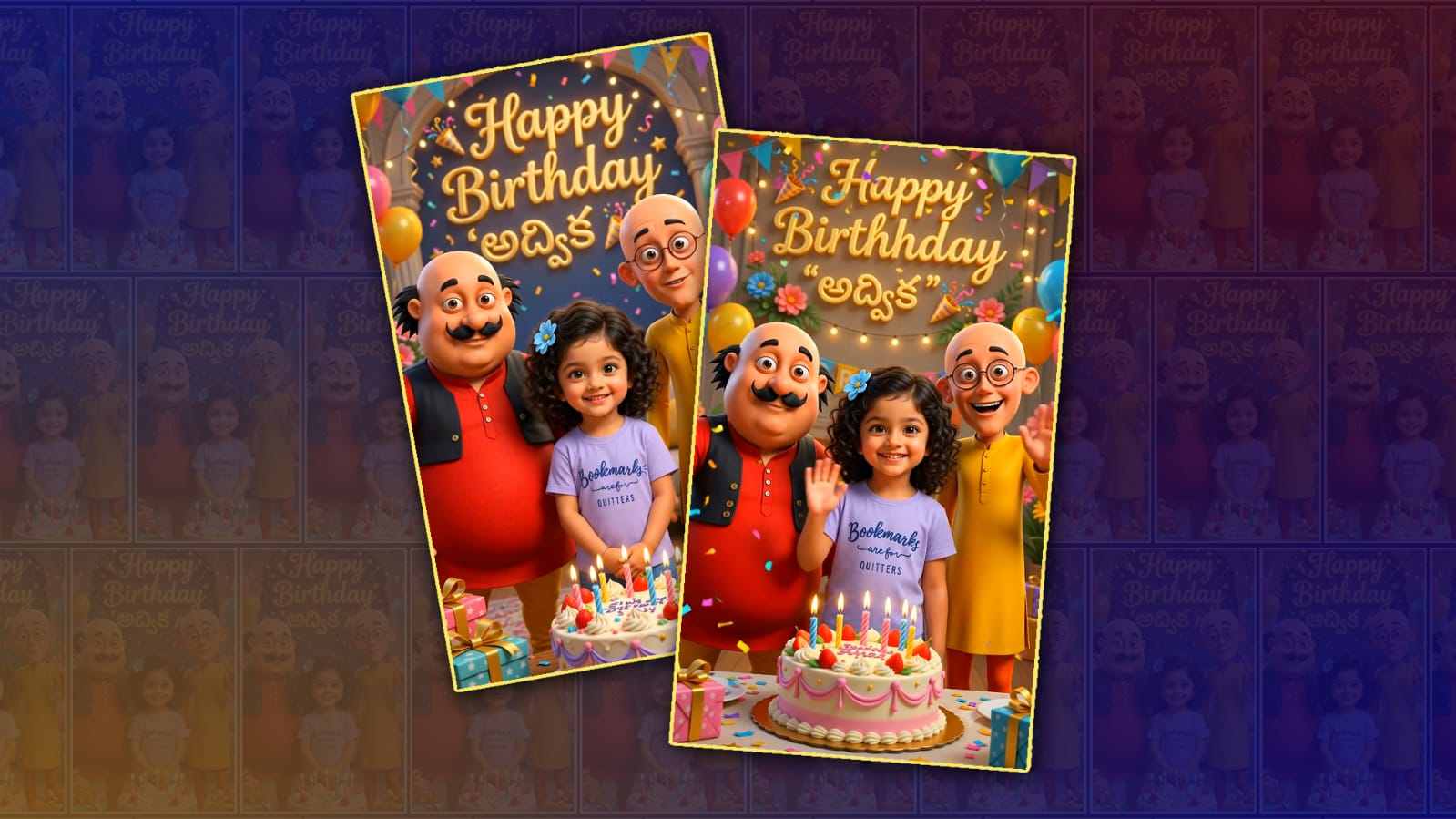
Creating a trending Motu & Patlu cartoon kids’ birthday video using Google Gemini has become one of the easiest and most exciting ways to make birthday celebrations memorable. Parents today are looking for creative ways to surprise their children, and personalised birthday videos featuring their favourite cartoon characters are becoming increasingly popular. Motu and Patlu are among the most loved animated characters by kids, making them a perfect choice for birthday greetings. With the help of Google Gemini, anyone can create engaging scripts, generate creative ideas, and even design prompts for AI-powered images and videos without needing advanced editing skills.
The first step is to decide what kind of birthday video you want to create. Some people prefer a simple animated greeting, while others create a complete birthday story where Motu and Patlu celebrate with the birthday child. Before opening Google Gemini, think about the child’s name, age, favourite colours, hobbies, and any special message you want to include. These details help make the final video feel unique and personal.
Google Gemini is an AI assistant that can generate creative content from simple text prompts. You can ask Gemini to write a birthday script featuring Motu and Patlu welcoming the birthday child to a fun celebration. For example, you can request a cheerful dialogue where Motu brings laddus, Patlu decorates the party, and all their friends join in to sing Happy Birthday. Gemini can also suggest funny scenes, emotional moments, and exciting transitions that make the video entertaining for children.
Once the script is ready, you can ask Gemini to create detailed image prompts. These prompts describe how each scene should look. For example, you can ask for a colourful birthday party with balloons, cakes, gifts, confetti, and Motu and Patlu smiling beside the birthday child. If you are using an AI image generator, these prompts can produce vibrant cartoon-style images suitable for video editing. Make sure the prompts include bright colours, cheerful expressions, and festive decorations because children enjoy lively visuals.
After generating images, the next step is to create animations or short video clips. Depending on the tools you use, you may convert still images into animated scenes or use AI video generators. Google Gemini can help write detailed prompts for these tools, describing camera movements, character expressions, lighting, and background decorations. Smooth animations make the final birthday video more attractive and engaging.
Adding the birthday child’s name throughout the video makes it feel truly personalised. Gemini can suggest creative ways to include the name naturally in dialogues and on-screen text. Instead of showing the name only once, you can display it in balloons, birthday banners, cakes, gift boxes, or colourful title screens. Personal touches increase the emotional value of the video and make children feel special on their birthday.
Music is another important element that makes birthday videos enjoyable. A cheerful instrumental birthday tune or royalty-free children’s music works well in the background. Avoid music that may have copyright restrictions if you plan to upload the video to YouTube or other social media platforms. You can also add birthday sound effects like applause, party poppers, laughter, balloons popping, and celebration cheers to make the video more exciting.
Voiceovers add another level of fun to the birthday video. You can record your own voice or use AI voice generators to narrate the script created by Gemini. A lively narrator introducing the birthday celebration keeps children engaged from beginning to end. If possible, use different voices for different characters to create a more entertaining storytelling experience.
Transitions between scenes should be smooth and colourful. Bright animations, confetti explosions, balloons floating across the screen, stars sparkling, and cake-cutting effects make the video visually appealing. Most beginner-friendly video editors include these effects, allowing you to create professional-looking birthday videos without complicated editing skills. Google Gemini can even suggest transition ideas based on your video theme.
Text animations also help maintain children’s attention. Instead of plain text, use colourful fonts with bounce, zoom, or sparkle effects. Display birthday wishes in large, easy-to-read letters. Gemini can generate creative birthday messages such as wishing happiness, laughter, success, and fun adventures throughout the coming year. Short and joyful messages are usually more effective than long paragraphs in children’s videos.
Timing is another important factor. A birthday video between two and five minutes is usually ideal. Young children have shorter attention spans, so keeping the video energetic and fast-paced helps maintain their interest. Include plenty of colourful scenes, funny moments, and cheerful music without making the video feel rushed.
If you want your birthday video to become popular on social media, focus on high-quality visuals and vertical video formats suitable for platforms like YouTube Shorts, Instagram Reels, and Facebook. Short clips featuring funny Motu and Patlu moments, cake-cutting scenes, and personalised birthday greetings often receive more engagement. Google Gemini can also help generate catchy video titles, descriptions, hashtags, and captions for better visibility online.
While creating content inspired by famous cartoon characters, remember that Motu and Patlu are copyrighted characters. If you plan to publish your video publicly or monetise it, make sure you respect intellectual property rights and avoid using copyrighted material without permission. Creating original cartoon-inspired content or obtaining proper licenses is the safest approach for commercial use.
The best birthday videos are those filled with creativity and personal emotion rather than complicated editing. Google Gemini simplifies the creative process by helping with story ideas, dialogue writing, image prompts, scene descriptions, and even video planning. Beginners who have never edited a video before can still create impressive birthday greetings by following a simple step-by-step workflow and using AI-powered tools effectively.
As AI technology continues to improve, creating personalised birthday videos is becoming easier than ever. Parents, siblings, friends, and content creators can now produce memorable birthday surprises in just a few hours instead of spending days on traditional animation. With a little imagination and the assistance of Google Gemini, you can transform a simple birthday greeting into a colourful animated celebration that brings smiles to children and creates lasting memories for the entire family. Whether you are making the video for personal use or sharing it with friends, a cheerful, personalised Motu and Patlu-inspired birthday video can become one of the most treasured gifts a child receives on their special day.
Reference Image Download
Scene 1 Prompt
Use only the uploaded reference images. Use the uploaded Motu and Patlu images exactly as the character references, and use the uploaded child's photo as the only reference for the child's identity. Important: Preserve the child's identity 100% exactly. Do not change the child's face, facial structure, eyes, nose, lips, skin tone, hairstyle, hair color, expression, age, body shape, outfit, footwear, or accessories. No face swapping, no AI beautification, no identity drift, and no gender change. The child must remain exactly the same as in the uploaded photo throughout the entire video. Create a premium ultra-realistic 3D cartoon-style birthday scene in 9:16 vertical, with cinematic lighting, colorful balloons, flowers, fairy lights, birthday decorations, gifts, and a beautiful birthday cake. The child stands naturally in the center, smiling at the camera. Motu stands on the child's left and Patlu stands on the child's right. Both gently wave their hands and first look toward the child, then toward the camera. The child smiles naturally, blinks, makes subtle head movements, and gently waves one hand. Everyone remains in the same place without walking. Display a large, elegant glowing 3D golden text at the top of the background: 🎉 Happy Birthday YOURNAME🎉 Smooth Pixar-quality animation, expressive facial animation, realistic eye movement, natural blinking, high-quality Telugu lip sync, soft camera push-in, vibrant colors, cinematic HDR lighting, ultra-detailed 4K, stable characters with no flickering or distortion. Dialogue (Telugu): మోటు: "హాయ్... ఈరోజు మా చిన్నారి YOURNAME బర్త్డే! అందుకే మేమిద్దరం స్పెషల్గా విషెస్ చెప్పడానికి వచ్చేశాం!" పట్లు: "చివరి వరకు చూడండి... ఇంకా మా దగ్గర ఒక స్పెషల్ బర్త్డే సర్ప్రైజ్ ఉంది!"
Scene 2 Prompt
Use only the uploaded reference images. Use the uploaded Motu and Patlu images exactly as the character references, and use the uploaded child's photo as the only reference for the child's identity. Important: Preserve the child's identity 100% exactly. Do not change the child's face, facial structure, eyes, nose, lips, skin tone, hairstyle, hair color, expression, age, body shape, outfit, footwear, or accessories. No face swapping, no AI beautification, no identity drift, and no gender change. The child must remain exactly the same as in the uploaded photo throughout the entire video. Create a premium ultra-realistic 3D cartoon-style birthday celebration in 9:16 vertical with the same birthday party background. Decorate the scene with colorful balloons, fairy lights, flowers, gifts, confetti, and a beautifully decorated birthday cake with glowing candles. Display a large, elegant glowing 3D golden text at the top of the background: 🎉 Happy Birthday "అద్విక "🎉 The text must remain clearly visible throughout the scene. The child stands naturally in the center between Motu and Patlu, facing the camera. All three remain in the same position without walking. The child gently cuts the birthday cake while smiling naturally. Motu and Patlu happily clap, cheer, and wave toward the camera with expressive hand gestures. After cutting the cake, the child smiles at the camera and gives a small wave. Colorful confetti falls continuously, while balloons gently float in the background. Smooth Pixar-quality animation, realistic eye blinking, expressive facial animation, perfect Telugu lip sync, cinematic HDR lighting, vibrant colors, ultra-detailed 4K, stable characters with no flickering or distortion. Dialogue (Telugu): పట్లు: "ప్రియమైన YOURNAME, నీకు హృదయపూర్వక జన్మదిన శుభాకాంక్షలు! మోటు: "🎉 హ్యాపీ బర్త్డే YOURNAME! నీ కలలన్నీ నిజం కావాలి. ఈ రోజు చాలా ఆనందంగా గడపాలి... బై... బై...! ❤️🎂"