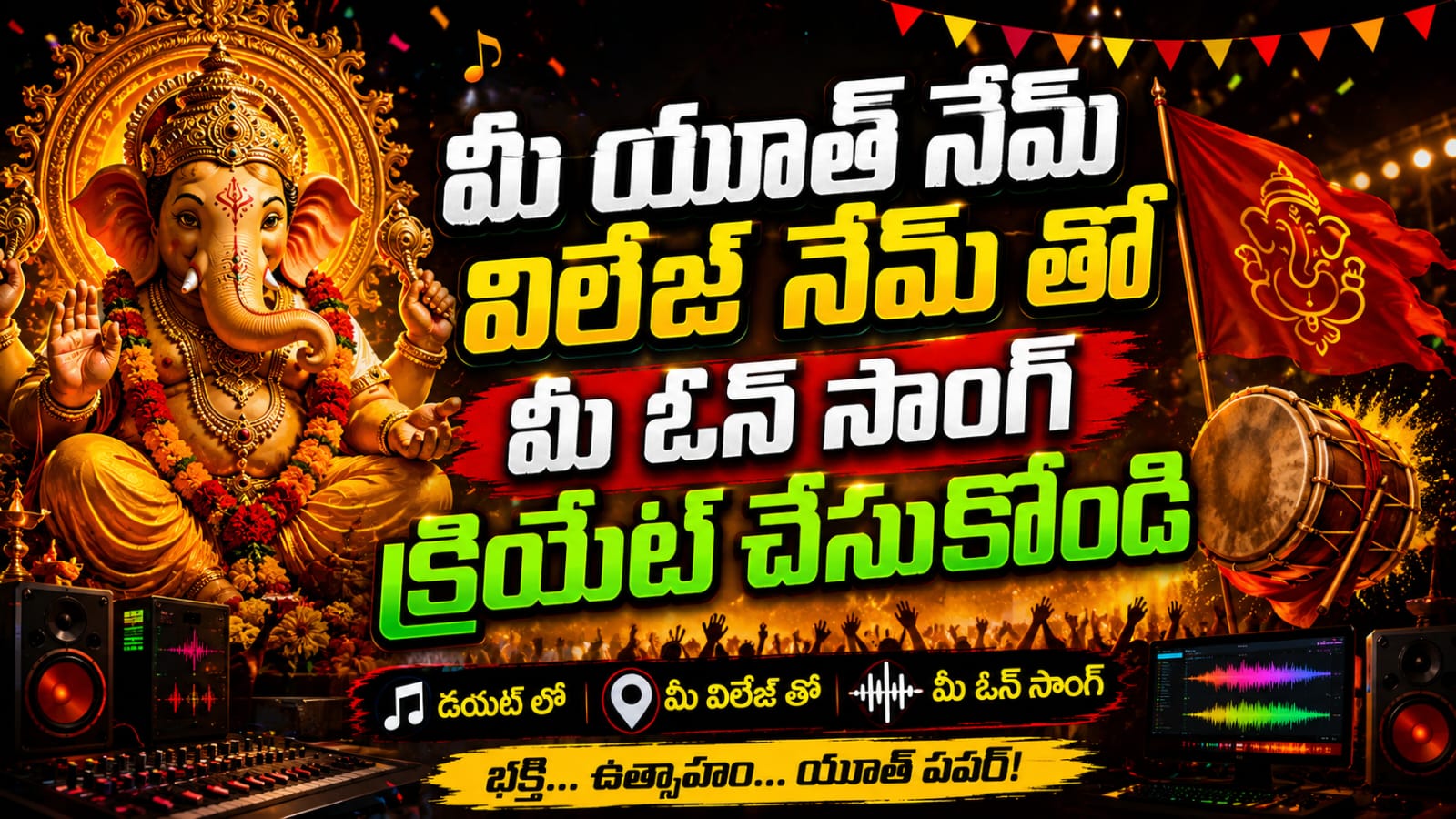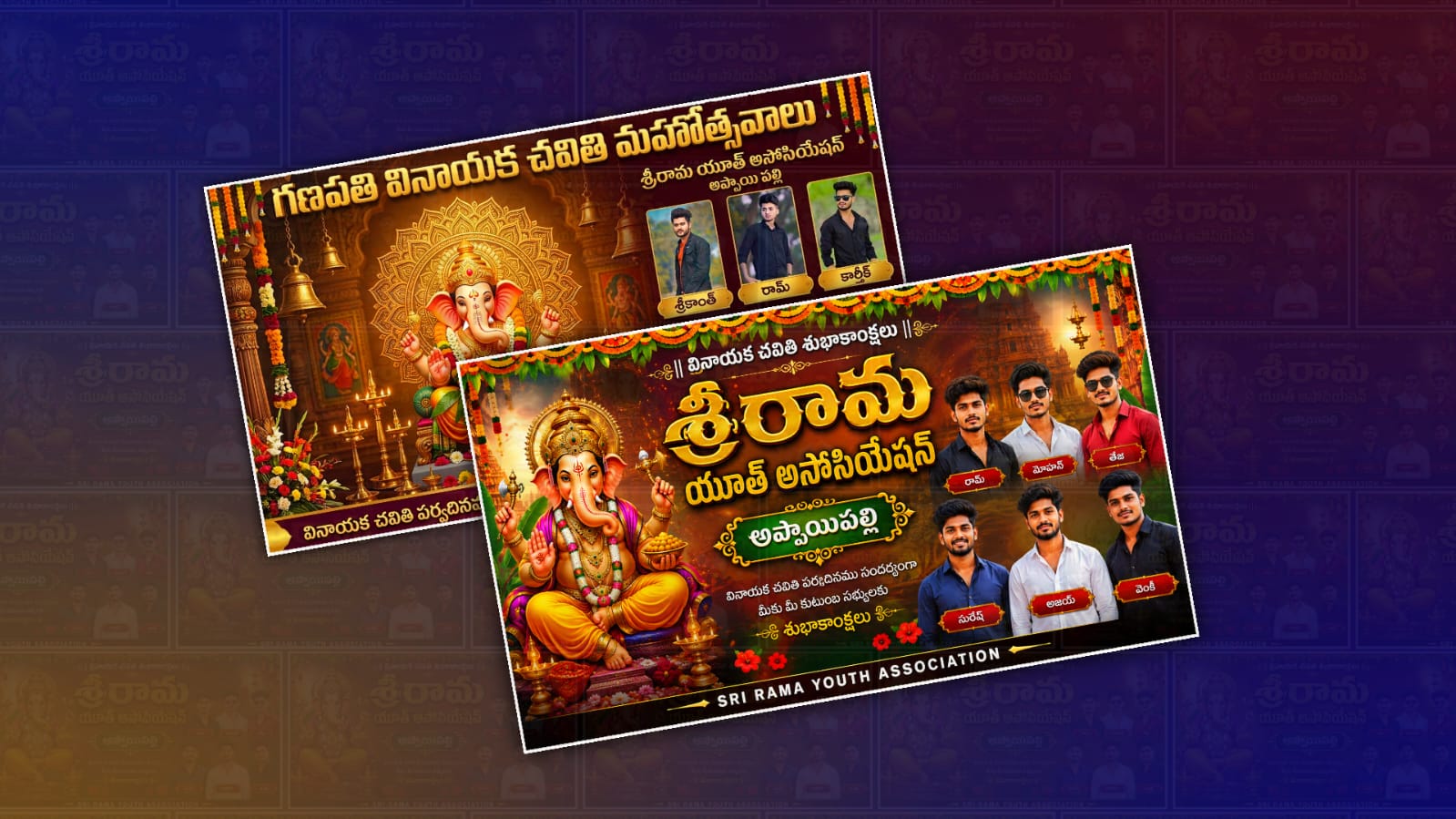
Every year, Ganesh Chaturthi brings excitement, devotion, and a festive spirit to communities across India. In Andhra Pradesh and Telangana, youth associations, local clubs, and neighbourhood groups celebrate the festival by organising cultural events, processions, devotional programs, and social service activities. One of the most noticeable parts of these celebrations is the colourful Telugu banner displayed at entrances, pandals, and public gathering places. These banners often feature Lord Ganesha, vibrant festive decorations, the names of organisers, and greetings in Telugu. In recent years, creating these banners has become much easier with the help of artificial intelligence, and Google Gemini is one of the tools that can assist in generating creative ideas, writing banner text, and crafting detailed image prompts.
Instead of spending hours thinking about a banner design, you can use Google Gemini to generate concepts within minutes. The AI can help you prepare Telugu greeting messages, suggest attractive colour combinations, write catchy slogans, and even create detailed prompts that can be used with AI image generation tools. This saves time while giving you the freedom to customize every part of the banner according to your local celebration.
The first step is deciding on the overall theme of your Ganesh Chaturthi banner. Some youth groups prefer a traditional design featuring a majestic idol of Lord Ganesha with temple-inspired decorations and rich golden colours. Others choose a modern style with cinematic lighting, vibrant backgrounds, and creative typography. Before asking Gemini for assistance, think about the message you want your banner to convey. It could be a simple Ganesh Chaturthi greeting, an invitation to local devotees, or a banner announcing cultural events and celebrations.
Once you have a clear idea, open Google Gemini and describe the type of banner you want to create. The more detailed your request, the better the response will be. Instead of asking for a “Ganesh Chaturthi banner,” explain that you want a Telugu youth association banner with a grand Lord Ganesha idol, traditional decorations, colourful floral arrangements, festival lighting, and space for organiser names. You can also specify the banner size if you plan to print it on flex material or share it on social media.
One of the biggest advantages of using Gemini is its ability to write content in multiple languages, including Telugu. If your banner needs devotional greetings, Gemini can generate meaningful Telugu text that sounds natural and festive. You can also ask it to provide short slogans, invitation messages, or welcome lines suitable for your local event. Reviewing the generated text before printing is always a good idea to ensure names, dates, and locations are accurate.
If you plan to create AI-generated artwork, Gemini can also help by writing highly detailed image prompts. A good prompt describes every important visual element, including Lord Ganesha’s appearance, the background, lighting, decorations, colour palette, artistic style, and overall atmosphere. Detailed prompts usually produce much better results than short descriptions because AI image generators receive clearer instructions about the desired design.
For example, you might ask Gemini to generate a prompt describing a majestic Lord Ganesha seated on a beautifully decorated throne, surrounded by glowing lamps, fresh marigold flowers, colourful rangoli patterns, traditional temple architecture, soft golden sunlight, festive lighting, and a spacious area for Telugu text. The AI can include details about high resolution, realistic textures, vibrant colours, and professional banner composition, making the prompt suitable for advanced image generation tools.
Another useful feature is generating creative layout ideas. A good youth banner should have a balanced design rather than placing every element randomly. Gemini can suggest where to position the main image of Lord Ganesha, where to leave space for organiser names, how to arrange sponsor logos, and where to place Telugu greetings. A clean layout makes the banner easier to read while keeping it visually attractive.
Colours play an important role in festival banners. Traditional Ganesh Chaturthi designs often use shades of saffron, red, orange, yellow, gold, and green because thesecolours symbolisee celebration, devotion, and prosperity. Gemini can recommend harmonious colour combinations that improve the overall appearance of the banner without making it look overcrowded. Balanced colours also make printed banners look more professional.
Typography is another element that should not be overlooked. Telugu fonts should be large, bold, and easy to read from a distance. Decorative fonts may look attractive, but they should never reduce readability. Gemini can suggest font pairings where the main festival greeting appears in an elegant Telugu style while organiser names and event details remain clear and readable.
If your youth association has a logo or a specific identity, include that information in your request to Gemini. The AI can suggest suitable placement without interfering with the main devotional artwork. Similarly, if you have sponsors supporting your event, reserve a dedicated section so their logos remain organised and do not distract from the central image of Lord Ganesha.
Many youth organisations also include photographs of organisers or committee members on their banners. If you plan to do this, choose high-quality portrait photos with good lighting and a clean background. Arrange the photos neatly around the banner instead of filling every available space. Too many images can reduce the visual impact of the overall design.
After generating your design ideas with Gemini, you can recreate the banner using graphic design software or an AI image generation platform that supports detailed prompts. Once the artwork is ready, carefully review every part of the design. Double-check Telugu spellings, names, event dates, phone numbers, and location details before sending the banner for printing. Even a small spelling mistake can affect the professional appearance of the final product.
For social media sharing, consider creating multiple versions of the banner. A horizontal design works well for printed flex banners, while square and vertical versions are better suited for Instagram, Facebook, WhatsApp Status, and YouTube thumbnails. Gemini can even suggest how to adapt the same design for different platforms while maintaining a consistent visual style.
Adding meaningful Telugu quotes about Lord Ganesha can make your banner more memorable. Instead of using lengthy paragraphs, select a short devotional message that reflects the spirit of Ganesh Chaturthi. Keep enough space around the text so it remains easy to read even from a distance. A clutter-free design often attracts more attention than one filled with excessive decorative elements.
Lighting effects also contribute significantly to the final appearance. Soft golden rays, glowing diyas, sparkling temple lights, and subtle background illumination create a divine atmosphere without overwhelming the design. Gemini can recommend lighting styles that complement traditional Indian festival aesthetics while maintaining a realistic look.
While AI is an excellent creative assistant, your own ideas remain the most valuable part of the design process. Use Gemini as a brainstorming partner rather than relying on every suggestion exactly as generated. Personalising the banner with your community’s traditions, local event details, and unique artistic preferences makes the final result more meaningful and memorable.
Most importantly, create devotional artwork with respect and care. Since Lord Ganesha holds deep religious significance for millions of devotees, ensure that the design maintains dignity and reverence. Focus on creating a banner that celebrates faith, unity, culture, and the joy of the festival while welcoming everyone to participate in the celebrations.
With thoughtful planning, clear prompts, and creative input, Google Gemini can become a valuable companion in designing an attractive Telugu youth Ganesh Chaturthi banner. By combining AI-generated ideas with your own creativity, you can produce a professional-looking banner that captures the festive spirit, reflects your community’s enthusiasm, and leaves a lasting impression on everyone who sees it during the celebration.
Prompt
Create a premium ultra-realistic 16:9 Vinayaka Chavithi banner using only the uploaded member photos. Replace the Youth Name with “[YOUTH NAME]” and the Village Name with “[VILLAGE NAME]”. Use all uploaded photos exactly as provided. Do not change faces, hairstyle, beard, skin tone, body shape, or clothes. Enhance only the quality. Arrange all members professionally on the right side in two rows. Add a premium golden name plate below each member’s photo using the corresponding names I provide. Match each name to the correct photo in the same upload order. Place a majestic Lord Ganesha at the centre with a golden mandala, traditional temple background, flower garlands, mango leaves, brass lamps, and rich festive decorations. Use luxury gold, orange, maroon, and green colours with cinematic HDR lighting.
Top Telugu Text:
“గణపతి వినాయక చవితి మహోత్సవాలు”Youth Name:
“[YOUTH NAME]”Village Name:
“[VILLAGE NAME]”Bottom Telugu Text:
“వినాయక చవితి పర్వదినము సందర్భంగా గ్రామ ప్రజలకు హృదయపూర్వక శుభాకాంక్షలు”Style: Ultra-realistic, 8K, DSLR quality, premium festival banner, luxury Telugu typography, clean layout, no watermark, no extra people, no cropped faces, 16:9 landscape.
Member Names (Match with uploaded photos in the same order):
Photo 1 – [Name 1]
Photo 2 – [Name 2]
Photo 3 – [Name 3]
Photo 4 – [Name 4]
Photo 5 – [Name 5]
Photo 6 – [Name 6]