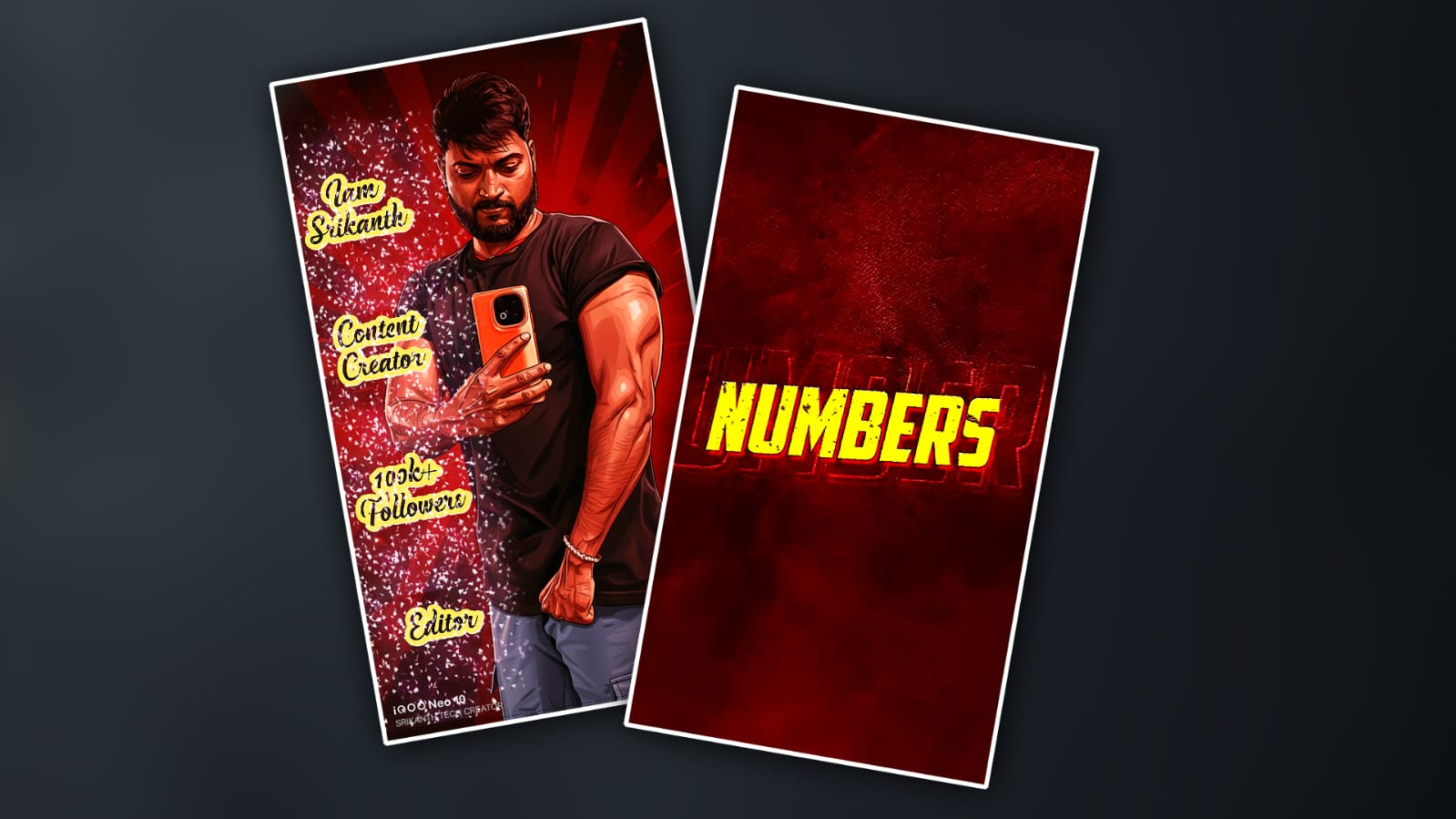
If you’ve been scrolling Instagram lately, you’ve probably noticed a very specific style of reel popping up again and again: high-contrast visuals, bold outlines, exaggerated shadows, and that intense red tone that instantly grabs attention. People often call it the “red cartoon effect,” and it’s everywhere—from fashion reels to gym edits, from cinematic lifestyle clips to meme-style videos. The good news is that you don’t need expensive software or a high-end PC to create this effect. With just your phone and Alight Motion, you can achieve a very similar look that performs insanely well on Instagram.
This effect works so well because it taps into how people consume content on Reels. Bright red hues trigger attention, cartoon-style edges make the video feel animated and playful, and strong contrast helps your subject stand out even on small screens. When all of this comes together, viewers are more likely to stop scrolling, watch longer, and even rewatch the reel. That’s exactly what the Instagram algorithm loves.
Before you start editing, the most important step is choosing the right clip. Not every video works well with the red cartoon effect. Clips with clear subjects, good lighting, and strong facial or body outlines perform best. Natural daylight is ideal, but even indoor clips can work if the subject is clearly separated from the background. Avoid overly dark or blurry footage, because once you apply heavy effects, those flaws become much more visible. Shoot in high resolution, preferably 1080p or higher, and make sure your subject is centred or framed intentionally.
Once your clip is ready, open Alight Motion and create a new project. Set the aspect ratio to 9:16, since this is the standard for Instagram Reels. Keep the frame rate at 30 or 60 fps, depending on your original clip. Import your video and place it on the timeline. At this stage, don’t rush into adding effects. Play the clip once and visualise where you want the emphasis—on the face, the body, or a specific movement. This mental clarity helps a lot later.
The base of the red cartoon effect starts with colour manipulation. In Alight Motion, go to the effects section and add a colour adjustment effect such as Hue & Saturation or Colour Balance. Slowly push the reds higher while slightly reducing other colours like blue and green. The goal isn’t to turn the entire screen pure red, but to let red dominate colourolor palette. Increase saturation enough to make the colours pop, but not so much that skin tones look completely unnatural. A slightly exaggerated look is perfect, because cartoon effects are meant to feelstylisedd, not realistic.
After setting the colour tone, contrast becomes the next key ingredient. Add a Curves effect or Brightness & Contrast adjustment. Increase contrast so that shadows get darker and highlights become brighter. This step helps create that bold, punchy look that makes the subject stand out. Be careful not to crush the shadows too much, or you’ll lose detail. A good trick is to zoom in on the face while adjusting, since facial details are what viewers notice first.
Now comes the part that really turns a normal clip into a cartoon-style edit: outlines and edges. In Alight Motion, you can use effects like Edge Detect, Posterisee, or even a combination of Sharpen and Glow. Edge Detect helps create visible borders around the subject, giving that drawn or animated feel. Lower the opacity so the edges blend naturally with the video instead of overpowering it. Posterise can reduce colour depth, which makes the clip look more graphic and less photographic, another hallmark of cartoon-style visuals.
To push the red cartoon effect further, many editors duplicate the video layer. On the bottom layer, keep your main colour adjustments. On the duplicated top layer, apply edge or outline effects more aggressively. Then reduce the opacity of the top layer and experiment with blending modes like Overlay or Multiply. This layering technique adds depth and complexity without requiring advanced skills. It’s one of those small tricks thamakees your edit look “pro,” even if you’re still learning.
Motion plays a huge role in making the reel feel alive. Static cartoon effects can look boring if there’s no movement. Use keyframes in Alight Motion to add subtle zoom-ins, shake effects, or micro movements synced with the beat of the music. Even a slow zoom toward the subject’s face can dramatically increase engagement. If your reel includes beats or drops, add a slight scale or rotation animation at those moments. These small details keep viewers hooked until the end.
Speaking of music, choosing the right audio is just as important as the visual effect. Trending sounds on Instagram often boost reach automatically. Before editing, spend a few minutes scrollingthrough Reels and save audios that fit the intense, energetic vibe of the red cartoon effect. You can explore trending audio directly inside Instagram or use external resources that track viral sounds. Once you’ve chosen your audio, import it into Alight Motion and align your key visual changes with the beats. Timing is everything.
Text and captions, if used, should match the cartoon aesthetic. Bold fonts with thick strokes work best. Avoid thin or elegant fonts, as they don’t blend well with high-contrast visuals. In Alight Motion, add text layers and use shadow or stroke effects to make the text pop against the red background. Keep text minimal—one or two impactful words often perform better than long sentences. Remember, most people watch Reels quickly, so clarity matters more than complexity.
Export settings can make or break your final result. Always export in high quality, preferably at the same resolution and frame rate as your project. Compression artefacts can ruin sharp edges and outlines, which are crucial for the cartoon effect. After exporting, preview the video on your phone before uploading. Sometimes colours look different after export, and it’s better to catch issues early.
Once your reel is ready, uploading it correctlyton Instagram is the final step. Use a strong caption that complements the visual intensity of the red cartoon effect. Add relevant hashtags, but don’t overdo it. A mix of niche and broad hashtags works best. Post at a time when your audience is most active, and consider engaging with similar content before and after posting to increase visibility.
If you’re new to Alight Motion or want to explore more advanced techniques, there are plenty of helpful resources online. You can download the app directly from the official website at <a href=”https://alightmotion.com” target=”_blank”>https://alightmotion.com</a>, where you’ll also find basic guides and updates. For visual learners, YouTube is full of step-by-step tutorials that break down cartoon and red tone effects in detail. A good place to start is by searching editing tutorials on <a href=”https://www.youtube.com” target=”_blank”>https://www.youtube.com</a>, where creators often share presets and real-time workflows.
Instagram itself is also a learning tool. By analyzing viral reels on <a href=”https://www.instagram.com” target=”_blank”>https://www.instagram.com</a>, you can reverse-engineer what works. Look closely at colour tones, transitions, timing, and how long the reel holds your attention. The more you observe, the better your edits will become.
The red cartoon effect isn’t just about copying a trend; it’s about adapting it to your own style. Once you understand the basics, experiment with different shades of red, try mixing in other colours, or apply the effect only to specific parts of the video. Creativity is what ultimately separates viral editors from everyone else. Trends come and go, but the ability to adapt and innovate keeps your content fresh.
Consistency is another underrated factor. One viral reel is great, but consistent posting with a recognisable editing style builds an audience. If people start associating that bold red cartoon look with your profile, they’re more likely to follow you and engage with future posts. Over time, this consistency can turn casual viewers into loyal followers.
At the end of the day, mastering the Instagram trending red cartoon effect in Alight Motion is a mix of technical skill, creative vision, and experimentation. Don’t be afraid to make mistakes or try unusual combinations of effects. Every failed edit teaches you something new. With practice, patience, and a bit of curiosity, you can create reels that not only follow trends but also stand out in a crowded feed. And when your edits start popping up on explore pages and getting shared, you’ll know the effort was worth it.
Prompt
Generate an illustration of the person in the reference photo. Maintain the exact face identity, hairstyle, expression, skin tone and pose with zero distortion. Transform the entire scene into a deep red, high contrast Tamil gangster movie poster style. Replace the background with red sradients smoky atmosphere, and subtle textures. Add bold comic book shading, thick outlines, strong black shadows and glossy highlights on the skin and clothes. Stylise the outfit with richer tones, clean folds and dynamic lighting.