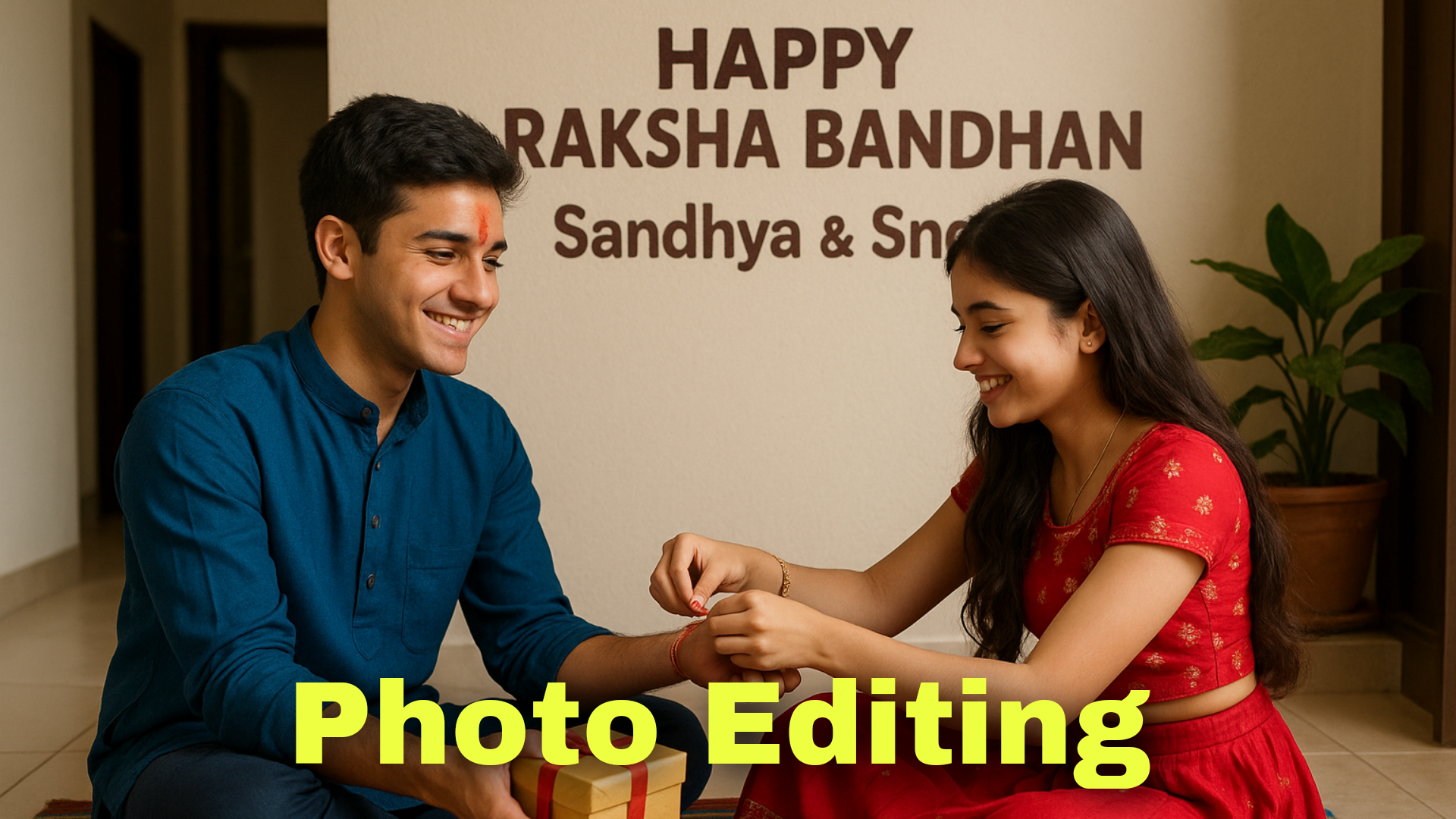
Hello friends, welcome to our page. In this article, I will tell you how to edit an interesting and wonderful photo that is also related to the Raksha Bandhan festival. Photo editing: How to edit your photo.
What is Raksha Bandhan
Usually, every festival comes with something special. Every festival comes with a reason. So every festival has something special. They celebrate that festival with great respect for that state or that region. But behind every festival, there is a strong, big story or story. Every year, a date is allocated to remember that festival separately. Similarly, this festival is also a day related to brothers and sisters. So that it is always remembered, a separate date is allocated, and this festival is celebrated.
This festival can be celebrated not only in India but also by anyone anywhere. It is not only a festival but also a day for brothers nd sisters. It shows the relationship. On this festival day, brothers tie a Rakhi to their sisters. After tying it, they give some gifts to the sisters as per their financial condition.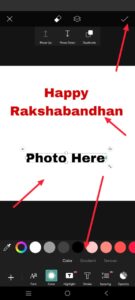 For this Raksha Bandhan, all the people who live somewhere or go somewhere to live also come to their own village and tie this Rakhi. This way, a good relationship continues.
Now, how to do photo editing?
I will explain to you how to use a separate photo editing application for this. First, you want to put this application on the Play Store. From there, you need to open it. Then click on the plus icon. Then select any background of your choice from your gallery. Otherwise, there are many backgrounds in this application. Nature Background TexturesColour.ss.If there are many backgrounds like this, select a good background and add it and then crop this photo. For this, you need to click on the tool option at the bottom, then the crop symbol will appear, click on it and crop this photo in the ratio of your choice. After that, some extra options will appear at the bottom, amongst them could be Add Photo. Click on it, then select a photograph of your choice from the gallery and get rid of the history of that image. To remove this, when you click on this photo, you will see an eraser option at the top. If you click on it and scroll down, you will see some more options, there you have to select the person option, there the background will be automatically removed, when you click on it, the mobile data should be on in your mobile, then it will work, then now you have to add some page images related to this festival, before that you have to add two photos here, brother or sister photos like this, after adding them, the sticker option will appear at the bottom.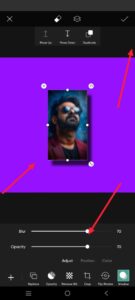 Click on that option and search for Rakshabandhan festival in the search, many types of PNG will come in it, Rakhi and other sweet gifts, many PNG missions will come, apply some sticker of your choice, apply colorful stickers and colorful background, after doing this, you have to keep some space in the middle or top of your photos because a text has to be applied ther.eWhat is te? You have to add some text there, like a good quotation related to Rakshabandha.n First of all, search for a quotation on any website or Google and copy the quotation you like. Then click on the text option here and insert some text. If the text is in Telugu, apply Telugu fonts. If it is in English, apply English fonts. However, if you apply in English, there are many fonts by default. If you are adding text in Telugu, you should add Telugu fonts separately. If you want to add these Telugu fonts, you should already have some Telugu fonts on your mobile. For this, you can set it from any Google, if you have many fonts in it, take them from me, after taking any text, after editing it, we will get many options below, click on the font, then on the right side top, an option called Add Fonts will appear, click on it and select Telugu fonts from the folder, that’s it, all your fonts will be added there, you can apply the Telugu font of your choice, after applying like this, you have to adjust the text so that it is in the middle properly. After making such adjustments, you also have to convert it to high quality. For that, click on the tools option. There, the AI option will appear. Click on that option, and you have to make it high quality on this option. When you click, your mobile data should be on; it will take some time to add some pixels and convert your photos to HD quality. Then click on the six marks at the top and then the Save to Gallery option, and this photo will be saved to your gallery. In this way, you can edit photos manually using an application other than AI. Open any tool and just select your photo with as many photos as you want to edit, select all the photos, for example, two photos, and give any region under that photo, that is, we give text in a language that the tool understands. Just write a text in a language that you understand, then submit it, and that’s it, your photo editing will be generated in a few seconds. Then, click on the generated image and click on the save option on that image, and save the photo. This is how you can edit photos in a few seconds. When adding text to this photo, you can add it anywhere, not in the background, but in the front of the photo, on the outside, in the middle, or in the middle. You may not send it next time because we always want to make sure that the text is in the final image when editing. If we do this, we will like it. The photos will be better for clarity and daily use. If you have any doubts about these, please let me know by commenting.
Prompt Here
A real 20 year old Cute boy and girl are sitting face to face on a colorful mat in the home lobby, the boy has extended one of his hands forward, And Girl tying Rakhi on brother’s hand. boy is wearing a Blue colored kurta And the girl is wearing a Red Lahenga, boy has a gift box in his other hand, is smiling, boy has applied tilak on his forehead, and on the wall in bold letters “HAPPY RAKSHA BANDHAN” “NAME & NAME” It is written, 4k image