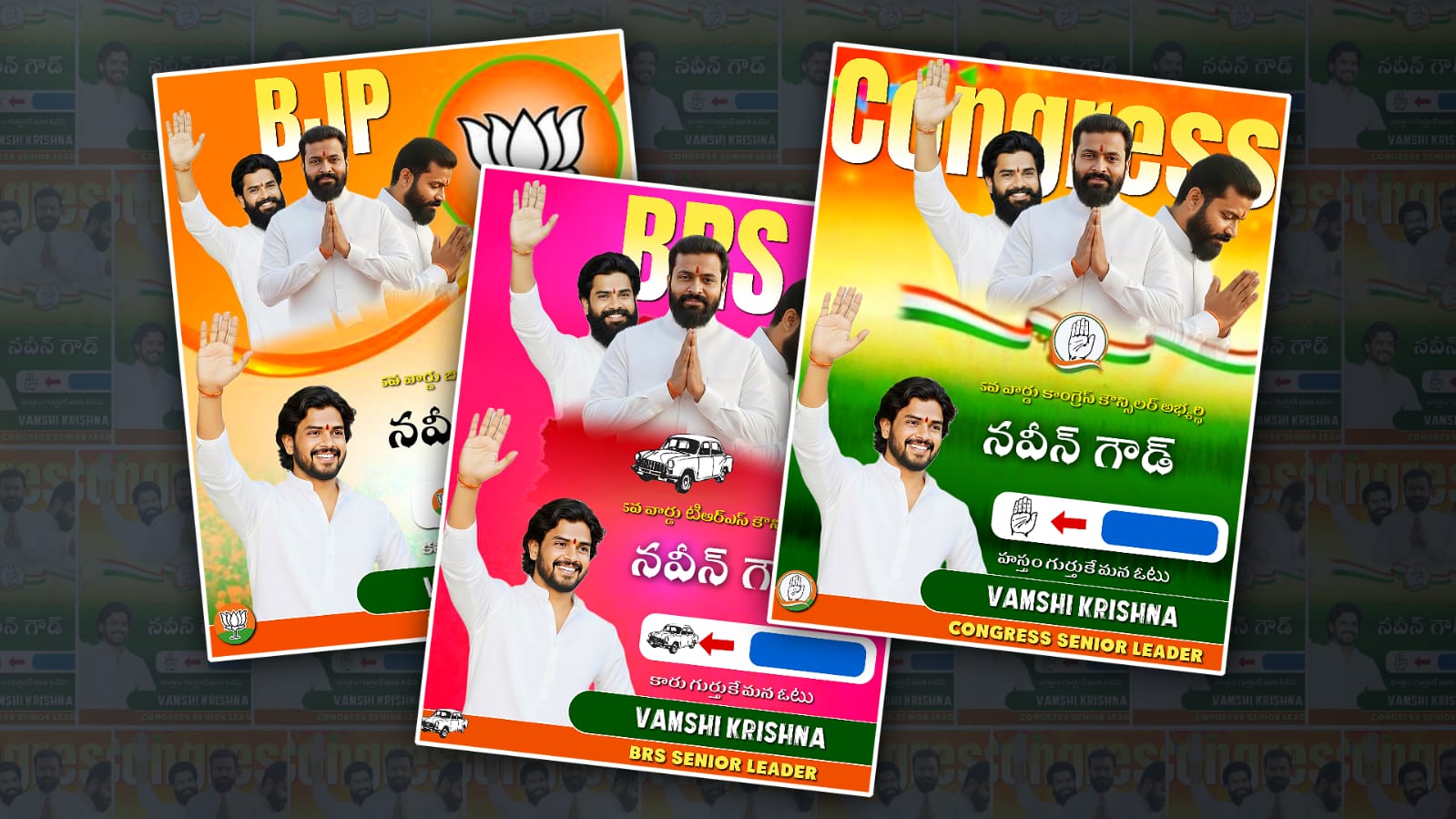
Creating professional election posters using Alight Motion has become one of the most popular skills among digital designers, social media managers, and political campaign teams. In today’s digital-first campaigning world, posters are no longer limited to printed banners or wall posters. They are now optimised for WhatsApp forwards, Instagram reels, Facebook stories, and YouTube shorts. Alight Motion stands out as a powerful mobile app that allows designers to create motion-based election posters with smooth animations, typography effects, and layered compositions directly from a smartphone. Learning how to use it professionally can give your political content a polished and trustworthy look that attracts voters and supporters.
Before starting any election poster editing in Alight Motion, it is important to clearly understand the political message you are trying to communicate. A professional election poster is not just about adding flashy animations; it is about clarity, credibility, and emotional connection. The candidate’s image, party symbol, slogan, and colour scheme must align with the party’s identity and values. Many beginners make the mistake of overcrowding posters with too much text, unnecessary effects, or mismatched colours. Professional posters keep the message simple and direct, allowing viewers to understand the purpose within a few seconds of seeing it on their screen.
To begin editing, you should first install the latest version of Alight Motion from the official website or app store to ensure stability and access to all features. You can download it from https://alightmotion.c,om which provides updates, guides, and premium options. Once installed, create a new project and choose the correct aspect ratio depending on where the poster will be shared. For Instagram stories and WhatsApp status, a 9:16 ratio works best, while for posts and banners, 1:1 or 4:5 ratios are commonly used. Choosing the right canvas size from the start saves time and maintains visual quality.
Professional election posters rely heavily on high-quality images. Always use clear, high-resolution photos of the candidate. Blurry or pixelated images instantly reduce credibility. If the image background is distracting, you can remove it using background removal tools such as https://www.remove.bg before importing it into Alight Motion. Once imported, place the candidate image on a separate layer so you can animate it independently. Subtle zoom-in animations or smooth slide effects can make the poster feel dynamic without being overwhelming.
Typography plays a huge role in election poster editing. Fonts communicate authority, trust, and seriousness, so selecting the right font style is critical. Avoid overly decorative fonts for political content. Clean, bold fonts work best for candidate names and slogans. You can find free and professional fonts from websites like https://fonts.google.com and import them into Alight Motion. Use consistent font styles across the poster to maintain harmony. A professional touch is achieved by adjusting letter spacing, line height, and alignment rather than adding unnecessary effectColourlor selection is another key element that separates amateur posters from professional ones. Election posters usually follow paletted schemes, so it’s important to use colours consistently. In Alight Motion, you can apply colour backgrounds, gradients, or subtle textures. Gradients should be soft and supportive, not distracting. Bright flashing colours or heavy shadows can make a poster look unprofessional. Use contrast wisely so that text remains readable even on small mobile screens. Testing your poster by zooming out helps ensure readability.
Animation is where Alight Motion truly shines, but professional election posters use motion with restraint. Simple entrance and exit animations for text, such as fade-ins or slide-ups, work better than complex transitions. The goal is to guide the viewer’s eyes, not confuse them. Timing is crucial; animations that are too fast feel aggressive, while slow animations may lose attention. Alight Motion’s keyframe system allows you to control motion precisely, so take time to adjust easing and duration for smooth results. Tutorials available on platforms like https://www.youtube.com can help beginners master these techniques.
Layer management is essential for clean and professional editing. Naming layers properly and grouping related elements helps maintain control over complex designs. Election posters often include logos, slogans, images, shapes, and background elements, so keeping everythingorganisedd prevents mistakes. Alight Motion allows you to lock layers once you are satisfied with them, which helps avoid accidental edits during the final stages of design.
Adding party logos and symbols should be done carefully and respectfully. Logos should not be stretched, distorted, or recoloured incorrectly. Always use official logo files when possible. Place the logo in a balanced position, usually near the bottom or corner of the poster, so it supports the main message instead of overpowering it. Subtle motion, such as a gentle fade or scale animation, can add elegance without making the logo look like an advertisement.
Text hierarchy is another professional technique often overlooked by beginners. The candidate’s name should be the most prominent text, followed by the slogan or position, and then any additional details. Alight Motion allows you to control size, opacity, and placement easily, so use these tools to guide attention. Avoid placing text too close to the edges of the frame, as this can cause cropping issues on different devices and platforms.
Sound is sometimes added to election posters when they are exported as videos. If you choose to add background music or sound effects, make sure they are subtle and appropriate. Patriotic or instrumental music works better than loud or trendy tracks. Always use royalty-free audio from trusted sources such as https://pixabay.com/music to avoid copyright issues. Keep the audio volume balanced so it enhances the visuals instead of distracting from them.
Export settings are critical for maintaining professional quality. In Alight Motion, choose a high resolution, preferably 1080p or higher, and an appropriate frame rate such as 30fps. Avoid excessive compression, as it can reduce clarity, especially for text. After exporting, test the poster on different platforms to ensure colours, animations, and text appear as intended. What looks good inside the app may look different once uploaded to social media.
Consistency is key when designing multiple election posters for a campaign. Using the same fonts, colours, animation styles, and layout structure builds brand recognition and trust among voters. Creating reusable templates in Alight Motion can save time and maintain uniformity across different designs. This approach is commonly used by professional digital campaign teams and designers.
Learning from existing professional election posters can significantly improve your skills. Observe how established political campaigns design their visuals, how they balance emotion and information, and how they use motion subtly. Inspiration can be found on design platforms like https://www.behance.net, where designers showcase political and social media graphics. Studying these examples helps you understand what works and what should be avoided.
Finally, professional election poster editing in Alight Motion is a skill that improves with practice and feedback. Don’t hesitate to share your work with others and learn from constructive criticism. Keep updating your knowledge as the app introduces new features and tools. Political design trends also change over time, so staying updated ensures your work remains relevant and impactful.
By focusing on clarity, consistency, respectful design choices, and controlled animation, Alight Motion can be transformed into a powerful tool for professional election poster editing. Whether you are a beginner or an experienced designer, mastering these principles will help you create posters that look credible, engaging, and worthy of representing a political campaign in the digital age.